
Google Sheets API vs Drive API Quotas
A single 429 surge during a nightly sync can block 1,000 row writes and leave customers with stale dashboards for hours. Google Sheets API vs Google Drive API quotas for app developers is a comparison that explains quota mechanics, concurrency budgets, and how to plan production apps that rely on Sheets or Drive. This best-practices guide, informed by production experience, compares per-endpoint quotas, effective concurrency strategies, and when to use a managed service such as our Sheet Gurus API. We show the business cost of DIY quota handling — wasted developer hours, missed SLAs, and surprise throttles — and the operational controls you gain with API key auth, configurable rate limits, and optional Redis caching (API reference). A short formula later estimates how many API keys and how much caching a 5,000-user app typically needs.
How do Sheets and Drive API quotas differ for app developers?
Sheets and Drive enforce different quota types and reset windows that change how reads, writes, and metadata operations scale. Developers must map each client action to the API and method that carries the quota, or bursts and 429s will block syncs and pipelines. For a broader comparison and operational playbook, see our detailed guide on Google Drive vs Google Sheets API Quota (2026).
What are the per-method limits for common operations?
Sheets and Drive use method-level quotas with different metrics and reset intervals, so the same user action can count against either API depending on which endpoint you call. Typical distinctions: Sheets methods measure spreadsheet and value reads/writes and often use per-minute or per-100-second windows; Drive methods measure file create/read/update/delete and use per-project and per-user windows. The table below maps common operations to the API quota type and notes you need to plan for.
| Operation | Sheets API quota type | Drive API quota type | Reset window / notes |
|---|---|---|---|
| Cell or range read (single spreadsheet) | Method-level read quota (spreadsheets.values.get / batchGet) | N/A | Often counted per-call; batch reads reduce calls. |
| Batch updates to cells | Method-level write quota (spreadsheets.values.batchUpdate / batchUpdate) | N/A | Batching reduces request count but increases per-request size. |
| Create new spreadsheet file | N/A | Drive.files.create | File creation counts against Drive create quota and can be rate limited on bulk imports. |
| Update file metadata or permissions | N/A | Drive.files.update / permissions.create | Metadata and permission changes count separately from content reads/writes. |
| Delete file | N/A | Drive.files.delete | Deletes are Drive-scoped and may have stricter per-user limits in high-volume tools. |
| Batch file operations (multiple files) | Depends on Sheets calls per file | Drive batch endpoints or repeated calls | Both APIs can hit project-level quotas when many files are processed in parallel. |
Sheet Gurus API reduces Sheets API call volume by offering configurable Redis caching and per-key rate limits, which helps avoid hitting method-level read/write quotas during peak jobs. For a focused look at Sheets quotas and mitigation tactics, see our Google Sheets API Quota: Limits & Best Practices (2026).
How do per-project and per-user quotas interact?
Per-project quotas cap total requests from a Cloud project while per-user quotas cap requests from a single OAuth identity; either can trigger throttling. If many users hit the app at once, their combined traffic can exhaust the project quota even when each user is below the per-user cap. Monitor both metrics in Cloud Console and correlate 429 spikes with project-level charts to identify which limit triggered.
Practical example: a nightly job that runs 200 concurrent user flows at 5 requests each may stay under per-user limits but exceed the project per-minute cap and produce a cascade of 429s. Sheet Gurus API helps here by applying per-key rate limits and optional Redis caching to flatten bursts before they reach Google APIs.
Steps to diagnose which quota fired:
- Check Cloud Console -> Quotas for both Sheets and Drive. The affected metric will show near-100% utilization.
- Inspect request logs and error payloads; Google returns a 429 with quota details in many cases.
- Correlate timestamps with your app’s per-user spikes (login events, scheduled syncs).
Which API handles which operations? 🔁
Sheets API handles cell- and sheet-level reads and batch spreadsheet updates; Drive API handles file creation, metadata, permissions, and file-level content operations. For example, reading a table of values calls spreadsheets.values.batchGet (Sheets), while renaming or sharing a spreadsheet calls Drive.files.update or permissions.create (Drive). Misrouting an operation to the wrong API creates unexpected quota usage and wasted calls.
Mapping examples:
- Read table rows for a dashboard: Sheets -> spreadsheets.values.batchGet.
- Insert a new spreadsheet programmatically: Drive -> files.create.
- Change sharing or add a collaborator: Drive -> permissions.create.
- Append many rows at once: Sheets -> spreadsheets.values.append or batchUpdate (use batching).
Sheet Gurus API exposes a single RESTful endpoint that maps common CRUD actions to the correct underlying Sheets and Drive calls, then applies caching and rate limits so you do not have to manage method selection and quota differences yourself.
What are common quota confusion points for developers? ⚠️
Developers often miscount batch sizes, call Drive when they meant Sheets, or assume identical reset windows, which causes silent throttling and unpredictable 429s. These mistakes create recovery work: backoff retries, job rescheduling, and customer-facing delays.
Specific scenarios that cause silent throttling and how to detect them:
- Large batch requests that exceed per-request size but still count as multiple underlying operations. Detect by checking Cloud Console method-by-method charts.
- Permission or metadata churn: automated scripts that update permissions frequently can hit Drive per-user quotas. Detect by logging permission changes and correlating with Drive quota metrics.
- Mixing Sheets value reads with Drive metadata calls in tight loops: one user action can generate several different API calls against both services. Detect by instrumenting endpoints to tag which API was called per user action.
- AI-assisted workloads: Claude/OpenAI tool call rate limits 60 RPM per user can interact with your app’s API patterns and produce synchronized bursts when agents query spreadsheet-backed data. Track agent request patterns and apply per-agent throttling.
⚠️ Warning: Ignoring reset windows and counting only calls per minute often underestimates risk; always monitor both per-user and per-project metrics for Sheets and Drive.
Sheet Gurus API addresses these confusion points by centralizing call mapping, offering per-key throttling, and providing optional Redis caching so your app reduces direct Sheets and Drive calls and avoids common quota pitfalls.
What proven strategies keep Sheets and Drive usage within quotas?
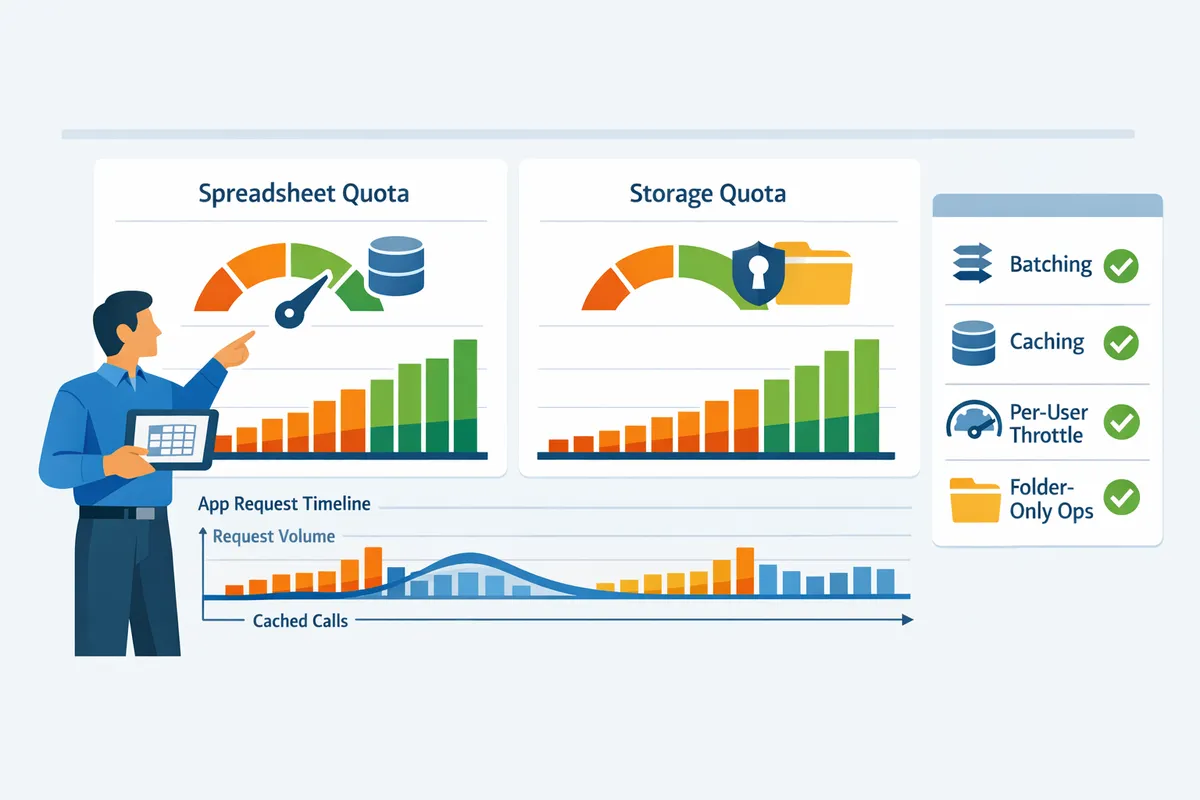
Apply batching, caching, per-user throttles, and Drive-only file operations to stay inside Google Sheets and Drive quota limits. These tactics reduce request volume, smooth traffic spikes, and limit the chance of 429s that break overnight jobs or interactive flows. The patterns below give concrete sizes, TTLs, and throttling policies you can implement today, plus how Sheet Gurus API reduces operational risk with configurable rate limiting and optional Redis caching.
How to batch and reduce writes
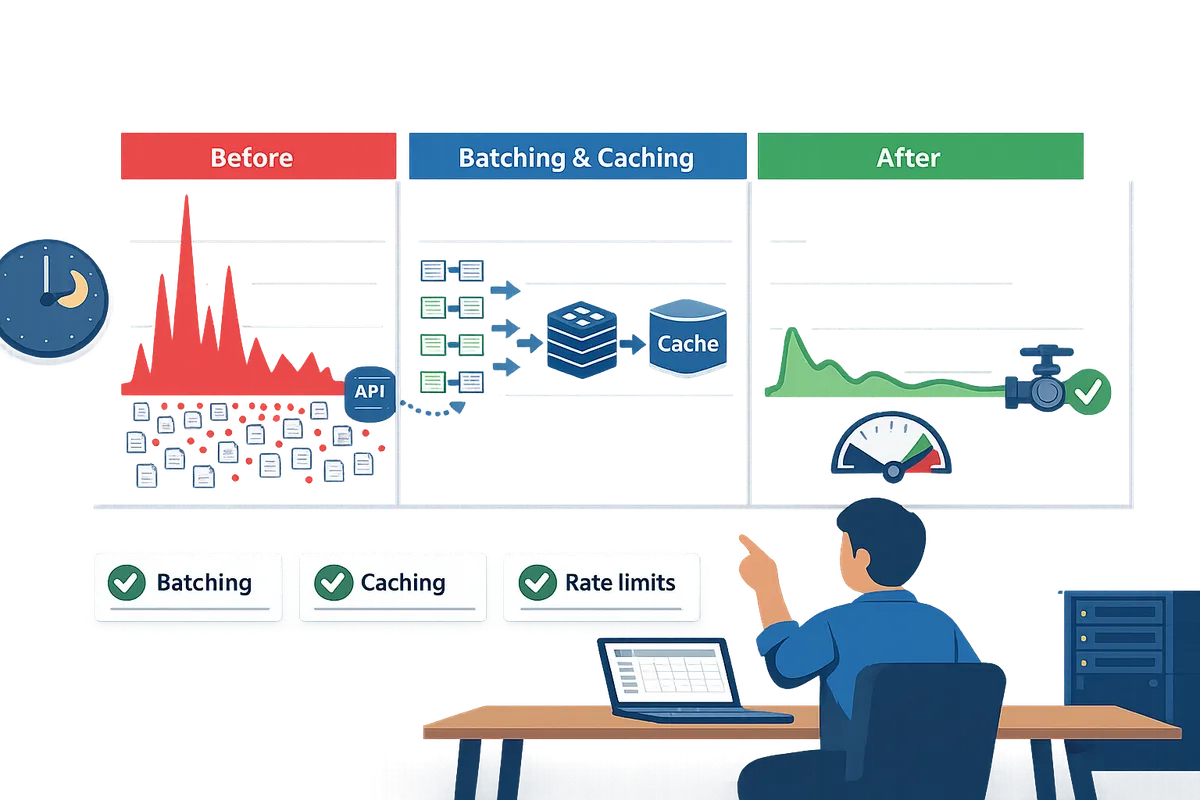
Group multiple row changes into single batchUpdate calls to cut per-minute write counts and lower 429 risk. Batching is a request aggregation technique that consolidates many small writes into fewer API calls to reduce quota consumption. For background syncs, buffer up to 200 rows and flush every 30–60 seconds; for bulk imports, prefer chunks of 500 rows per batch to minimize round trips. For interactive user edits, use micro-batches of 5–20 rows and flush immediately when a user is waiting for confirmation; this prevents lost edits while still reducing write pressure.
Example trade-offs. Buffering 200 rows for a nightly job reduces calls by 90% compared with one-row writes, but it increases the window for conflicting edits. If a workflow needs strict consistency (editor sees their change instantly), flush on commit and accept higher write rates for those operations.
Sheet Gurus API supports grouping CRUD requests at the API layer, so you can send application-level batches to the product and let it convert them into efficient Sheets API calls while enforcing per-key quotas.
When to use caching and Redis for reads 🧠
Cache read-heavy endpoints to serve repeat requests without calling the Sheets API. Caching is a storage layer that serves recent query results for a defined TTL so you avoid repeated API reads. Use short TTLs (10–30 seconds) for live dashboards and action logs; use longer TTLs (5–15 minutes) for stable reference data such as product lists or lookup tables.
Tie cache keys to sheet ranges and a lightweight version token. For example: sheet:{sheetId}:range:A1:C100:v{versionId}. Increment the versionId on any write to that range and evict affected keys immediately. This avoids full-table invalidation and keeps stale reads under control.
💡 Tip: Use range-scoped cache keys and a write-driven version counter so invalidation targets only the ranges that changed.
If you do not want to build and maintain Redis yourself, Sheet Gurus API offers optional Redis caching that maps sheet ranges to cache entries and handles invalidation after writes, cutting Sheets API calls while preserving simple consistency rules.
How to apply per-user and per-key rate limits
Apply both per-user limits and global API-key caps to prevent single users from exhausting project quotas. Per-user limits are per-identity throttles that stop hot users from consuming shared project capacity; per-key caps apply a global ceiling to the entire client key to protect project-level quotas. Use a token bucket policy: set a steady refill rate plus a small burst capacity to allow short spikes.
Concrete policies you can adopt. For interactive clients, start with 1 request per second and a burst capacity of 5 requests. For backend workers or batch jobs, allow a higher steady rate (for example, 5 rps) with a larger burst if you will be processing queued items. For global API keys, set a project-wide cap that equals the sum of expected steady rates plus a safety margin to prevent surprise 429s.
Fallback behavior. Return a clear 429 payload explaining the retry window and include Retry-After headers. Implement automatic retries with increasing delays for background jobs and prompt users to retry manually for interactive flows.
Sheet Gurus API exposes configurable rate limiting per key and per-sheet so you can enforce these policies without building a custom throttler.
How to structure AI agent workflows to respect quotas 🤖
Throttle tool calls, cache agent contexts, and batch agent writes to keep AI-driven workflows under per-user and per-project quotas. AI agent quota management is a set of patterns that control how often an assistant reads from or writes to spreadsheets so tool calls stay inside limits. Claude/OpenAI tool call rate limits 60 RPM per user, so queue or buffer agent tool calls when multiple agents share a single account.
Practical pattern. First, coalesce identical agent queries and serve the cached summary to multiple agents for a short TTL (30–120 seconds). Second, limit agent-initiated sheet reads to one per conversational turn and summarize results locally to avoid repeated full-sheet fetches. Third, batch agent writes (for example, collect all updates during a session and flush every 15–60 seconds) to avoid hitting write caps during bursts.
If your app handles many agents concurrently, use a central queue that enforces the 60 RPM per-user rule and distributes calls evenly. Sheet Gurus API’s MCP support and built-in rate limiting make it easier to expose sheets to AI assistants while enforcing per-key and per-user throttles.
Related reading: compare quota mechanics across APIs in our Google Drive vs Google Sheets API Quota (2026) and see practical quotas and escalation steps in Google Sheets API Quotas and 429s: How to Increase Limits and Prevent Errors (2026 Guide + Calculator). You can also review implementation patterns for Drive, Sheets, and Docs in Google Drive API Rate Limit: Sheets, Drive, Docs (2026) and step-by-step 429 diagnostics in Google Sheets API 429s and Quotas (2026): Root‑Cause Playbook + Cloud Monitoring Dashboards and Alerting. For hands-on setup, see Sheet Gurus API’s getting started guide and API reference.
How should developers plan capacity and measure quota usage for production?
Capacity planning turns expected user behavior into required API throughput and safety budgets so you do not hit sudden 429s in production. Map each user action to the exact Sheets or Drive method it calls, simulate concurrent traffic, and set per-user and per-project buffers before launch. Our website recommends building a simple quota planner, deploying Cloud Monitoring alerts, and preparing a documented quota-increase request before traffic ramps.
How to build a quota planner and worked examples 🧮
A quota planner is a planning tool that multiplies average calls per action by concurrent users and adds a safety margin to produce RPM and concurrency budgets. Start with a short table: action name, API method used, calls per action, frequency (actions per minute), and concurrent actors. Then compute Required RPM = sum(concurrent actors * calls per action * actions per minute) and add a safety margin (20–50% depending on burstiness).
Worked example 1: internal dashboard with 50 active users.
- Assumptions: dashboard load = 8 Sheets API calls (data range, two lookups, two metadata checks, one write for user prefs), users refresh once per minute. Calculation: 50 users * 8 calls * 1 refresh/min = 400 RPM. Add 30% buffer for spikes = 520 RPM. Mitigations: introduce per-user client-side caching to drop repeat reads, batch range reads into a single request, or use Sheet Gurus API to expose the sheet with Redis caching and per-key rate limits to turn 400 RPM into a fraction of Google Sheets calls.
Worked example 2: 200 AI agents making automated queries.
- Assumptions: each agent issues 4 calls per query and may burst; average target = 1 query/minute. Baseline: 200 * 4 = 800 RPM. Use a 50% burst margin for parallel agents = 1,200 RPM. Mitigations: queue requests with a concurrency limiter, move frequent lookups into a cached read layer, or route agents through Sheet Gurus API which offers per-key throttling and optional Redis caching to reduce direct Sheets API traffic and protect quotas.
What monitoring and alerting should you deploy? 🔔
Monitor per-minute usage, per-user spikes, 429 error rate, and 95th percentile latency as primary signals. Set up dashboards that show project-level RPM and per-user RPM, and use Google Cloud Console quota metrics plus API request logs as the canonical sources. Recommended alert thresholds: warn at 60–70% sustained usage for 5 minutes, escalate at 85–90% for 2 minutes, and fire a critical alert if 429 rate exceeds 0.5% sustained over 5 minutes.
Alert actions must be actionable and automated. For each alert include an automated playbook: (1) throttle nonessential clients by reducing polling frequency; (2) enable graceful degradation (serve cached data or older snapshots); (3) flip a feature gate for heavy background jobs. Instrument client SDKs to accept server-sent rate-limit hints so you can back off per-user without redeploying clients.
💡 Tip: Track per-key and per-user quotas separately; a single noisy key can exhaust project quota and hide the real offender.
Useful metrics and where to get them:
- Google Cloud Console quotas for project-level limits.
- API method logs (Cloud Logging) to map actions to quota usage.
- Custom application metrics for concurrent active users and queue lengths.
How do you request quota increases and what timelines apply? 📨
Request quota increases through the Google Cloud Console with a clear traffic pattern, expected RPM, and business justification; review times typically range from a few days to several weeks depending on quota type. Provide concrete evidence: historical usage graphs, planned traffic ramp schedule, and architecture notes showing throttles and retries. Include a contact person and projected sustained increase rather than a one-off spike.
Common rejection reasons include vague traffic explanations, missing dashboards, or failure to show retry/backoff and per-user throttling. While you wait, apply interim mitigations: add caching, implement client-side rate limits, shift nonessential work to off-peak hours, or split work across users/service accounts where quotas permit. See our step-by-step playbook in Google Sheets API Quotas and 429s: How to Increase Limits and Prevent Errors (2026 Guide + Calculator) for templates to attach to your request.
When should you choose Sheet Gurus API over a DIY backend? ⚙️
Choose Sheet Gurus API when you want to move a spreadsheet-backed feature to production quickly and avoid building and operating custom quota controls. Building a reliable quota-management stack requires engineering time for rate limiting, key management, caching, monitoring, and per-user throttles; Sheet Gurus API provides API-key access control, configurable rate limits, and optional Redis caching so teams skip that operational work.
Business cost comparison (illustrative): a small team that builds a DIY stack might spend 2–6 weeks of engineering time to reach parity with basic rate limiting and caching, plus ongoing maintenance and on-call burden during traffic spikes. Those hours translate into delayed launches and higher failure risk when a single surge produces 429s. Using Sheet Gurus API reduces time to market and shifts quota protection to a managed layer, letting product teams focus on features instead of retry logic and quota firefighting. Learn more about connecting a sheet and shipping an API on our getting started guide at https://sheetgurusapi.com/docs/getting-started and the product overview at https://sheetgurusapi.com/about.
Frequently Asked Questions
This FAQ answers the operational questions teams ask about Sheets and Drive quota behavior and production readiness. Each answer gives a direct response, specific examples, and practical next steps you can apply in staging and production.
How accurately do Google quota docs reflect real-world behavior? 🤔
Official Google quota pages list limits but often omit how per-method splits and combined per-user/project interactions create real-world bottlenecks. Real systems see surprises when one method (for example, file metadata calls) consumes a different quota than row reads, producing 429s even though aggregated traffic looks low on paper. Run focused staging load tests that map each user action to the exact Sheets or Drive API methods called, and instrument those methods in Cloud Monitoring or our Sheet Gurus API logs to capture which quotas actually throttle you.
- Example: a sync that issues 500 small row reads plus 100 metadata requests may hit Drive metadata limits before Sheets read quotas appear stressed.
- Action: create a synthetic test that mimics your peak burst, then log per-method error rates and latencies.
Refer to our comparison guide, Google Drive vs Google Sheets API Quota (2026), for typical method-level surprises and how teams detect them early.
Are quotas shared between Sheets and Drive in the same Cloud project? 🔗
Some limits apply only to a single API while other quotas are enforced per Cloud project and can indirectly affect both Sheets and Drive. You must check both the Sheets and Drive quota pages and map high-volume flows to the billing project that will actually incur the calls. Monitoring combined usage helps spot cross-API collisions, such as Drive metadata calls consuming per-project limits while Sheets writes consume per-method write limits.
- Practical step: list every user flow, then map each flow to the API method it calls (Drive.files.get, spreadsheets.values.batchUpdate, etc.).
- Monitoring: enable per-method alerts in Cloud Monitoring or track per-key metrics via our Sheet Gurus API so you see the combined effect.
See our Google Drive vs Google Sheets API Quota (2026) article for a side-by-side view of where limits overlap.
What happens when an app hits the 60 RPM per-user cap? ⛔
When a user exceeds the 60 requests per minute per-user cap Google returns 429 rate-limit errors and further requests fail until the client backs off. Those 429s block user-facing workflows and can cascade into retries that worsen the burst, so implement exponential backoff with capped retries and move nonessential work to background jobs.
- Example mitigation: convert a synchronous nightly sync of 1,000 rows into chunked background jobs of 100 rows with a 1-second spacing per user.
- Operational control: enforce per-user throttles server-side or at the API gateway so a noisy client cannot consume other users' quota.
⚠️ Warning: Repeated client retries without a capped backoff can drive a cascade of 429s and escalate an outage from minutes to hours.
Our Sheet Gurus API supports per-key rate limits and adjustable throttles so you can protect a shared endpoint from single-user spikes while preserving other clients.
Can caching eliminate all quota problems? 🗄️
Caching reduces repeated read requests but does not address write quotas or Drive metadata operations, so it cannot eliminate all quota risk. Use caching to cut read volume for frequently requested data, then combine it with batching, write coalescing, and per-key throttles to protect write budgets and metadata limits.
- Practical pattern: cache LIST and GET responses with short TTLs (for example, 30–120 seconds) and invalidate on writes. This reduces reads while keeping data reasonably fresh.
- Example: a dashboard that polls every 5 seconds benefits from a shared cache that answers 10 clients from one cached result instead of 10 separate Sheets API calls.
💡 Tip: Use short TTLs for rapidly changing sheets and longer TTLs for archival or reporting sheets.
Our Sheet Gurus API offers optional Redis caching to cut Sheets API calls and configurable cache rules so teams avoid building caching layers themselves.
How long does it typically take to get a quota increase approved? ⏳
Quota increase reviews usually take from a few days to several weeks and emergency increases are uncommon. Google expects a clear justification including usage graphs, peak RPS, traffic patterns, and an explanation of why architectural changes cannot solve the demand.
- Prepare evidence: show 7–14 days of logs, peak request patterns, and a traffic forecast that includes safety margins.
- Submit via the Google Cloud Console quota request form with the project that bills the API calls.
- While waiting, implement a fallback plan: throttle clients, shift heavy work to background workers, and partition load across time windows.
- Fallback example: move noncritical reporting jobs to off-peak hours and use progressive batching to spread write operations across minutes.
For a step-by-step playbook and templates you can reuse, see our guide on increasing Google Sheets API quota.
Does Sheet Gurus API handle throttling and quota management for me? ✅
Yes. Our Sheet Gurus API provides configurable rate limiting, API-key controls, optional Redis caching, and per-key metrics so you do not have to build and operate custom quota controls. These features let you protect a shared spreadsheet-backed service from noisy clients, cut redundant Sheets API calls, and monitor which keys or endpoints approach quota limits.
- Example workflows: enable per-key limits to prevent a single client from causing 429s; turn on Redis caching to serve repeated reads without hitting the Sheets API; configure alerts in the API dashboard to notify you before quotas are reached.
- Where to start: consult our API Reference for rate-limit configuration examples and the About Sheet Gurus API page for operational details.
Next steps for quota planning and production readiness
Plan quota budgets, reduce unnecessary calls, and use a managed API to run spreadsheet-backed features reliably at scale.
Compare your most frequent read and write flows against quota rules and reserve concurrency for critical paths. The Google Sheets API vs Google Drive API quotas for app developers phrase should guide which flows you throttle, batch, or cache. For a practical comparison, see our Drive vs Sheets quota comparison that contrasts per-minute limits and common 429 triggers.
If you prefer a faster path to production, schedule a consultation with Sheet Gurus API to map quotas to your workflows and get a tailored operations plan using sheet-backed endpoints. Our team can show how per-key rate limits and caching reduce quota pressure without building a custom backend. For implementation patterns and quota-reduction tactics, review the Sheets quota best practices guide.
💡 Tip: Start by load-testing one high-volume write flow. Identifying the tighter write cap early prevents costly outages and hours spent on manual fixes.