
Fix Google Drive API 'User Rate Limit Exceeded'
A burst of Drive API requests during a bulk import can trigger a google drive api user rate limit exceeded error and halt your automation. 'google drive api user rate limit exceeded' is an API error that signals a single user's Drive request quota has been surpassed, returning 403 throttled responses. This article offers step-by-step fixes for bulk operations: reproduce the error, immediate mitigations, quota-aware retries, and when to change strategy. The Sheet Gurus API Google Sheets REST API turns Google Sheets into production-ready RESTful JSON APIs without backend code and reduces Drive API calls by adding our API key controls, per-sheet rate limits, and optional Redis caching. Which quick fixes stop large syncs from tripping user quotas and how does Sheet Gurus apply them?
What causes 'User rate limit exceeded' and how does it affect bulk Drive workflows?
User rate limit exceeded occurs when a single OAuth user or client sends more Drive API requests than the quotas assigned to that identity. This happens most often during bulk writes or concurrent export/copy jobs that push many requests at once and exhaust per-user or per-project caps, producing 403 or 429 errors that stop automation. The result is halted pipelines, multiplied retries, and time spent diagnosing failures.
Which quotas cause this error and what do the error codes mean? ⚙️
Per-user, per-project, and per-second quotas are the usual limits that trigger a user rate limit error. Quota is a configured limit that controls how many API calls are allowed per unit (for example, per second, per user, or per project). Google typically returns 403 User rate limit exceeded when a formal quota is breached and 429 Too Many Requests when flood-control or short-term throttling is applied; both codes require different responses. For example, bulk file-copy jobs often hit per-user write caps, while a sudden system-wide batch may hit per-project throughput. Our website's Google Drive API Rate Limit: Sheets, Drive, Docs (2026) explains these distinctions and shows batching and per-key throttling patterns you can apply. Sheet Gurus API helps here by offering per-key rate limits and optional caching so a single user or automation cannot exhaust your project quota.
What are the common symptoms to spot quickly? ⚠️
Frequent 403/429 responses, a sudden drop in processed items per minute, and growing retry queues are the primary symptoms. For example, a scheduled sync that used to handle 1,000 rows per minute can collapse to 50 rows per minute once per-user write limits trigger. Also watch for log patterns where many clients receive the error at the same time versus only one client repeatedly failing; that tells you whether the problem is scoped to a user or to the project. ⚠️ Warning: Aggressive retries without backoff will multiply request volume and make quota exhaustion worse. Use request logs in the Cloud Console and the Drive API response headers to correlate timestamps and client identities. Sheet Gurus API reduces symptom noise by enforcing per-key throttling and providing optional Redis caching to cut the number of Drive/Sheets calls your workflows make. See our Google Sheets API Quotas and 429s guide for diagnostic checkpoints.
How much business impact should teams expect? 💸
Rate limits create lost throughput, missed SLAs, and extra operational hours to triage and rerun jobs. For example, a finance automation that stalls during month-end forces manual reconciliation and adds several staff-hours of rework, which delays reporting and erodes stakeholder trust. High-volume customer-facing syncs can directly affect revenue when delayed exports prevent invoices or notifications from being generated on time. Using a managed layer such as Sheet Gurus API reduces that risk by letting you apply per-key limits, queueing, and caching so your business workflows keep operating even when Drive quotas tighten.
How to map symptoms to the right quota? 🧭
Correlate which identity and which clients see the errors to determine whether the breach is per-user or per-project. Follow these steps:
- Check whether only one OAuth user or service account shows repeated 403/429 failures. If yes, suspect a per-user quota.
- If every client or every token fails at the same time, suspect a per-project or per-second limit.
- Use the Google Cloud Console Quotas page to view the specific quota metric and time window affected; match timestamps from your request logs to the quota graph.
- Look at operation types: large numbers of writes (create/copy/export) tend to hit write caps faster than reads. Community teams often observe effective write throughput constraints (for example, productive write rates near three requests per second under heavy load), so treat bursty write jobs with particular care.
Sheet Gurus API simplifies mapping by exposing per-key usage metrics and letting you set per-key or global caps so a single automation cannot bring the whole project down. For step-by-step mitigation tactics and batching patterns to reduce quota pressure, consult our Google Drive vs Google Sheets API Quota (2026) comparison and the Google Sheets API Quota: Limits & Best Practices (2026).
How can you stop, mitigate, and prevent 'User rate limit exceeded' errors?
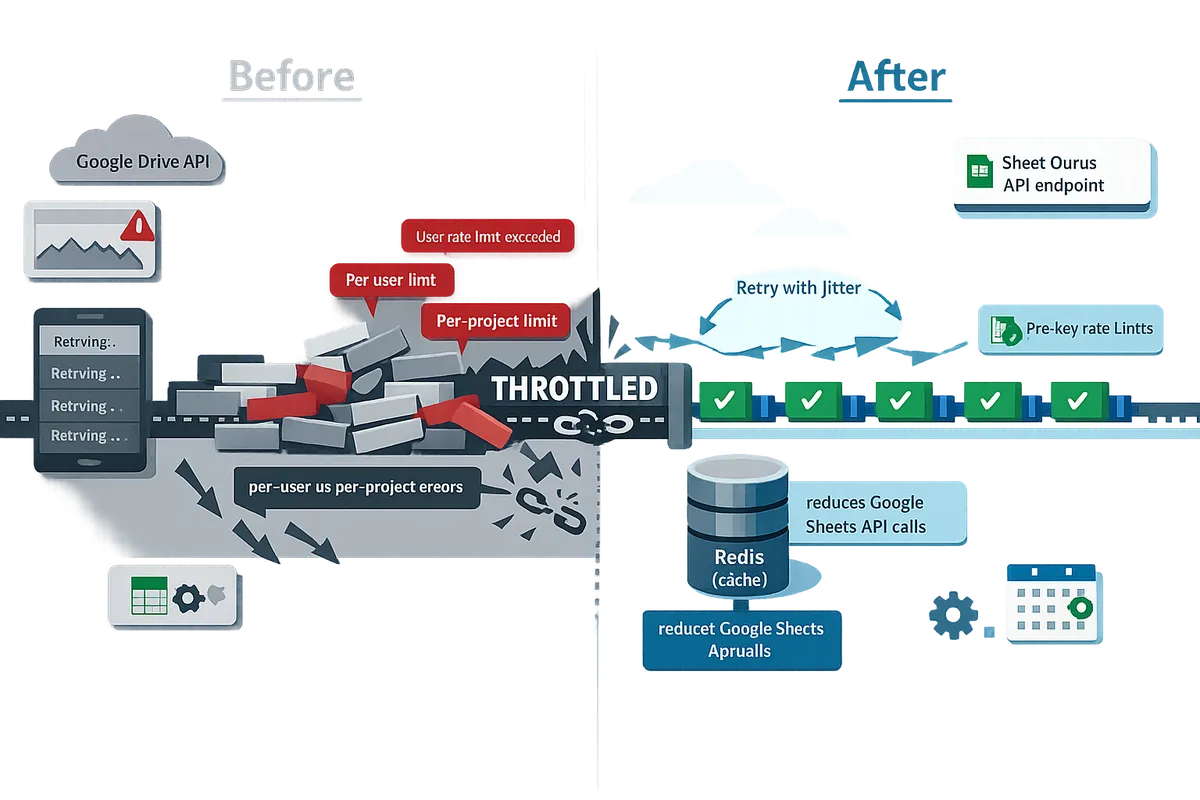
You stop and prevent 'User rate limit exceeded' errors by diagnosing which quota is hit, reshaping request patterns, using jittered backoff, and adding caching or API-side throttles. This layered approach fixes immediate failures and lowers the risk of repeat outages during bulk exports, copies, or writes.
Step-by-step diagnostic playbook (checklist) 🔎
Run a short checklist: check Cloud Console quota graphs, inspect Drive request logs for 403/429, identify offending endpoints, and reproduce failures with a scoped test account.
- Check the Cloud Console quotas and usage graphs for per-user and per-project spikes during the failure window.
- Filter Audit Logs for Drive API 403 and 429 responses and note the exact endpoint, request size, and timestamp.
- Identify patterns: are errors tied to files.copy, export, or bulk writes?
- Reproduce with a scoped test account at reduced concurrency (for example, one worker at 10% of production) to confirm which operation triggers the limit.
- Record a minimal failing sequence (API call order and payloads) to use when requesting quota increases.
For more on which quotas to monitor and why 429 vs 403 matter, our guide on Google Drive API Rate Limit: Sheets, Drive, Docs (2026) explains how those errors map to per-user vs per-project throttles.
How to reshape requests: batching, concurrency caps, and scheduling ⚙️
Reduce peak concurrency and spread writes over time by batching operations, capping parallel workers, and scheduling bulk jobs during off-peak windows.
- Batch writes where the API supports it (group cell or row updates into a single batchUpdate rather than many single-row writes). This reduces round trips and cuts write pressure.
- Cap concurrent workers to a safe ceiling discovered during diagnostics. Start at a conservative level and increase only after monitoring for 403/429.
- Schedule large imports or exports during low-traffic windows and stagger them across minutes instead of firing all requests instantly.
Example: if a nightly job needs to update 5,000 rows, send 250-row batches every 30 seconds with two parallel workers rather than 5,000 single-row updates at once. That keeps burst load under the google drive api 3 rps write limit where applicable.
💡 Tip: When testing caps, run at 10% of production concurrency and measure 403/429 counts before scaling up.
Which retry and backoff pattern should you use? ⏱️
Use incremental backoff with randomized jitter and a strict retry cap to avoid amplifying load after rate-limit responses.
- Start with a short base delay (for example, 500 ms), add random jitter (± up to 50% of the delay), and double the delay on each retry until a capped maximum (for example, 8 seconds).
- Limit retries for non-idempotent writes; prefer duplicate protection or an idempotency key when retrying create/update operations.
- Keep a small max retry count (3–5 attempts) so failing operations do not lock resources or create cascading load.
⚠️ Warning: Do not blindly retry non-idempotent operations without duplicate protection; repeated retries can create duplicate records or additional quota pressure.
Request-cost comparison table 🧾
Use a cost table to budget operations and identify which calls to prune or batch. The table below is illustrative for planning and shows relative cost, not definitive Google billing or quota units.
| Drive API operation | Relative cost | Notes and planning guidance |
|---|---|---|
| files.list | Low | Use restrictive query filters and reduce page sizes; cache results when possible. |
| files.get | Low | Cache file metadata if it is read frequently. |
| files.copy | High | Copies usually trigger significant write work; batch or schedule copies. |
| files.export | Medium-High | Exports to other formats can be CPU/heavy; stagger exports and cache results. |
| batchUpdate (sheets) | Low-Medium | Prefer multi-row batch updates over many single-row writes to cut request counts. |
Example use: estimate how many files.copy operations your workflow performs per run and schedule them across minutes or convert high-frequency copies into a single batched export+transform step.
How our Sheet Gurus API reduces Drive API pressure 🤖
Our Sheet Gurus API reduces Drive and Sheets calls by adding API-side rate limits, optional Redis caching, and per-key quotas so a single client cannot exhaust a user's Drive quota.
- Configure per-key throttling to limit a single integration while keeping other clients active.
- Turn on optional Redis caching to serve repeated reads from cache and cut backend Sheets/Drive calls for dashboards and AI agents.
- Use per-sheet permissions and API key authentication to move spreadsheet-backed services to production without building a custom backend.
For implementation details, see our API Reference and learn how the product converts sheets into RESTful endpoints on the About Sheet Gurus API page. Use caching to replace frequent polling or per-row reads with cached endpoints that keep bulk jobs within the google drive api 3 rps write limit.
Operational guardrails: monitoring, alerts, and automated throttling 🔔
Set alerts on Drive 403/429 counts, retry rate, and request latency, and implement automated throttling that reduces concurrency or rolls back workers when thresholds trigger.
- Create metrics: 403 count per minute, 429 count per minute, retry rate, average request latency, and per-endpoint error rate.
- Example thresholds: pause parallel workers if error-rate > 5% for five consecutive minutes; resume after error-rate drops below 1% for two minutes.
- Implement automated throttling that reduces worker concurrency or moves jobs to a queued scheduler instead of immediate retry.
For guidance on quota increase requests and forecasting, consult our walkthrough on Google Sheets API Quotas and 429s: How to Increase Limits and Prevent Errors (2026 Guide + Calculator) and the comparison in Google Drive vs Google Sheets API Quota (2026).
How do you implement fixes, validate results, and request quota increases?
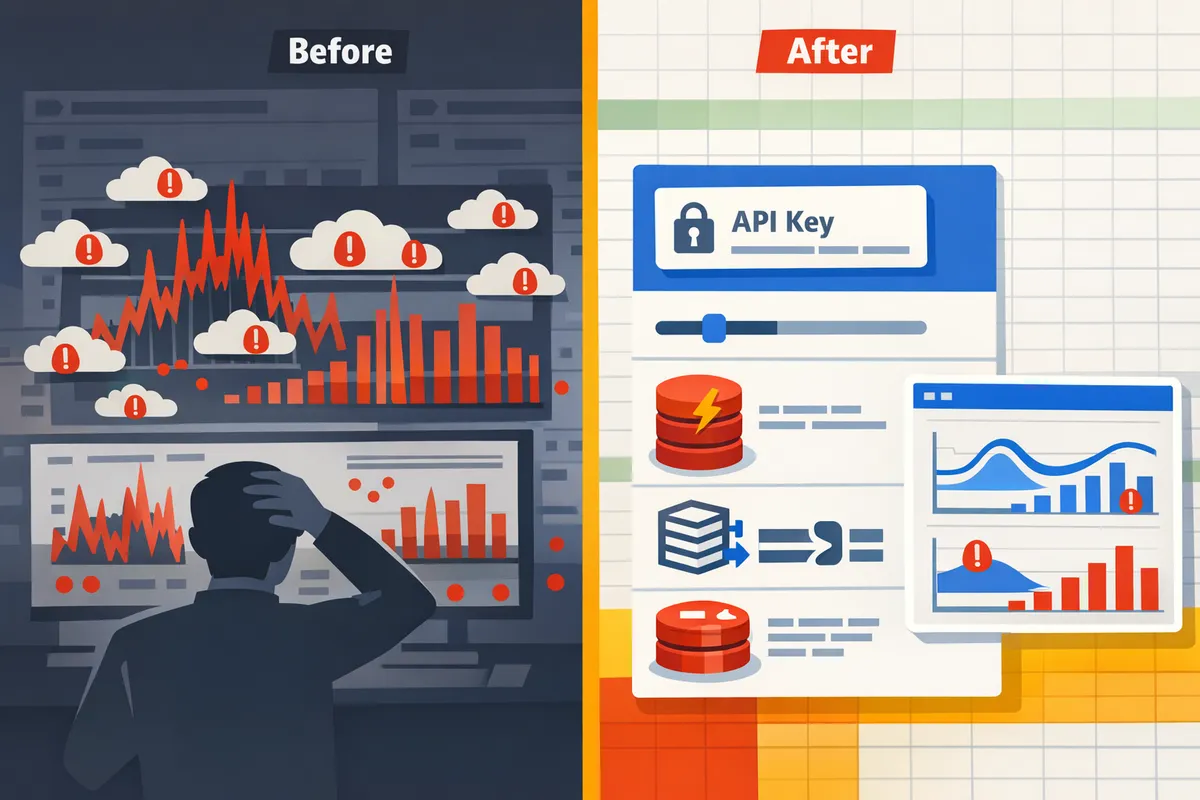
Implement fixes by reshaping request patterns, adding throttles and caching, validating with controlled canaries, and collecting targeted data for quota requests. Use feature flags to roll changes out, measure error and throughput deltas with canary traffic, and only file a Google quota request after you can show reduced per-user spikes and a clear scaling plan.
Deployment checklist and validation steps 🔍
Deploy changes behind feature flags and run canaries that measure error rate, latency, and throughput before widening the rollout. A practical canary runs 10% of normal job volume (for example, 10 concurrent jobs if production runs 100) and compares 403/429 counts and average request/sec against the baseline.
Checklist (deploy then measure):
- Enable feature flag and route a small subset of users or jobs.
- Record Cloud Console quota graphs, request/second charts, and raw Drive API error logs with timestamps.
- Measure these KPIs for baseline and canary: 403 count, 429 count, average latency, requests/sec, and job completion time.
- Roll back immediately if 403/429 increases or job completion time doubles.
Link to the broader quota primer for context: see Google Drive API Rate Limit: Sheets, Drive, Docs (2026) for which quotas to monitor and common failure modes.
💡 Tip: Include request IDs and exact API error payloads (timestamped) in your logs so Google Support can correlate spikes to quota windows.
How to build throttling policies for bulk jobs 🧭
A throttling policy sets worker counts, parallel requests per worker, spacing between requests, and retry rules to keep per-user rates under quota. Concrete examples below give starting points you can tune against your own workload.
- Small jobs (infrequent writes). Use 2 concurrent workers per user, 1 parallel request per worker, and 50 ms spacing between requests. Retry up to 3 times with jittered backoff (start 200 ms).
- Large exports (many reads, occasional writes). Run single-threaded exports per user, batch reads where possible (use Drive files.export in groups), and space requests by 200 ms. Group writes into batched updates to reduce write operations.
- High-concurrency syncs (hundreds of users). Cap concurrent workers globally and per-user. Example: max 10 global workers, max 1 worker per user, 100 ms spacing, and a queue length limit to drop or defer excess work.
When you use Sheet Gurus API, configure per-key rate limits and optional Redis caching to cut Sheets API calls and enforce throttles at the API layer rather than in multiple custom worker services. See Google Drive vs Google Sheets API Quota (2026) to decide whether to reduce Drive calls or Sheets calls first.
What information does Google need for a quota increase? 📄
Google requires a clear use case, traffic graphs, exact error samples with timestamps, and a safe growth plan to evaluate quota requests. Attach Cloud Console quota graphs showing the spike windows, the number of affected users, a sample of 403/429 error payloads (with timestamps), and an operations plan describing throttles and staging steps.
What to include (pack these into the request):
- Short summary of the business case (what the automation does and why higher quota matters).
- Baseline and spike charts from Cloud Console (requests/sec and error counts) with UTC timestamps.
- Example error messages and request IDs pulled from your logs.
- Expected traffic profile after changes (requests/sec by endpoint, concurrency, and number of users) and mitigation controls (throttles, retries, batching).
Expect an initial Google response within a few business days for standard requests; complex enterprise reviews can take longer. If quota still falls short, present your canary results showing lower error rates after applying throttles and caching.
Link to our step-by-step quota increase checklist in Google Sheets API Quotas and 429s: How to Increase Limits and Prevent Errors (2026 Guide + Calculator) for templates and a sample request payload.
How to measure success after fixes are applied ✅
Success is fewer 403/429 errors, steady throughput, and fewer manual interventions during bulk runs. Compare baseline and follow-up graphs for error rate, requests/sec, and job completion time over the same time windows and job mixes.
Concrete validation steps:
- Use the canary to produce a baseline week and a post-fix week, then compare 403 and 429 counts per 1,000 requests.
- Track operational load: number of manual restarts, ticket volume, and average job retry count.
- Set quantitative gates for rollout: e.g., error rate drops by at least 70% and median job time improves or stays within 20% of baseline.
Sheet Gurus API can reduce the number of Drive/Sheets calls via caching and server-side rate limits, which shortens this validation cycle because you can measure per-key limits and cache hit rates in one place. See Google Sheets API Quotas and 429s guide for recommended KPIs to capture.
Business trade-offs: DIY scaling versus using Sheet Gurus API ⚖️
Building custom rate controls, caching, and monitoring saves licensing costs but adds weeks of engineering work and ongoing operational risk. For example, a small team building a custom throttle and cache often spends 2–4 weeks on design and another 1–2 weeks debugging production edge cases.
If speed to market and lower ops overhead matter, Sheet Gurus API moves rate limiting, API key controls, and optional Redis caching into a managed platform so your team avoids building and maintaining the backend. Sheet Gurus API typically achieves up to 99.9% uptime and provides per-key throttling, which reduces the chance of userRateLimitExceeded errors without new infrastructure.
For more on quota planning and which calls to prune first, consult Google Sheets API Quota: Limits & Best Practices (2026) and our pricing-and-quotas guide to forecast request costs before you escalate to Google.
Frequently Asked Questions
This FAQ answers the most common diagnostics and mitigation steps for google drive api user rate limit exceeded errors. Each answer gives a direct fix or inspection step you can apply to bulk imports and automation jobs.
Why do I get 'User rate limit exceeded' instead of 'Too Many Requests'? 🤔
Google returns 403 for quota or per-user limits and 429 for flood-control or burst throttles. Check the HTTP status code first. A 403 typically means a per-user or per-project quota was exhausted; a 429 means the service detected a short-term burst or flood and applied burst protection. Confirm by correlating the code with Cloud Console quota graphs and request logs to see whether the metric is sustained (quota) or spiky (flood control). Our guide on Google Drive API Rate Limit: Sheets, Drive, Docs (2026) explains common symptoms and how the two signals differ in practice.
What is the google drive api 3 rps write limit and how should I design around it? ⚙️
Use 3 requests per second per user as a practical safe target for heavy write workflows to avoid per-user write throttles. Treat 3 rps as a guideline, not a guaranteed hard limit from Google; many teams find it prevents sustained write rejections. Design patterns that work: batch writes into larger single operations where possible, cap concurrent workers so each OAuth user stays under 3 rps, and schedule non-urgent writes across windows (for example, spread bulk updates over minutes rather than firing hundreds of parallel writes). For more on read/write differences and when to switch APIs, consult Google Drive vs Google Sheets API Quota (2026).
Can retries and exponential backoff alone fix the problem? 🔄
No; retries with exponential backoff reduce immediate collisions but do not stop sustained quota exhaustion from high concurrency. Backoff helps when brief contention causes transient 429/403 responses, but if your aggregate traffic exceeds per-user or per-project quotas you will keep hitting limits. Combine retries with request shaping: add per-key throttles, use caching for repeated reads, batch writes, and impose concurrency caps. Sheet Gurus API's configurable rate limits and optional Redis caching let teams apply those controls without building custom middleware.
How do I check which specific quota was hit in Cloud Console? 📊
Open the Cloud Console quotas page, filter by Drive API, and inspect per-metric graphs at the error timestamps to identify the offending quota. Step-by-step: 1) Go to Google Cloud Console > IAM & Admin > Quotas. 2) Filter services for Drive API (and Sheets if your workflow mixes both). 3) Expand metrics for per-user, per-project, and requests-per-second and zoom the chart to the error time. 4) Export the chart and download logs from Cloud Logging for the exact timestamps to correlate request spikes with the rejected calls. For what each metric typically means and examples of charts to watch, see Google Sheets API Quota: Limits & Best Practices (2026).
💡 Tip: Export quota charts and include timestamped error logs when you open a support case or request an increase.
When should I request a quota increase from Google? ⏳
Request an increase only after you can show steady demand, monitoring data, and a throttling plan that prevents spikes from breaking production. Google expects supporting evidence: historical usage graphs, a rollout plan (how you will limit peaks), and examples of errors. Typical timelines vary; expect an initial review within a few business days and approvals can take from one to a few weeks depending on complexity and support tier. Prepare before you apply: collect per-metric graphs, describe fallback controls, and show how you will avoid sudden surges. Our step-by-step quota increase playbook in Google Sheets API Quotas and 429s (2026 Guide + Calculator) explains the exact data reviewers ask for.
Will using Sheet Gurus API reduce my Drive API call volume? ✅
Yes; Sheet Gurus API reduces Drive and Sheets API call volume by consolidating operations, providing per-key rate limiting, and offering optional Redis caching. Sheet Gurus exposes a single REST endpoint for common CRUD patterns so multiple small Drive calls become one efficient request. The platform also enforces per-key throttles to stop a single integration from exhausting per-user quotas and can serve cached responses to avoid repeated read requests. For implementation detail see the Sheet Gurus API documentation and API reference and the product overview on our About page. As an illustrative example, a polling service that queried a sheet every 5 seconds for 100 users would generate about 1.7 million requests per day; consolidating reads and using caching can cut that volume dramatically and remove the primary cause of user rate limits.
Reduce Drive calls and add per-user throttles to stop rate-limit failures.
Short, targeted fixes stop most google drive api user rate limit exceeded errors: batch writes, stagger per-user bursts, add exponential retries, and monitor quota usage. Our troubleshooting steps and the Drive, Sheets, Docs quota guide show which calls to prune first and how to forecast demand for production. See the practical quota tactics in the Google Drive API Rate Limit guide for implementation patterns.
Sheet Gurus API turns Google Sheets into production-ready RESTful JSON APIs in minutes, requiring no backend code. Users sign in with Google, select a spreadsheet, and immediately receive a live API endpoint that supports full CRUD with changes syncing back to the original sheet in real time. For a hands-on drive api userRateLimitExceeded fix, create your first endpoint with the getting-started guide and test how per-key throttles and optional Redis caching cut Sheets API calls.
Subscribe to our newsletter for ongoing tips about Sheets API Quotas, 429 avoidance, and operational best practices.