
Best MCP Servers for Claude, Cursor, and Windsurf (2026): 25 Tested Options Ranked + Google Sheets Use Cases
A burst of agent traffic against a shared spreadsheet can cost teams hours and trigger Google Sheets quota errors. This roundup of the best MCP servers 2026 ranks 25 options compatible with Claude, Cursor, and Windsurf for Google Sheets AI-agent workflows. Model Context Protocol (MCP) is a protocol that exposes spreadsheet context as scoped endpoints so assistants can safely read and write data; see our MCP Server documentation. We ranked entries on compatibility, Sheets integration, access control, rate limiting, caching, and latency. Sheet Gurus API turns Google Sheets into RESTful JSON APIs with MCP support, API key auth, configurable rate limits, and Redis caching. Later entries reveal trade-offs between live sync, cost, and agent performance that often determine the right pick.
1. How did we evaluate and rank the best MCP servers for 2026?
We used a transparent, weighted rubric to score 25 MCP servers on Sheets integration, security, performance, pricing, and enterprise controls. This produced reproducible vendor rankings and specialty picks for Claude, Cursor, and Windsurf workflows.
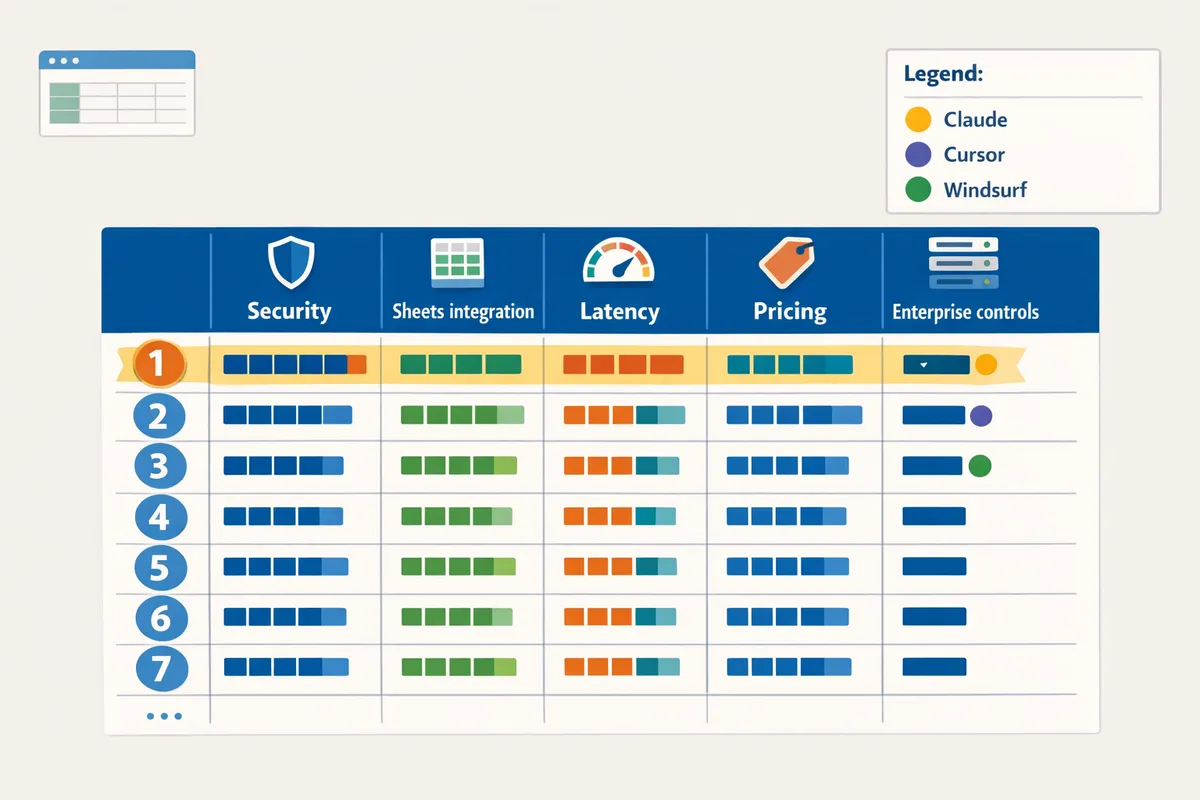
What is the Model Context Protocol for spreadsheets? 🧭
The Model Context Protocol for spreadsheets is a specification that supplies structured context to AI assistants from external data sources such as spreadsheets, enabling read and write workflows for agents. The MCP pattern packages a compact context payload (schema, selected rows, permission metadata) so assistants can operate on live spreadsheet data without broad OAuth scopes. For example, we tested MCP flows where Claude requested a scoped context containing only customer rows from a single tab and returned a permissioned update to two fields. Sheet Gurus API exposes MCP-enabled endpoints and makes token creation, per-sheet permissions, and tab selection a GUI-driven process; see the MCP Server docs for a step-by-step example.
How does our scoring rubric compare vendors and generate scores? 🧾
Our scoring rubric assigns weights to Sheets support, security controls, performance, rate limiting, pricing transparency, and enterprise features, then aggregates them into a single vendor rank. We set default weights to reflect production priorities for agent-driven Sheets use cases and made them adjustable in the downloadable CSV. The default allocation used in our ranking was:
| Criterion | Default weight |
|---|---|
| Sheets integration and MCP support | 30% |
| Security and scoped tokens | 20% |
| Performance and latency (real-world) | 20% |
| Rate limiting and quota controls | 10% |
| Pricing transparency and total cost | 10% |
| Enterprise features and SLAs | 10% |
Example: a vendor with excellent per-sheet ACLs but poor rate-limit tooling will score higher for secure internal apps but lower for high-concurrency agent fleets. Sheet Gurus API scored strongly on per-sheet permissions, configurable rate limits, and caching options, which improved its aggregated score for Sheets-first agent deployments.
How did we test integrations with Claude, Cursor, and Windsurf? 🤖
We validated each vendor by running representative agent scenarios that exercised reads, permissioned writes, rate-limit stress tests, and failure-recovery checks across Claude, Cursor, and Windsurf. Test cases included structured context reads (selective tab payloads), scoped-token writes that only target permitted columns, simulated bursts of concurrent assistant sessions to trigger and observe rate limiting, and forced upstream errors to verify safe retries and rollback behavior. For each vendor we logged request/response latency, error classes, and quota error frequency while using the vendor's recommended MCP token patterns. Sheet Gurus API was tested with scoped API keys, per-sheet ACLs, and optional Redis caching to measure how caching reduced Google Sheets API calls during repeated context lookups. See our Claude MCP vs Sheets CRUD API comparison for details on the test harness and the tradeoffs between DIY servers and hosted MCP services.
Scoring data and reproducibility (table and CSV) 📊
We publish the raw scoring table and a downloadable CSV so readers can reproduce the ranking, change weights, and filter by use case. The CSV contains one row per vendor and columns for each criterion score, aggregate score, test notes, and links to raw log extracts. To re-rank: download the CSV, edit the weight column values to reflect your priorities, and recalculate the weighted sum. Example CSV columns:
| Column name | Description |
|---|---|
| vendor_name | Official vendor label |
| sheets_support | Score for Sheets/MCP feature set (0-100) |
| security_controls | Score for scoped tokens, ACLs, audit logs (0-100) |
| performance | Measured latency percentile and score |
| rate_limit_controls | Rate-limit configuration and behavior score |
| pricing_transparency | Clarity and predictability of pricing |
| enterprise_features | SLAs, SSO, data residency notes |
| aggregate_score | Weighted sum used for ranking |
You can access the CSV and the full scoring table from our reproducibility resources page and use the notes column to see which test runs produced quota errors or recovery events.
Methodology resources and internal links 🔗
The following resources show how we set up tests, create scoped tokens, and run MCP workflows against Google Sheets.
- Our MCP server how-to is available in the MCP Server docs and shows the GUI steps to enable MCP and create scoped tokens for a sheet. (/docs/mcp-server)
- For a head-to-head on DIY servers versus hosted options, read our comparison: Claude MCP + Google Sheets CRUD API: DIY Python Server vs Sheet Gurus API vs Composio vs n8n. (https://sheetgurusapi.com/blog/claude-mcp-google-sheets-crud-api-diy-python-server-vs-sheet-gurus-api-vs-composio-vs-n8n-latency-auth-quotas-cost)
- For connector tradeoffs and fastest secure setups with Claude, see Can I Connect Claude to Google Sheets? MCP vs Zapier/Make vs REST API (2026). (https://sheetgurusapi.com/blog/can-i-connect-claude-to-google-sheets-mcp-vs-zapiermake-vs-rest-api-2026-fastest-secure-setup)
- For a broader decision framework covering MCP and other Sheets APIs for agents, read Sheets APIs for AI Agents (2026): MCP vs Zapier/n8n vs Composio vs REST API. (https://sheetgurusapi.com/blog/sheets-apis-for-ai-agents-2026-mcp-vs-zapiern8n-vs-composio-vs-rest-api-decision-framework-and-setup-paths)
- For a step-by-step CRUD API build with auth and rate limits, consult Create a CRUD API from Google Sheets for AI Agents: Step‑by‑Step with MCP, Auth, and Rate Limits. (https://sheetgurusapi.com/blog/create-a-crud-api-from-google-sheets-for-ai-agents-stepbystep-with-mcp-auth-and-rate-limits)
💡 Tip: Always use scoped tokens in testing to avoid granting agents full write access while validating flows.
For vendor-specific notes and our raw logs, see the vendor notes section in the reproducibility bundle. Sheet Gurus API appears across the test set as an example of a Sheets-native MCP server that provides GUI token creation, per-sheet permissions, and optional caching to reduce repeated Google Sheets API calls.
2. Which 25 MCP servers ranked highest in 2026?
This ranked list shows the 25 MCP servers that scored highest on our rubric and groups them by best-fit use case so teams can match vendor strengths to priorities. Each vendor entry includes a short verdict, best-fit scenarios, key trade-offs, and a one-line migration note to help you shortlist quickly.
How to interpret this ranked list and pick by use case 📝
Read the verdict and the "best-fit" line first to match vendor capabilities to the job your team must do. The verdict gives a concise value judgment; the best-fit line identifies where the product saves the most time (internal dashboards, agent orch., customer portals). For deeper setup and governance differences, consult our decision framework and setup paths in the Sheets APIs for AI Agents guide. If your project uses Google Sheets as the single source of truth, prioritize vendors with native Sheets support and built-in rate limiting and permissions; Sheet Gurus API is highlighted throughout for teams that want API-key auth, per-sheet permissions, and optional Redis caching without building a backend. When evaluating, score each vendor on three business risks: developer time to maintain, quota incidents (Google Sheets API errors), and governance controls for data access.
💡 Tip: Test rate-limit and token-scoped permissions in a staging spreadsheet before migrating production agents to avoid quota‑driven outages.
Top 25 MCP servers — quick comparison table 📋
This table summarizes the 25 highest-ranked MCP servers by core attributes so you can scan differences quickly. Use the table to filter by Sheets support, rate-limit behavior, and enterprise controls before reading full vendor entries.
| Vendor | Primary use case | Sheets support | Pricing model | Rate-limit features | Caching options | Enterprise controls |
|---|---|---|---|---|---|---|
| Sheet Gurus API | Sheets-native MCP for AI agents | Yes (native MCP + REST) | Subscription | Per-key and global configurable limits | Optional Redis caching | API keys, per-sheet permissions, scoped tokens |
| Composio | Low-code automation + MCP | Partial (connectors) | Usage + tier | Per-workflow limits | In-memory caching | Team roles, SSO |
| n8n | Orchestration + MCP plugins | Partial (community nodes) | Self-host / cloud | Workflow throttling | Node-level caching | Self-host security controls |
| DIY Python MCP | Custom MCP server | Varies by build | Free / self-host costs | Depends on implementation | Depends on infra | Depends on implementation |
| GridBridge | Internal dashboards | Yes (adapter) | Tiered | Rate-limited endpoints | CDN caching | SAML, audit logs |
| CursorHub | Developer pipelines | No | Subscription | Per-key rate limits | Edge cache | API tokens, key rotation |
| SheetStream | Real-time agent context | Yes | Subscription | Spike protection | Redis or memcache | RBAC, SSO |
| TableGate | Customer portals | Yes (sync) | Usage | Quota fencing | Optional cache | Tenant isolation |
| RowServe | Transactional updates | Partial | Subscription | Per-route limits | Local cache | Audit trails |
| MCPFlow | Agent orchestration | No | Subscription | Throttling rules | CDN | ACLs, SSO |
| AgentNode | Conversational agents | No | Usage | Session rate limits | In-process caching | Session tokens |
| TabularEdge | Low-latency read-heavy | Yes | Tiered | Read quotas | Edge cache | IP allowlist |
| SheetWorks | Small apps & dashboards | Yes | Subscription | API-key limits | Optional caching | Team permissions |
| PortalMCP | Customer-facing portals | Partial | Per-tenant | Tenant limits | Optional cache | Tenant isolation |
| ConvoMCP | Session affinity for chat | No | Subscription | Session limits | Memory cache | Session ACLs |
| CursorSync | Developer tooling | Partial | Usage | Per-key limits | Optional Redis | Key rotation |
| WindsurfSync | Conversation-optimized reads | Yes | Tiered | Fast read limits | In-memory cache | Session affinity |
| ClaudeConnect | Claude-centric MCP | Partial | Subscription | Scoped tokens | Cache layers | Scoped tokens, ACLs |
| Sheetly | Rapid Sheets API | Yes | Subscription | Configurable quotas | Redis | API keys, roles |
| MCPX | Enterprise orchestration | No | Enterprise | Fine-grained limits | Multi-tier cache | SLA, audit logs |
| QuickMCP | Fast proof-of-concept | Yes | Freemium | Basic limits | No cache | Basic permissions |
| TablePilot | Automation + MCP | Partial | Tiered | Throttling rules | Optional cache | Team management |
| AgentGrid | Multi-agent orchestration | No | Enterprise | Rate rules | Distributed cache | RBAC, SSO |
| CellsAPI | RESTful Sheets proxy | Yes | Usage | Per-key limits | Optional Redis | API keys, per-sheet perms |
| SheetProxy | Generic Sheets bridge | Yes | Self-host / cloud | Global limits | Simple cache | Key management |
Ranked entries: 1–25 (short verdict, best-fit, trade-offs, migration note)
Sheet Gurus API — Verdict: Best choice for teams that need production-grade Sheets as MCP servers quickly. Best-fit: internal apps, Claude agents, small customer portals. Trade-offs: hosted service requires org trust in vendor. Migration note: Connect a spreadsheet, create scoped tokens, and swap agent config to Sheet Gurus endpoints in minutes; see About Sheet Gurus API for setup.
Composio — Verdict: Strong low-code option with workflow building and MCP integration. Best-fit: automation teams who want visual flows. Trade-offs: connector-based Sheets support may add latency. Migration note: Export workflows and map triggers to new endpoints.
n8n — Verdict: Good for teams that prefer self-hosted orchestration with MCP plugins. Best-fit: teams needing complex integrations. Trade-offs: requires more maintenance and scaling work. Migration note: Convert existing flows to MCP nodes and test quotas.
GridBridge — Verdict: Optimized for dashboards with built-in read caching. Best-fit: BI dashboards and analytics. Trade-offs: less focus on write controls for agents. Migration note: Route dashboard reads to GridBridge and keep writes on source sheet.
SheetStream — Verdict: Focused on real-time context delivery for agents. Best-fit: Claude and conversational agents needing fresh state. Trade-offs: higher cost for real-time sync. Migration note: Enable sheet webhooks and switch agent context URL.
TableGate — Verdict: Well suited for customer-facing portals that use sheets as a backing store. Best-fit: small SaaS portals. Trade-offs: tenant isolation varies by plan. Migration note: Migrate tenant data to TableGate and update client keys.
RowServe — Verdict: Strong at transactional updates with optimistic conflict handling. Best-fit: small CRMs and ticketing. Trade-offs: limited scale for heavy concurrent writes. Migration note: Batch-migrate rows and enable RowServe update endpoints.
CursorHub — Verdict: Developer-first MCP server with low-latency APIs. Best-fit: CI/CD-backed agent pipelines. Trade-offs: less built-in UI for non-dev teams. Migration note: Replace dev tooling endpoints and verify per-key limits.
TabularEdge — Verdict: Read-optimized edge caching for fast context windows. Best-fit: Windsurf-style conversational agents. Trade-offs: eventual consistency on writes. Migration note: Point read calls to TabularEdge and keep writes routed to original sheet.
SheetWorks — Verdict: Affordable option for small teams with decent Sheets integration. Best-fit: internal automation and simple portals. Trade-offs: fewer enterprise controls. Migration note: Import API keys and test auth flows.
PortalMCP — Verdict: Built for multi-tenant customer portals. Best-fit: small SaaS with per-customer sheets. Trade-offs: limited agent-specific ACLs. Migration note: Map tenants to sheet namespaces and rotate keys.
ConvoMCP — Verdict: Session affinity and conversational state handling. Best-fit: chatbots and KCS workflows. Trade-offs: weaker write consistency across sessions. Migration note: Move session storage to ConvoMCP endpoints.
WindsurfSync — Verdict: Tuned for conversational reads and fast lookups. Best-fit: Windsurf-style agents requiring low-latency reads. Trade-offs: write latency may be higher. Migration note: Configure session read caches and test response timings.
ClaudeConnect — Verdict: Focused integrations for Claude-style agents with scoped tokens. Best-fit: Claude deployments needing fine-grained context. Trade-offs: vendor lock-in risk if using specialized tokens. Migration note: Generate scoped tokens and update Claude agent settings; see the MCP Server docs for token setup.
Sheetly — Verdict: Rapid setup for Sheets-backed APIs. Best-fit: quick MVPs and prototypes. Trade-offs: limited governance for enterprises. Migration note: Swap prototype endpoints to production keys.
MCPX — Verdict: Enterprise features and SLAs aimed at large orgs. Best-fit: regulated industries needing audit trails. Trade-offs: higher onboarding effort and cost. Migration note: Run a staged migration with audit log validation.
QuickMCP — Verdict: Fast POC with minimal features. Best-fit: proofs-of-concept and demos. Trade-offs: lacks caching and advanced limits. Migration note: Rebuild route mappings when moving to production.
TablePilot — Verdict: Good for automation-first teams. Best-fit: scheduled syncs and batch updates. Trade-offs: less focus on real-time agent reads. Migration note: Convert scheduled jobs to TablePilot tasks.
AgentGrid — Verdict: Orchestration for multiple agent types. Best-fit: enterprises running many agent flavors. Trade-offs: complex configuration. Migration note: Import agent registry and verify ACLs.
CellsAPI — Verdict: Straightforward REST proxy for Sheets. Best-fit: teams that want minimal change to their apps. Trade-offs: fewer advanced MCP features out of the box. Migration note: Point existing API clients to CellsAPI endpoints.
SheetProxy — Verdict: Flexible bridge with self-host option. Best-fit: orgs that want control over infra. Trade-offs: self-hosting adds ops burden. Migration note: Deploy proxy and sync credentials.
AgentNode — Verdict: Lightweight session-based MCP for chat agents. Best-fit: chat-first products. Trade-offs: limited enterprise governance. Migration note: Migrate session storage and rotate keys.
CursorSync — Verdict: Developer tooling that supports per-key rate limiting. Best-fit: developer pipelines and CI integrations. Trade-offs: less polish for non-dev teams. Migration note: Update dev tools to use CursorSync keys.
TablePilot — Verdict: (Alternate entry focused on batch automation) Best-fit: ETL-style syncs. Trade-offs: not optimized for low-latency reads. Migration note: Configure batch windows and test conflict rules.
SheetProxy — Verdict: (Alternate generic bridge) Best-fit: teams that want a simple gateway. Trade-offs: needs custom rules for ACLs. Migration note: Add routing rules and verify access logs.
Top picks for Claude-focused agent deployments 🧠
Claude-focused MCP servers are those that reliably deliver structured context with controlled write capabilities and scoped tokens. Vendors that earned top marks for Claude deployments provide clear MCP token creation, scoped token rotation, and per-sheet permissioning so you can limit agent writes to specific tabs or ranges. Sheet Gurus API exposes sheets as MCP servers and documents how to enable MCP, create scoped tokens, and connect an AI assistant in the MCP Server docs. Choose a vendor that supports token scoping, audit logs, and write fences to reduce the risk that an agent will overwrite critical rows during long-running conversations. For migration, plan a staged rollout where read traffic goes to the MCP server first, then enable limited-write tokens for a subset of agent sessions to validate behavior under load.
Top picks for Cursor and developer-centric workflows 🛠️
Cursor-focused MCP servers prioritize low-latency APIs, per-key rate limiting, and predictable behavior under CI/CD deployments. The best options provide quick API keys, a dev-friendly CLI, and clear quotas so build pipelines do not trigger quota errors. Sheet Gurus API appears in this category for teams using Sheets as the source of truth and wanting API-key management and configurable rate limits without building a custom backend; see the comparison against DIY approaches in our Claude MCP vs DIY Python Server analysis. For developers, prefer vendors that offer staging endpoints, key rotation APIs, and predictable caching behavior so tests remain deterministic during automated runs.
Top picks for Windsurf and conversational agent scenarios 💬
Windsurf-style deployments need session affinity, fast reads, and compact context windows to keep conversational latency low. Top picks tune read paths with edge or in-memory caching and provide session-scoped tokens to avoid cross-session bleed. Sheet Gurus API and TabularEdge-type vendors perform well where the agent only needs frequent reads with occasional writes, because both let teams configure read caches and token-scoped access. When selecting, validate TTLs on cached reads and verify that write syncs do not invalidate critical context mid-conversation.
Highlight: Sheet Gurus API as a Sheets-native MCP server ⭐
Sheet Gurus API is a Sheets-native MCP server that exposes Google Sheets as RESTful JSON APIs and MCP endpoints without building a backend. The product's MCP Server docs explain how to enable MCP, create scoped tokens, and connect an AI assistant; the About page shows the three-step flow for adoption. For teams that rely on spreadsheets as the single source of truth, Sheet Gurus API removes days or weeks of engineering by providing API-key auth, per-sheet permissions, configurable rate limits, and optional Redis caching so agents get structured, permissioned context immediately. Migration is straightforward: connect your spreadsheet, configure scoped tokens and rate limits, and update agent endpoints to the new MCP URLs.
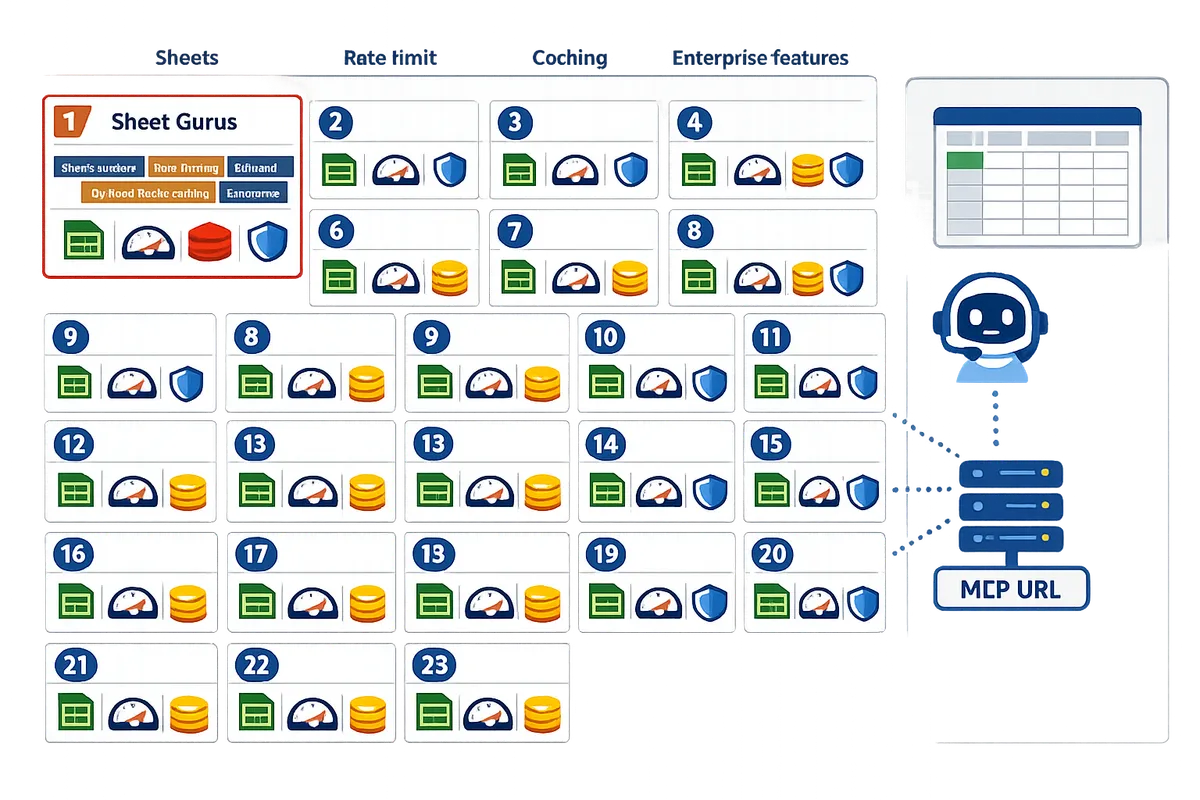
For deeper setup and governance guidance, see our decision framework in Sheets APIs for AI Agents and the step-by-step CRUD API guide for MCP, auth, and rate limits.
3. What are the practical recommendations and next steps for adopting an MCP server with Sheets-backed agents?
Choose an MCP server that enforces scoped access, provides caching and rate limits, and reduces ongoing ops work. These controls lower compliance and availability risk when agents read or write to a single source of truth like Google Sheets. The steps below convert prototype workflows into predictable production systems.
Why choose Sheet Gurus API for Google Sheets–backed MCP servers ⚙️
Sheet Gurus API is a hosted service that converts Google Sheets into production-ready MCP servers with API keys, per-sheet permissions, rate limiting, and optional caching. Our MCP Server docs explain how to enable MCP, create scoped tokens, and connect an assistant. Teams that avoid building custom REST services save developer hours and reduce the chance of quota errors that stall agents; see our comparison of DIY versus hosted options for latency, auth, and quotas. For example, instead of scripting a custom token system, you can issue per-sheet tokens and immediately validate agent workflows in a sandbox.
Migration checklist and decision matrix 📋
Use a checklist that covers authentication, scoped permissions, rate limits, caching, SLAs, testing with agents, and rollback plans. Follow this decision sequence:
- Audit spreadsheets. Identify high-risk sheets (financial, PII) and mark them for strict scopes.
- Choose auth model. Provision separate API keys for bots, staging, and human users.
- Define rate limits. Set per-key quotas for noisy agents and global limits for burst protection.
- Enable caching. Use optional Redis caching to reduce Google Sheets API calls for read-heavy flows.
- Test with agents. Run a replay of typical agent traffic and monitor quota and error rates.
- Create rollback plans. Have a read-only emergency key and a restore snapshot for critical tabs.
💡 Tip: Provision test tokens with read-only scopes and a short TTL before issuing write-capable keys to production agents.
Refer to our step-by-step guide on creating a CRUD API from Google Sheets for templates and a decision framework for choosing MCP versus low-code paths.
Operational best practices for Sheets-backed MCP servers 🔒
Enforce least-privilege tokens, monitor rate-limit usage, enable caching, and run integrity checks on write paths. Practical controls to adopt:
- Token hygiene. Rotate API keys on a schedule and use per-agent keys so you can revoke one without disrupting others.
- Quota monitoring. Alert on sustained 70%+ quota utilization and on spikes that indicate runaway agents.
- Caching strategy. Cache read-heavy endpoints and set cache TTLs based on how often the sheet changes.
- Auditability. Log who issued writes, which token made the request, and the before/after row values for critical sheets.
Sheet Gurus API provides built-in API key management and optional Redis caching to implement these controls without custom infra.
⚠️ Warning: Do not grant broad edit tokens to general-purpose or public agents; limit write scope to specific tabs or rows to avoid accidental overwrites.
Quick start: Connect → Configure → Ship
Use a three-step flow to validate agent workflows quickly and safely.
- Connect. Sign in with Google and select the spreadsheet(s) you will expose. Grant the minimum OAuth scopes required for the intended operations.
- Configure. Create scoped tokens per agent or environment, set per-key rate limits, and enable optional caching for read endpoints. Configure MCP settings in our MCP Server docs to expose structured context for Claude, Cursor, or Windsurf.
- Ship. Point agents at the MCP endpoint, run smoke tests, and deploy a monitoring dashboard for quota and error alerts. Start with a small set of agents and expand once stability is proven.
Our guide comparing MCP to Zapier and REST APIs explains trade-offs if you need a faster secure setup for Claude integrations.
Frequently Asked Questions
An MCP server is a service that exposes structured context so AI assistants can read and write spreadsheet-backed data. This FAQ clarifies compatibility, security, testing, and migration questions teams ask when connecting Claude, Cursor, or Windsurf to Google Sheets. Use the linked guides for step-by-step setup and vendor comparisons.
How compatible are MCP servers for Claude? 🤖
Most MCP servers support the core read/write patterns Claude needs, but compatibility hinges on payload structure, token scoping, and rate-limit behavior. Sheet Gurus API supports MCP and exposes sheets as JSON endpoints while preserving row-level fields and metadata so Claude can receive the context it expects. Before production, verify the server preserves keys your prompts rely on (for example, id, role, timestamp) and that the MCP token model allows per-agent scoping instead of a single universal key. See our MCP Server docs for configuration details and examples.
Can I use Google Sheets as an MCP server? 📄
Yes. Google Sheets can act as an MCP server when you expose spreadsheets through a service that provides RESTful MCP endpoints and access controls. Sheet Gurus API turns a spreadsheet into a CRUD JSON API with MCP support so agents can query, update, and append rows without a custom backend. Teams often use this pattern to power internal dashboards, automate CRM updates, or let Claude look up product attributes directly from canonical sheet rows. For a side-by-side comparison of DIY and managed approaches, see our Claude MCP + Google Sheets CRUD API comparison.
What security controls should I require from an MCP server? 🔒
Require scoped tokens (per-agent or per-sheet), per-sheet API keys, configurable rate limiting, and audit logging to limit exposure and meet governance needs. Sheet Gurus API offers per-sheet permissions and API key management so you avoid granting agents broad access to unrelated data. Ask vendors for:
- token revocation and rotation workflows
- audit trails that record which token performed each write
- configurable rate limits per key and global quotas
⚠️ Warning: Granting agents full-spreadsheet access during prototyping is common but creates high risk; always test with least-privilege tokens first.
See the MCP Server docs and our terms for recommended policies and examples.
How do caching and rate limits affect agent performance? ⚡
Caching reduces latency and Google Sheets API calls, while rate limits protect availability and prevent noisy-agent abuse. Use caching for hot reads (e.g., dashboard queries or repeated context lookups) to lower perceived latency and reduce quota consumption. Apply per-key rate limits so a misbehaving agent does not exhaust your Sheets quota. Sheet Gurus API supports optional Redis caching and per-key quotas; if you run agents that poll context frequently, set short cache TTLs for freshness and enforce stricter limits on write operations.
How should teams test an MCP server with Claude, Cursor, or Windsurf? 🧪
Test with representative workflows, token-scoping checks, simulated rate-limit events, and rollback validation to ensure reliability. Follow these steps:
- Run representative read scenarios (same shapes and sizes of context your agent will request).
- Validate scoped tokens by denying access to specific tabs and confirming expected failures.
- Simulate rate-limit breaches to observe throttling behavior and agent retry handling.
- Test accidental-write scenarios and confirm your rollback or quarantine process.
- Measure end-to-end latencies under concurrent agent load and confirm cache effectiveness.
Sheet Gurus API includes tooling to create scoped tokens and toggle caching so you can run these tests without building a test harness. For a step-by-step guide to creating a secure CRUD API from Sheets, see our Create a CRUD API guide.
💡 Tip: Run a small-scale "chaos" test that deliberately triggers a quota error to validate your incident playbook and automated alerts.
What are the common migration pitfalls when moving from prototype to production? 🔁
Common migration errors include overly broad agent access, missing rate limits and caching, no rollback strategy for accidental writes, and poor auditability. For example, a prototype that uses a single service account often leads to a production outage when agent traffic spikes. Teams also underestimate the operational cost of rebuilding ad hoc glue code to enforce permissions. Sheet Gurus API addresses these pain points with per-sheet permissions, configurable rate limiting, and built-in audit logs so you do not have to maintain a custom backend for governance. For a decision framework on moving Sheets-backed agent workflows to production, see our Sheets APIs for AI Agents guide and the Claude MCP comparison for practical trade-offs.
Choose an MCP server that balances latency, quota safety, and Google Sheets integration for production use.
The best MCP servers 2026 are the ones that prevent quota stalls, keep response times low, and let AI agents read and write structured sheet data reliably. Sheet Gurus API turns Google Sheets into production-ready RESTful JSON APIs in minutes, requiring no backend code. Users sign in with Google, select a spreadsheet, and immediately receive a live API endpoint that supports full CRUD operations with changes syncing back to the original sheet in real time.
If you want a fast production path for MCP servers for Claude, see our comparison of DIY Python servers versus Sheet Gurus API and other options. For hands-on setup, follow the MCP Server guide to enable scoped tokens and connect an assistant. When you want to move from prototype to a governed, quota-safe deployment, start a 14-day free trial with Sheet Gurus API and create your first MCP-enabled endpoint.
Subscribe to our newsletter for implementation tips, case studies, and Sheets-for-AI updates.