
AppSheet vs a Google Sheets REST API (2026): When to Use Google’s No‑Code App Builder vs Building on a JSON API
A single mis-synced row in a shared spreadsheet can cost a team eight hours of reconciliation and missed SLAs. AppSheet vs Google Sheets REST API is the decision that determines whether you use Google's no-code app builder or expose spreadsheets as a JSON API for internal apps, automation workflows, and AI integrations. AppSheet is Google's no-code app builder that creates interfaces and automations from spreadsheets, while a Google Sheets REST API is a JSON interface that provides programmatic CRUD access to sheet data. Our Sheet Gurus API converts Google Sheets into production-ready RESTful JSON APIs in minutes, adding API key auth, per-sheet permissions, configurable rate limiting, optional Redis caching, and MCP support for AI assistants, and it typically achieves up to 99.9% uptime, so which approach best balances speed, control, and scale for your team?
How do AppSheet and a Google Sheets REST API differ as development approaches?
AppSheet bundles UI, sync logic, and workflow automation into a visual no-code builder, while a Google Sheets REST API exposes spreadsheet data as programmatic JSON endpoints. Choosing one versus the other changes who does the work, where operational risk lives, and how easily external systems and AI agents can read and write your data. This section compares the development model, the operational responsibilities, and the integration patterns you should expect.
What is AppSheet?
AppSheet is a no-code platform that builds mobile and web apps using spreadsheets and other data sources as backends. AppSheet abstracts form design, list views, user roles, offline sync, and workflow automation so non-developers can ship forms, approvals, and dashboards without writing server code. Typical outcomes: a team ships an expense-approval app in days, enforces row-level access with built-in roles, and uses visual bots to trigger emails or status changes. The trade-offs are less direct control over HTTP semantics, limited ability to serve AI assistants as a structured API, and dependence on AppSheet's execution model for complex concurrency or integration needs. When your priority is fast internal apps with minimal ops, AppSheet often fits; when you need a programmable JSON interface for third-party services or custom front ends, a Sheets-backed REST API becomes more relevant.
What is a Google Sheets REST API and how does Sheet Gurus API fit that category?
A Google Sheets REST API is a JSON-based service that reads and writes sheet rows and columns over HTTP. Our Sheet Gurus API converts a spreadsheet into a full CRUD REST endpoint with per-sheet permissions, API key management, optional Redis caching, and mapping to MCP servers so AI assistants can query structured rows directly. That approach gives you programmatic control over pagination, filtering, and idempotent writes while shifting operational responsibilities (token refresh, quotas, caching, rate limits) to the API layer. For a practical primer on what a sheet-backed API must provide and the DIY pitfalls, see our guide No-Code Google Sheets REST API: From Prototype to Production (Auth, Rate Limits, Caching, AI Agents) and the Sheet Gurus API reference.
How does AppSheet call external APIs and use webhooks? 🧩
AppSheet calls external services using webhook actions and built-in REST integrations for automation and notifications. Typical patterns: a form save or status change triggers a webhook action, scheduled bots call endpoints on a cadence, and webhook calls can include row data in JSON for downstream systems. Limits you should plan for: AppSheet enforces execution quotas and has retry behavior that is best-effort rather than guaranteeing delivery; large payloads or high-frequency triggers can hit platform throttles and cause delayed or dropped calls. For integrations that need predictable API semantics, authentication schemes like API keys, and fine-grained rate controls, our Sheet Gurus API offers API key auth, configurable per-key limits, and webhook-friendly endpoints that map directly to sheet rows.
💡 Tip: Include a duplicate-protection token in webhook payloads so repeated deliveries from retries do not create duplicate rows in your sheet.
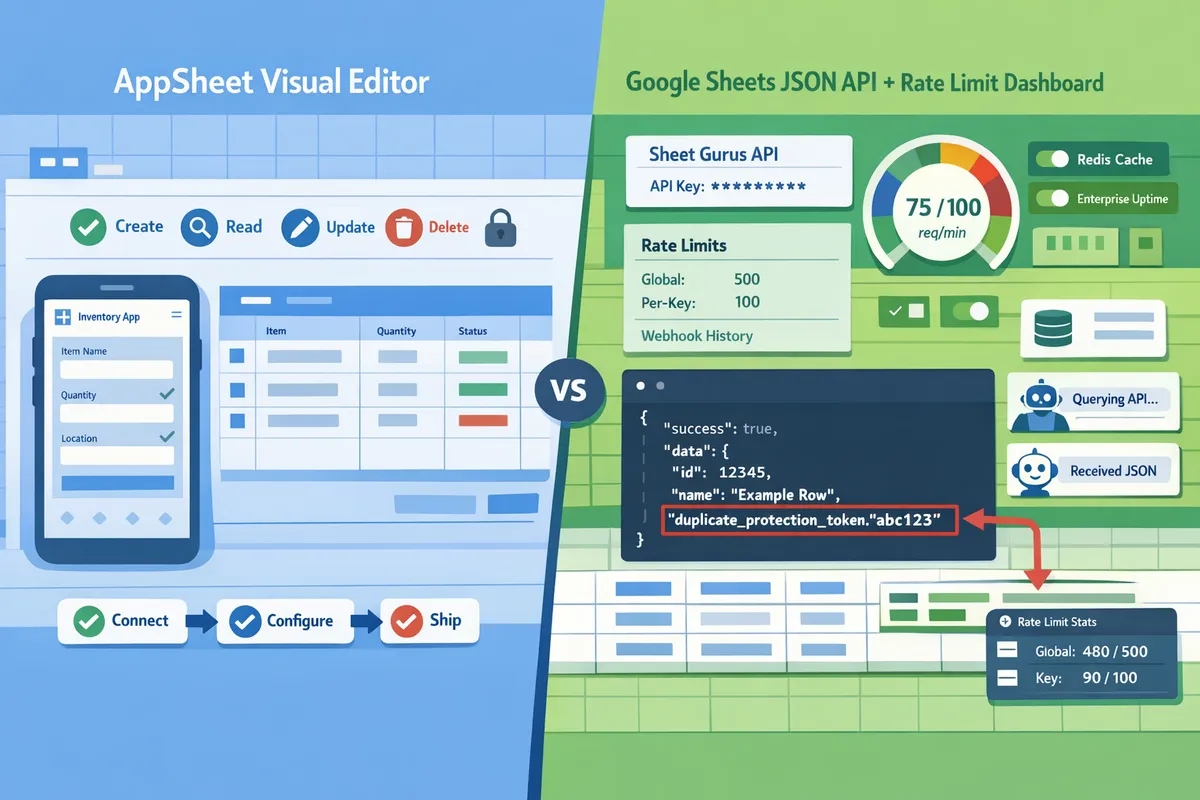
Which technical and business criteria should you compare when choosing between AppSheet and a Sheets REST API?
Compare CRUD coverage, authentication, performance, scaling, security controls, AI readiness, and total cost of ownership to pick the right approach for an app or integration. These criteria show practical trade-offs: time-to-market and user UX favor AppSheet, while programmatic predictability, quota control, and AI agent integration favor a dedicated Sheets REST API.
Comparison matrix: feature-by-feature table for AppSheet, Sheet Gurus API, and DIY JSON APIs
The table below compares the core technical controls and operational features you must evaluate before choosing a path.
| Criteria | AppSheet | Sheet Gurus API (our website) | DIY custom JSON API on Google Sheets |
|---|---|---|---|
| CRUD coverage | Full app-level CRUD mapped to records and tables inside the app | Full REST CRUD endpoints that map rows to JSON with standard semantics | Possible, but requires engineering to map rows, handle IDs, and pagination |
| Auth models | Google account sign-in and AppSheet user roles | OAuth onboarding for owners + API key management with per-sheet scopes | OAuth for owner + custom API keys or service accounts; you must build rotation and vaulting |
| Per-request latency | Optimized for user sync; interactive sync can add latency for programmatic calls | Predictable JSON responses; typically under 100 ms average for API calls | Variable; depends on hosting, routing, and Google Sheets API performance |
| Rate limiting | App-level throttles and built-in protections for sync | Configurable per-key and global rate limits in the dashboard | Must implement per-key limits and global throttles yourself to avoid quota exhaustion |
| Caching | Client-side and app sync caches for UX | Optional Redis caching to reduce Google calls and speed reads | You build caching; require cache invalidation on writes and stampede protection |
| Concurrency limits | Designed for interactive users, may serialize conflicting writes | Configurable concurrency and queueing to protect Google quotas | Concurrency control requires optimistic locking, queues, or serialized writes |
| Audit logging | App-level change history and admin logs | Request-level logs and per-request metadata in the dashboard | You must log requests, store immutable audit trails, and secure access to logs |
| AI / agent support | Limited native agent integration; workflows for app actions | Exposes MCP servers for AI assistants and direct structured queries | Possible but needs custom adapter for MCP or agent protocol |
Refer to our guide on Google Sheet REST API: What It Is, How It Works, Limits, and the Fastest Way to Get One for a deeper breakdown of DIY failure modes and operational complexity.
How do security and access control differ between the options? 🛡️
AppSheet is an app platform that uses Google account authentication and role-based app permissions, while a Sheets REST API uses OAuth for owner onboarding plus API keys or service tokens for programmatic clients. AppSheet expects user-level identity tied to the app UI; it handles session and permission mapping for interactive users. Our Sheet Gurus API provides OAuth onboarding for spreadsheet owners, API key creation with per-sheet scopes, key rotation, and audit logs, so service clients can operate without owner credentials. A DIY API forces you to build secure key storage, token refresh, per-key scopes, and immutable request logs.
💡 Tip: Require scoped API keys (read-only vs read-write) and rotate keys on a regular cadence to limit exposure.
For implementation details and recommended permission models, see our No-Code Google Sheets REST API: From Prototype to Production (Auth, Rate Limits, Caching, AI Agents) and the Sheet Gurus API reference.
How do performance, limits, and scaling compare? ⚡
AppSheet optimizes sync flows for interactive users but can show higher and less predictable latency for programmatic, high-throughput access. AppSheet sync batches edits and enforces app-side logic, which benefits mobile UX but can delay per-request responses for integrations. A dedicated Sheets REST API gives predictable per-request behavior, configurable rate limits, and optional Redis caching to cut upstream Google calls; our Sheet Gurus API typically returns API requests in under 100 ms and offers queuing and throttles to protect Google quotas. DIY APIs must map Google Sheets API quotas to your rate limits, build caching with coherent invalidation, and add monitoring to avoid quota-driven outages.
Example: a dashboard polled by 200 clients per minute will trigger quota problems on a DIY integration unless you add caching with sub-10-second TTLs and write-driven invalidation. With Sheet Gurus API, enable Redis caching and per-key rate limits to reduce calls and keep latency predictable. For quota planning and the fastest paths to production-ready CRUD, review our Getting Started guide.
What are the cost and maintenance implications for each option? 💼
AppSheet reduces development time and shifts effort into configuration and app design, but costs rise with active user counts and advanced features. A hosted Sheets REST API like our Sheet Gurus API turns spreadsheet data into production endpoints with predictable service plans and per-request considerations; it removes weeks of engineering work but introduces a service fee. DIY APIs have low initial software cost but impose ongoing ops work: monitoring, credential vaulting, quota handling, cache maintenance, and incident response.
Consider these cost drivers:
- Upfront engineering hours to build secure CRUD, caching, and retry logic.
- Ongoing ops hours for monitoring, key rotation, and Google quota incidents.
- Platform fees or per-user license costs for AppSheet when scaling users.
- Service plan or per-request costs for hosted APIs versus hosting/server costs for DIY.
For a small product team, the ROI often favors a hosted API when the business needs predictable uptime, key management, and AI agent access without hiring additional SRE time. See our explainer on how to turn Google Sheets into a REST API in minutes for cost- and time-to-market comparisons.

When should teams pick AppSheet, choose Sheet Gurus API, or build a custom Sheets JSON API?
Pick AppSheet for the fastest path to internal, form-driven apps tied to Google identities; pick Sheet Gurus API when spreadsheets must act as a programmatic single source of truth with API controls and AI integrations; build a custom Sheets JSON API only when your business requires backend logic spreadsheets cannot represent. Choosing the wrong approach costs time, causes outages, or forces a mid-project rewrite. This section gives concrete scenarios, trade-offs, and a decision matrix to pick the right path.
When to choose AppSheet (rapid internal apps) 🧭
Choose AppSheet when you need fast, form-driven internal apps, simple workflows, and user access managed by Google Workspace identities. AppSheet shortens time-to-value for these scenarios: field service checklists, light inspection forms, expense approvals, and small inventory counts where users need offline mobile forms and simple conditional logic. AppSheet handles UI, sync, and basic automation without custom code, so product teams can launch in days rather than weeks.
Do not pick AppSheet when your app must serve high-volume programmatic clients, feed AI agents directly, or require API keys and per-request rate limits. Those needs push you toward a sheet-backed API. For a deep look at what a Google Sheets REST API requires and the DIY failure modes to watch, read our guide on Google Sheet REST API: What It Is, How It Works, Limits, and the Fastest Way to Get One.
When to choose Sheet Gurus API (production-ready sheet APIs) ⚙️
Choose Sheet Gurus API when spreadsheet data must behave as a reliable programmatic backend with API key auth, rate limiting, caching, and tooling for AI workflows. Sheet Gurus API removes weeks of backend work by providing immediate CRUD endpoints that map to your sheet, per-sheet permissions, configurable rate limits, and optional caching that reduces Google API calls. Business outcomes include predictable latency for dashboards, safer automation that avoids quota exhaustion, and faster integration of AI assistants that read and write structured rows.
Sheet Gurus API fits where spreadsheets remain the source of truth but you need production controls without building a server. See our no-code production checklist in No-Code Google Sheets REST API: From Prototype to Production (Auth, Rate Limits, Caching, AI Agents) and our quick start in How to Turn Google Sheets into a REST API in Minutes (No Backend Required).
💡 Tip: Create scoped API keys per integration and rotate them regularly to reduce blast radius if a key leaks.
When a custom JSON API still makes sense (complex logic and transactional needs) 🧩
Build a custom JSON API only when your application requires transactional guarantees, complex joins, or data models that a sheet cannot represent reliably. Examples: ACID-style inventory reservations across multiple tables, multi-step financial transactions that must roll back on failure, heavy data transformation pipelines, or strict data residency and compliance constraints that cannot be satisfied by a third-party sheet service. These cases justify the control and custom logic a bespoke backend provides.
Expect hidden costs: initial development time (often several weeks), ongoing maintenance, security patching, monitoring and alerting, credential vaulting, and the SLA burden for uptime. Those costs subtract engineering focus from product features and raise operational risk compared with using a managed option. For a practical checklist of DIY traps to avoid, see our comparison of Google Sheets REST API approaches.
⚠️ Warning: DIY sheet-backed APIs commonly underestimate ongoing ops work. Budget for monitoring, incident response, and monthly security updates.
Decision matrix and step-by-step recommendation for product managers and no-code teams ✅
Use the following decision matrix to map constraints to the recommended approach.
| Team size / skillset | Expected request volume | Required SLA & controls | AI / programmatic agent needs | Recommended approach |
|---|---|---|---|---|
| Small product team, non-engineers | Low (manual syncs, <100/day) | Low (internal, tolerant of short sync delays) | No | AppSheet |
| Small-mid team, automation use | Moderate (hundreds/day) | Medium (predictable latency, per-key controls) | Yes (simple agents) | Sheet Gurus API |
| Engineering-led product, complex transactions | High (thousands+/day), concurrent writes | High (99x SLAs, audits, compliance) | Yes (complex agent orchestration) | Custom JSON API |
Step-by-step recommendation:
- List the primary consumers (humans, automation, AI agents) and where they run (mobile, server, agent).
- Estimate peak requests per minute and write frequency.
- Check security needs: per-key scoping, audit logs, and compliance requirements.
- If you need per-key rate limits, caching, or MCP-style AI agent access, choose Sheet Gurus API and follow our getting-started guide to connect, configure permissions, and ship.
- If UX is the priority and integrations are light, prototype in AppSheet. If later you need programmatic access, migrate the sheet to a managed API rather than building a custom backend from scratch.
For teams unsure which path to pick, our walkthroughs compare the fastest path to CRUD and the operational trade-offs in detail: Google Sheets REST API vs Google Sheets API: Differences, Pros/Cons, and the Fastest Path to CRUD and How to Turn Google Sheets into a REST API in Minutes (No Backend Required).
Frequently Asked Questions
This FAQ answers the operational, security, and integration questions teams search when comparing AppSheet and a Google Sheets REST API. It focuses on real-world trade-offs, migration pain points, and which approach reduces ops work for production spreadsheet workloads.
Can AppSheet call external REST APIs and support webhook patterns? 🤖
Yes. AppSheet supports webhook actions and external API calls for automations. AppSheet automations can POST to webhooks, call REST endpoints from bots, and include payload templates for third-party services, but throughput and retry behavior follow AppSheet's automation limits and are optimized for moderate volumes rather than sustained high-frequency integrations. For programmatic, high-rate integrations or where you need per-client rate controls and API keys, Sheet Gurus API provides an API-first alternative that exposes sheet data as JSON endpoints and includes configurable rate limiting and API key management. See our Google Sheet REST API: What It Is, How It Works, Limits, and the Fastest Way to Get One for a guide to webhook patterns and quota considerations.
Can I use Google Sheets as a production database for customer-facing apps? 🧾
You can use Google Sheets as a single source of truth for lightweight, low-concurrency production apps, but only with additional operational controls. Production deployment requires consistent authentication, quota planning, latency expectations, backups, and monitoring; without those, a single mis-synced row or exhausted OAuth token can cause outages or long reconciliation work. For teams that need predictable access and per-client controls, Sheet Gurus API turns a spreadsheet into a RESTful JSON API with API key auth, per-sheet permissions, and optional caching so you avoid building a custom backend. For practical setup steps and warnings about DIY pitfalls, read How to Turn Google Sheets into a REST API in Minutes (No Backend Required).
How does Sheet Gurus API handle authentication, permissions, and rate limiting? 🔐
Sheet Gurus API uses Google sign-in for spreadsheet onboarding and issues API keys for service access, with per-sheet permission scopes and configurable rate limits. Admins sign in via OAuth to grant access to a specific spreadsheet, then create scoped API keys for service clients with read-only or read-write permissions; keys can be rotated and audited in the dashboard. Rate limits are configurable per key and globally so teams can protect Google quota and throttle abusive clients without building middleware. For implementation details and endpoint examples, see our API reference and getting-started guide.
💡 Tip: Create separate scoped API keys for each integration and rotate them regularly to reduce blast radius if a key is leaked.
Will a Sheets REST API work with AI assistants and agent workflows? 🧠
Yes. Exposing structured sheet data as JSON enables AI assistants to query and update rows programmatically, and Sheet Gurus API includes MCP endpoints designed for agent workflows. Model Context Protocol (MCP) is a protocol that provides structured, schema-driven endpoints enabling AI assistants to read and write context reliably. That means agents can fetch a customer row, propose an update, and write back a status change with consistent schema mapping rather than scraping CSV exports. Use cases include automated summary generation, agent-driven workflows that update lead status, and agent orchestration that requires stable row identifiers. Learn how we expose sheets as MCP servers in the About Sheet Gurus API article.
How do caching and optional Redis reduce Google Sheets API calls? ⚡
Optional Redis caching stores frequent read results to cut repeated Google Sheets calls and improve latency for dashboards and automation workflows. Use cache-aside or read-through patterns with short TTLs for near-real-time views and immediate invalidation on writes so dashboards stay fresh. For example, set sub-10-second TTLs for high-read dashboards, invalidate keys on POST/PATCH, and use cache hits to avoid repeated sheet reads during polling spikes. Sheet Gurus API supports optional Redis caching and built-in invalidation hooks so you do not need to implement cache coherence yourself.
💡 Tip: For dashboards polled by many clients, set short TTLs and always purge the cache on writes to avoid stale data while keeping Sheets API calls low.
What are the common gotchas when switching from AppSheet to a Sheets REST API? ⚠️
Common migration issues include reworking visual workflows into API contracts, unifying auth across services, and adding monitoring and retry handling that AppSheet previously provided. Typical migration tasks and rough time estimates:
- Map visual workflows to endpoints and payloads (1–5 days per complex workflow).
- Create scoped API keys and permission models across integrations (1–3 days).
- Add monitoring, alerting, and dashboarding for API errors and quota usage (2–7 days).
- Implement caching/invalidation and retry policies for clients (2–6 days).
- Run a pilot and validation with production-like traffic (3–14 days depending on scale).
Each task carries business risks: missed SLAs, extra support hours, and potential data inconsistencies during cutover. Sheet Gurus API shortens this list by providing immediate CRUD endpoints, API key management, rate limiting, and optional Redis so teams can shift from prototype to production faster and with less ops overhead. For a decision framework and practical scenarios, see our post on No-Code Google Sheets REST API: From Prototype to Production.
Pick the right tool for the interface or the API.
Choose AppSheet when you need a fast, no-code UI for internal users; choose a Google Sheets REST API when you need programmatic, production-grade access and AI-ready data. For AppSheet vs Google Sheets REST API decisions, match AppSheet to form-driven workflows and an API to automation, dashboards, or agent integrations.
Sheet Gurus API turns Google Sheets into production-ready RESTful JSON APIs in minutes, requiring no backend code. Users sign in with Google, select a spreadsheet, and immediately receive a live API endpoint that supports full CRUD (create, read, update, delete) operations with changes syncing back to the original sheet in real time. The platform adds API-level features that professional apps need—API key authentication with fine-grained per-sheet permissions, configurable rate limiting (per key or global), optional Redis caching to cut Google Sheets API calls and accelerate responses, and enterprise infrastructure with 99.9% uptime and average response times under 100 ms.
Schedule a consultation with our team to map your spreadsheet workflows to the right path and define next steps. If you want to compare DIY risks and implementation steps first, read our guide on how to turn Google Sheets into a REST API and the overview of what a Google Sheet REST API entails.