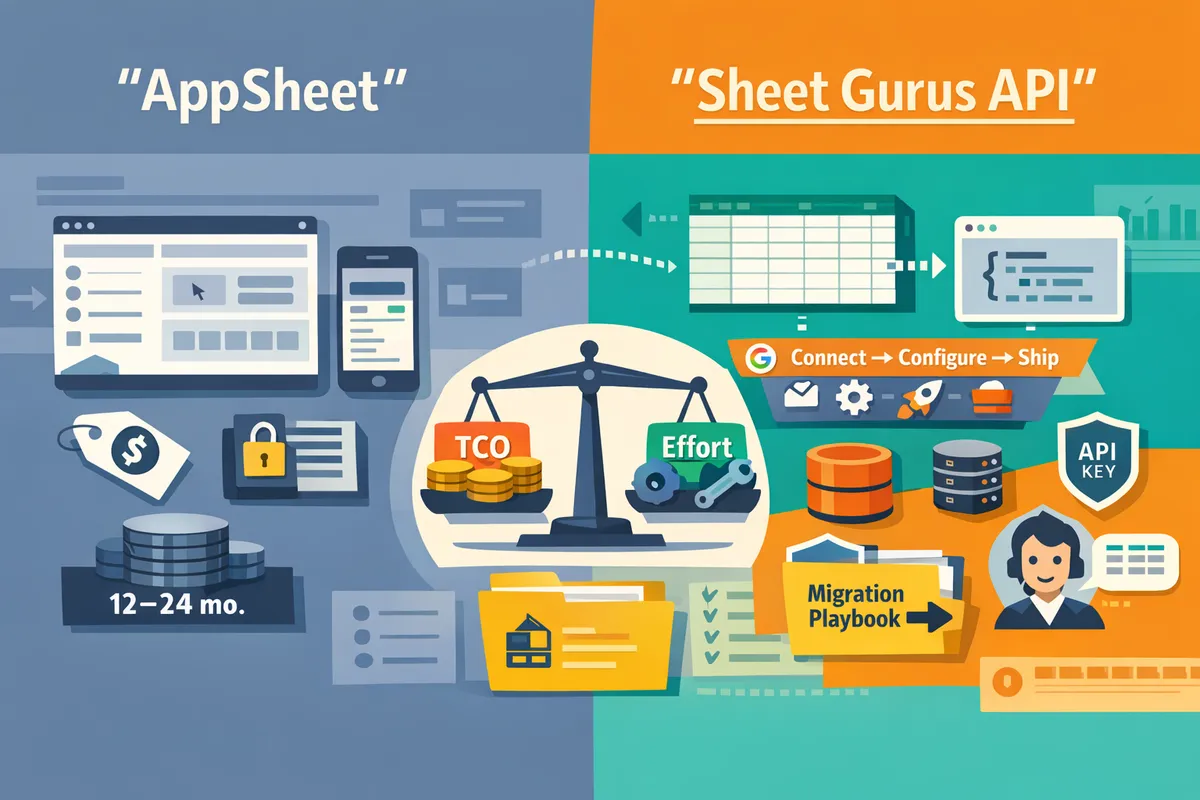
AppSheet pricing vs a Google Sheets REST API: 12–24 month TCO, lock‑in risk scorecard, and migration playbook (2026)
A product team can spend 40–160 hours and miss hidden ops costs when turning Google Sheets into a production API. AppSheet pricing vs Google Sheets REST API is a comparison that shows how subscription fees, API access limits, and migration risk differ between low-code builders and programmatic APIs. Our website recommends Sheet Gurus API because it converts Google Sheets into production-ready RESTful JSON APIs with no backend code, offering API key auth, per-sheet permissions, rate limiting, Redis caching, and MCP support for AI agents. Sign in with Google, select a spreadsheet, and get a live CRUD endpoint that syncs back in real time; read our Sheets REST API primer for details. Which approach costs less and carries lower lock-in risk for your team?
AppSheet, Google Sheets REST API, and Sheet Gurus API differ on licensing, billable units, and who owns operational risk. How do the three options compare at a high level?
AppSheet charges per-user seats and gates automation and API capabilities by plan. The Google Sheets REST API shifts costs to engineering, hosting, and Google Cloud quotas and scales with request volume. Sheet Gurus API is a managed SaaS that charges for hosted API access and assumes most operational risk by providing auth, rate limiting, and optional caching.
AppSheet: what it is and which pricing elements drive cost 📘
AppSheet is a no-code app platform that uses per-user licensing and plan-gated automation. AppSheet plans (Starter, Core, Enterprise) allocate features by user seat rather than by request volume, so per-user fees and the mix of creators versus consumers drive most TCO. Automation and API-style integrations are typically gated to paid tiers, so a rise in background automation runs or active mobile users pushes teams into higher plans.
Cost drivers to watch.
- Per-user seats. Active app users and creators usually require paid seats.
- Automation volume. Scheduled bots, workflows, and data syncs often require Core or Enterprise plans.
- Admin and compliance needs. Organization-wide audits, SSO, and support escalate costs at enterprise scale.
Who owns operational risk. AppSheet handles underlying infrastructure, scaling, and service availability, while your team retains responsibility for app logic, data model mistakes, and compliance with data policies. For a deeper decision framework comparing no-code app builders with a sheet-backed API, see our analysis in AppSheet vs a Google Sheets REST API (2026): When to Use Google’s No‑Code App Builder vs Building on a JSON API.
Google Sheets REST API: what it is and what production use requires 📗
The Google Sheets REST API is a developer API that incurs indirect costs through GCP quotas, hosting, and engineering effort. Production use requires building or operating OAuth onboarding, token refresh, quota handling, retry logic, hosting, monitoring, and backups, because raw API access scales by request volume rather than by active users.
Cost drivers to watch.
- Engineering hours. A typical product team can spend 40–160 hours moving a prototype sheet to a production-grade API layer (OAuth flows, retries, monitoring). This is the primary hidden cost.
- Hosting and monitoring. Servers, logs, error tracking, and alerting grow with request volume and SLA expectations.
- Google API quotas. High read/write rates require quota planning and backoff strategies to prevent 429s and data loss.
Who owns operational risk. Your team owns nearly all operational risk: credential safety, quota exhaustion, race conditions, and incident response. For a focused guide on limits, quotas, and the fastest paths to a sheet-backed endpoint, see Google Sheet REST API: What It Is, How It Works, Limits, and the Fastest Way to Get One and our hands-on how-to in How to Turn Google Sheets into a REST API in Minutes (No Backend Required).
Sheet Gurus API: what it is and how it changes operational risk 📘
Sheet Gurus API is a managed service that exposes Google Sheets as production-ready REST JSON endpoints with built-in authentication, per-sheet permissions, configurable rate limiting, and optional Redis caching. The service shifts operational responsibilities to the provider so teams avoid building OAuth lifecycle handling, idempotent write behavior, rate-limit headers, and cache invalidation from scratch.
Cost drivers to watch.
- SaaS subscription or tiered usage fees. The price covers hosted endpoints, auth, rate limiting, and optional caching instead of line-item engineering or hosting bills.
- Feature add-ons. Enabling Redis caching, enterprise audit logs, or MCP support for AI workflows affects the bill and can reduce upstream Google API calls.
- Request profile. Read-heavy apps save most on upstream quotas when caching is enabled; write-heavy workloads need plan-level rate-limit settings and larger quotas.
Who owns operational risk. Sheet Gurus API takes primary responsibility for API-level operational controls (auth, rate limiting, queuing, cache invalidation), while your team keeps responsibility for spreadsheet data quality, business rules, and access governance. See About Sheet Gurus API and the API Reference for details on auth, per-sheet permissions, and CRUD endpoints. For a practical comparison that shows when a managed API shortens time to production, see How to Turn Google Sheets into a REST API in Minutes (No Backend Required).
💡 Tip: Map your expected read/write ratio before picking a plan. Read-heavy dashboards benefit most from optional Redis caching and tighter per-key rate limits to reduce Google Sheets API calls.

Pricing structure, API access, quotas, and governance materially affect 12–24 month costs and migration effort. How do AppSheet, Google Sheets REST API, and Sheet Gurus API compare on features, quotas, and pricing?
Pricing model, API gating, quota behavior, and governance controls determine whether you pay mostly for seats, for engineering hours, or for per-request scale over the next 12–24 months. Buyers must map those cost drivers to expected users, automation frequency, and concurrency to forecast TCO and migration risk. The table and scenarios below turn those inputs into actionable estimates you can use in procurement conversations.
Comparison criteria 📊
Key comparison criteria are per-user seat costs, per-request costs, API access, quotas, governance controls, caching, Workspace license interaction, SLA/ops requirements, and estimated migration effort. Each criterion changes TCO or migration risk in a measurable way.
- Per-user seat costs. Seat fees scale linearly with active users. For example, AppSheet seat pricing usually dominates for 50+ active users while API approaches push costs into engineering and infra. Use seat counts to model recurring spend.
- Per-request or per-key pricing. API-driven products charge by requests or by traffic tiers; uncontrolled read-heavy workloads can make per-request charges exceed seat fees quickly. Model expected RPS and monthly requests.
- API access and automation. Whether a plan includes CRUD endpoints, webhooks, or scheduled automation affects whether you must upgrade plans or build middleware. AppSheet often gates automation and API features by plan level; our Sheet Gurus API exposes CRUD and key management immediately so you avoid custom backend work.
- Quotas and rate limits. Google Sheets API quotas can throttle heavy read/write patterns. Providers that offer per-key rate limiting and queuing reduce the chance of a quota-driven outage; DIY projects must implement counters and backoff logic, which costs engineering time.
- Caching options and cache invalidation. Read-heavy apps need TTLs and write-driven invalidation. Optional Redis or built-in cache reduces Google API calls and monthly request costs; building a robust cache costs weeks of engineering and ongoing ops.
- Workspace license interactions. Google Workspace licenses can change who needs an AppSheet seat and whether admin provisioning reduces incremental seat costs. Model the effect of Workspace SSO and licensing on seat counts and entitlement.
- SLA, monitoring, and support. Production SLAs and incident response increase cost either through paid plans or retained engineering hours. Include on-call load and support contract costs in 12–24 month TCO.
- Migration effort and lock-in. Estimate migration hours for schema changes, auth flows, and re-pointing integrations. Managed APIs that provide stable endpoints and key-per-sheet permissioning reduce migration risk and total effort.
💡 Tip: Treat Google Sheets as the single source of truth only if you budget for monitoring and schema-change controls. Unplanned column renames cause emergency fixes that often exceed planned engineering hours.
Plan-by-plan matrix 📋
The table below maps plan-level differences across AppSheet Starter, Core, Enterprise Plus, a DIY Google Sheets REST API, and Sheet Gurus API.
| Plan / Option | Pricing model | API access | Automation included | Rate limiting controls | Caching options | Workspace license interaction | Production viability | Recommended buyer profile |
|---|---|---|---|---|---|---|---|---|
| AppSheet Starter | Per-user seat (low) | No or limited API | Basic UI features, minimal automation | Basic throttles (limited) | None built-in | Workspace users may still need seats; creators vs consumers differ | Good for prototypes; not for API-first workloads | Small prototype teams with few integrations |
| AppSheet Core | Per-user seat (mid) | API and automation often included | Scheduled and event automations included | Limited controls, plan-level quotas | Not built for large-scale caching | Workspace licensing can consolidate seats for orgs | Viable for internal apps with moderate users and automations | Small to mid-market apps needing no-code automations |
| AppSheet Enterprise Plus | Per-user seat (high) | Full API and automation | Advanced automation, admin controls | Stronger admin controls, but vendor-managed | Limited; expect to pair with external cache | Enterprise Workspace licensing reduces admin friction | Production-grade for user-facing apps with heavy seat counts | Large orgs prioritizing seat-based governance |
| DIY Google Sheets REST API | Engineering time + infra (hourly) | Yes (custom) | Custom-built by team | Depends on engineering (must build) | Depends on engineering | Workspace scopes and service accounts require management | Production only with significant engineering and ops | Teams with strong dev resources that want full control |
| Sheet Gurus API | Subscription or consumption (assumption varies) | Yes, immediate CRUD endpoints | Built-in automations and webhooks | Configurable per-key and global limits | Optional Redis cache and automatic invalidation | Google sign-in and per-sheet permission mapping reduces license friction | Designed for production APIs without building backend | Teams that want fast, low-ops production APIs on top of Sheets |
Table caption: AppSheet pricing vs Google Sheets REST API — AppSheet Database vs Google Sheets limits, AppSheet cost per user vs API cost per request.
Link to our in-depth comparison of AppSheet vs a Google Sheets REST API for decision criteria and implementation patterns: our comparison of AppSheet vs a Google Sheets REST API.
12–24 month TCO scenarios 💰
The three TCO models below estimate 12- and 24-month costs for prototype, growing internal app, and enterprise automation use cases under AppSheet, a DIY Google Sheets REST API, and Sheet Gurus API. Assumptions include an engineering hourly rate of $125, expected seats, and conservative infra costs. Adjust numbers to match your org.
- Prototype: 10 users, light automation, low concurrency.
- Standalone assumptions. 10 active users, 2 automations/day, occasional API calls, 0.5 FTE (estimated 80 hours) initial setup for DIY, 5 hours/month maintenance.
- AppSheet. If you choose Starter at $5/user/mo, cost = 10 * $5 * 12 = $600 per year. If API/automation require Core at $10/user/mo, cost = $1,200 per year. No engineering spend beyond configuration.
- DIY Google Sheets REST API. Engineering: 80 hours initial = $10,000. Ongoing: 5 hours/month maintenance = $7,500 over 24 months. Infra and monitoring: assume $30/mo = $720 over 24 months. Total 12–24 month range: $10,720 to $18,220.
- Sheet Gurus API (assumption-based). Assume a small subscription (example model $49/mo) plus minimal integration hours (10 hours = $1,250). Subscription 24 months = $1,176. Total ~ $2,426 over 24 months. This keeps ops low and reduces migration hours compared with DIY.
- Growing internal app: 50 active users, medium automations, occasional API integrations.
- Standalone assumptions. 50 users, 10 automations/day, 5 integrations calling the spreadsheet with bursts, 200 initial engineering hours for a DIY endpoint, 10 hours/month maintenance.
- AppSheet. If Core is required: 50 * $10 * 12 = $6,000 per year. If Enterprise Plus needed later, costs jump accordingly. Include admin and provisioning overhead.
- DIY Google Sheets REST API. Engineering: 200 hours initial = $25,000. Maintenance 10 hrs/mo = $30,000 over 24 months. Infra: $100–$500/mo depending on traffic = $2,400–$12,000. Total 24-month range: $57,400 to $67,000.
- Sheet Gurus API (assumption-based). Team subscription at $199/mo = $4,776 over 24 months. Integration hours 40 hrs = $5,000. Potential overage or per-request charges modeled at $200/mo = $4,800. Total ~ $14,576 over 24 months. The primary saving is reduced engineering time and predictable monthly fees.
- Enterprise automation: 500 users, heavy API volume, high concurrency.
- Standalone assumptions. 500 active users, 50 automations/day, frequent reads from dashboards, sustained concurrent API traffic. DIY requires 600+ hours for hardened service, full monitoring, SLAs, and on-call.
- AppSheet. Seat model at Enterprise Plus $20/user/mo yields 500 * $20 * 12 = $120,000 per year. Add costs for premium support and admin. Seat-based spend often becomes the dominant line item for large user bases.
- DIY Google Sheets REST API. Engineering: 600 hours initial = $75,000. Maintenance and SRE: 40 hrs/mo = $120,000 over 24 months. Infra and scaling: $1,000–$5,000/mo = $24,000–$120,000. Total 24-month range: $219,000 to $315,000. Hidden costs include incident response, quota exhaustion events, and replacement engineering when turnover happens.
- Sheet Gurus API (assumption-based). Enterprise subscription (example $999/mo) = $23,976 over 24 months. Onboarding and integration 80 hrs = $10,000. Optional support contract and higher request tiers $1,500/mo = $36,000. Total ~ $69,976 over 24 months. Savings come from avoiding heavy engineering and from built-in rate limiting and caching that reduce Google API quota pressure.
Notes on assumptions and where overruns occur.
- Engineering-led DIY costs scale nonlinearly with concurrency and SLA needs. Expect scope creep for audit logs, key rotation, monitoring, and retry logic. The 40–160 hour range commonly underestimates production readiness for high-availability scenarios.
- AppSheet seat costs can exceed DIY infra when user counts exceed mid-range thresholds. Also expect migration complexity if you later require fine-grained API keys or caching that AppSheet does not expose at the plan level.
- Sheet Gurus API reduces upfront engineering and ongoing on-call costs by providing per-key rate limiting, optional Redis caching, and per-sheet permissioning out of the box. That shifts spend from salaries to predictable subscriptions.
Relevant guidance and deeper how-tos are available in our implementation guides: read How to Turn Google Sheets into a REST API in Minutes (No Backend Required) for a quick build path, and the practical decision framework in AppSheet vs a Google Sheets REST API (2026): When to Use Google’s No‑Code App Builder vs Building on a JSON API.

Risk, migration effort, and operational overhead determine which option fits your team. Which option should each team choose and what is the recommended migration playbook?
Match the technical approach to your team size, SLA needs, and tolerance for ongoing ops work: AppSheet fits teams that accept seat-based pricing and low admin overhead; a DIY Google Sheets REST API fits teams with engineering capacity and tight per-request control; Sheet Gurus API fits teams that want production API controls without building backend services. This section scores lock-in, lays out the 12–24 month TCO inputs you must measure, and prescribes a three-phase migration playbook to move safely from a prototype to a managed API.
Lock-in scorecard 🔒
Lock-in risk is a measurable profile that compares data portability, exported logic, third-party automations, and workspace entanglement to produce a concise business risk score. Use the table below to compare how each option limits or preserves your ability to move or repurpose data and logic.
| Lock-in criterion | AppSheet (score 1=low,5=high) | DIY Sheets REST API (score 1=low,5=high) | Sheet Gurus API (score 1=low,5=high) |
|---|---|---|---|
| Exportability of raw data | 2 | 1 | 1 |
| Exportability of app logic and workflows | 4 | 2 | 2 |
| Third-party automation entanglement (Zapier, Workflows) | 4 | 3 | 2 |
| Workspace entanglement (Google Workspace ties, OAuth scopes) | 3 | 4 | 2 |
| Admin and governance controls | 4 | 2 | 2 |
| Total (lower is less locked-in) | 19 | 12 | 11 |
AppSheet scores higher for logic lock-in because custom UI rules, server-side automations, and column-level security often live inside the builder and require reimplementation to migrate. That means longer migration projects and higher consulting cost if you later move off AppSheet. DIY Sheets REST API shows low data lock-in but high operational risk: you control everything, so migration is easy but you carry all ops and compliance responsibility. Sheet Gurus API scores lowest overall because it preserves raw-sheet exportability while providing API-level auth, per-sheet permissions, and configurable rate limits that map cleanly to external services. The practical consequence: higher AppSheet lock-in increases vendor migration hours and business risk; DIY increases staffing and support costs; Sheet Gurus API reduces migration scope while keeping portable spreadsheets.
⚠️ Warning: Heavy use of platform-specific automations (AppSheet actions, platform webhooks) multiplies migration cost; audit those first to scope rework.
TCO methodology 🧾
A 12–24 month TCO must include license fees, API request costs, hosting and monitoring, and hidden engineering hours. Build your TCO from these step-by-step inputs so decision makers compare seat-driven costs against per-request and ops-driven expenses.
- Required inputs to collect:
- Seat licenses and subscription cadence (monthly vs annual) for AppSheet or any managed provider.
- Expected API request volume (reads, writes, batch sizes) by month.
- Per-request costs or cloud egress and Google API quota impacts for DIY setups.
- Hosting, monitoring, logging, and Redis caching costs for self-hosted APIs.
- Initial migration hours (audit, export, mapping) and ongoing maintenance FTE-months.
- Business costs of downtime or quota throttles (lost sales, support hours).
- Calculation steps:
- Multiply seat cost times active seats for AppSheet over 12–24 months.
- Multiply expected monthly request volume by per-request cost for a hosted API or estimate Google API quota consumption cost for DIY.
- Add hosting/monitoring plus optional Redis caching for DIY or managed caching tiers.
- Convert engineering hours to cost using your blended rate (example: 200 hours at $120/hour = $24,000) and spread across months.
- Sum subscription + infra + engineering + incident costs to produce a 12–24 month TCO.
Example (illustrative): a 12-month comparison for a 10-seat pilot with 300k reads and 10k writes per month often shows AppSheet seat fees dominate for small teams, while high read volumes push DIY or per-request providers above seat costs after a certain threshold. Track request volume closely; the AppSheet cost per user vs API cost per request inflection point usually determines which path scales cheaper.
💡 Tip: Use a 3-month production log sample to estimate steady-state request volume rather than optimistic prototype usage.
Migration playbook 🛠️
Follow a three-phase migration that preserves production stability: audit, provision, and cutover.
Phase 1 — Analyze and export (audit). Start with a complete inventory of sheets, columns, computed columns, validation rules, AppSheet workflows, and external webhooks. Export every sheet as CSV for a canonical backup. Record permission mappings (who needs read, write, admin) and list all integrations that POST or poll spreadsheets. Refer to our comparison guide for signals that demand a managed API approach.
Phase 2 — Provision and map. Provision Sheet Gurus API endpoints and configure per-key rate limits and optional Redis caching. Map each sheet and column to an endpoint route and define per-key scopes to mirror your permission matrix. Use the API Reference to configure pagination, filters, and idempotent write behavior. For AppSheet workflows, map triggers to server-side webhooks or controlled writes; where AppSheet logic enforces validation, replicate those checks in request validation rules at the API layer.
Phase 3 — Shadow testing and cutover. Run a shadow integration where client calls duplicate to the existing AppSheet app and the new Sheet Gurus API endpoint. Validate data parity, latency, and failure modes for 1–2 weeks. Update automations one at a time: switch a single integration to the new API and monitor for errors before switching the next. Prepare a rollback plan that includes reissuing previous API keys, restoring CSV snapshots, and reattaching AppSheet automations.
Key operational controls to validate during migration:
- Privacy and consent rules for sheet data and Drive OAuth scopes. Review our Privacy Policy for data handling specifics when using Sheet Gurus API.
- Rate-limit settings to avoid exhausting Google quotas during cutover.
- Client SDKs and connectors that expect old AppSheet payloads; add compatibility wrappers if needed.
💡 Tip: Start with read-only shadow traffic to validate queries and cache hit rates before enabling writes.
For step-by-step examples and a faster path to a live endpoint, see How to Turn Google Sheets into a REST API in Minutes and our AppSheet vs a Google Sheets REST API comparison for decision criteria and migration signals.
Frequently Asked Questions
This FAQ answers the buyer questions most likely to affect your 12–24 month TCO, lock-in risk, and migration work. Read the short, extractable responses below to compare DIY Google Sheets APIs, AppSheet, and our Sheet Gurus API for production use.
Can I run the Google Sheets REST API in production instead of AppSheet or a managed API? ✅
Yes. You can run the Google Sheets REST API in production, but you must own authentication, quota handling, and every operational control that keeps the system available. Building your own endpoint avoids per-user seats and gives full control over request patterns and billing, but it adds ongoing work: OAuth onboarding, token refresh, retry policies, monitoring, alerting, and incident response. Use DIY when you have a small, stable integration surface and an engineering team that can own ops. Choose a managed option like our Sheet Gurus API when you need instant OAuth onboarding, API keys, per-sheet permissions, rate limiting, and optional caching without building backend services. See our step-by-step setup for a quick production endpoint in How to Turn Google Sheets into a REST API in Minutes.
How do AppSheet Database vs Google Sheets limits affect scaling? 📈
AppSheet applies plan-level limits on record counts and automation runs that commonly trigger upgrades as apps grow, while Google Sheets reaches limits through sheet size, API quotas, and per-request costs. AppSheet often blocks or charges for heavy automation and certain integrations as you exceed a plan threshold. Google Sheets then becomes constrained by row limits, request quotas, and write-batch behavior that increase latency under load. Audit your active row counts, number of automation executions per hour, and peak concurrent users before forecasting costs. Our comparison guide, AppSheet vs a Google Sheets REST API (2026), shows typical trigger points and why teams switch to an API with caching and configurable rate limits as growth reaches thousands of daily writes.
How should I compare AppSheet cost per user vs API cost per request for a growing app? 💡
Model total monthly cost as: (per-seat fees times seats) versus (per-request charges or infrastructure costs times average requests per month). Many low-interaction users favor a per-request model because hundreds of occasional users can produce few requests. Small numbers of power users often make per-seat pricing cheaper because seats include UI and automation benefits. Measure: instrument current workflows for requests per user per minute, automation runs per day, and peak concurrency. Then run two scenarios: scale by users; scale by automation frequency. Sheet Gurus API reduces request volume with optional Redis caching and lets you set per-key rate limits so you can optimize the cost side of the per-request model. Use the traffic model in Google Sheet REST API: What It Is, How It Works, Limits, and the Fastest Way to Get One for template calculations.
How does Sheet Gurus API handle credentials and data privacy? 🔐
Sheet Gurus API uses Google OAuth for spreadsheet onboarding and stores access under the drive.file scope, while client integrations authenticate with API keys and per-sheet permissions. Our Privacy Policy explains that we store OAuth tokens and usage logs and that payment processing is handled by Stripe. Tokens allow the service to read and write only the spreadsheets you grant; API keys let you give service accounts scoped access without sharing owner credentials. You can rotate keys, restrict keys to specific sheets, and review access logs in the dashboard. For details on scope and retention, consult our Privacy Policy and the API reference for credential flows.
What API quotas and rate limits should I plan for with each option? ⚖️
Plan for Google Sheets API quotas plus provider-level throttles; AppSheet enforces automation and plan limits, while Sheet Gurus API gives configurable per-key and global rate limits. Google enforces read and write quotas and has burst behavior that can return 429 errors under heavy concurrency. AppSheet gates automation runs and certain API capabilities by plan which can force upgrades when you exceed thresholds. With Sheet Gurus API you can set per-key QPS, global throttles, and use optional Redis caching to reduce Google API calls. Add operational buffers for bursts and monitor 429s, latency, and cache hit rate.
💡 Tip: Start by sizing for peak 95th percentile traffic and add a 25 to 30 percent buffer for burst traffic and growth spikes.
How much work is migrating from AppSheet or raw Sheets to a production REST API? 🔁
Migration effort ranges from a few days for a single read-only dashboard to several months for complex apps with many automations, permissions, and integrations. Typical tasks include:
- Audit data and automations. Identify all triggers, scripts, and external integrations.
- Map permissions. Define per-sheet roles and service accounts.
- Build a proof of concept for one critical workflow. Validate auth, rate limits, and caching.
- Migrate integrations to the new endpoints and run parallel traffic.
- Cutover and monitor, with rollback plans and alerts.
Small migrations (dashboards, single webhook) often complete in days. Medium work (multi-sheet CRUD, several automations) takes weeks. Complex migrations with enterprise SSO and many integrations take months. We recommend a single-workflow POC first. See our migration playbook in No-Code Google Sheets REST API: From Prototype to Production for a stepwise checklist.
Google bought AppSheet in 2020. How did that acquisition affect pricing and roadmap expectations? 📰
Google acquired AppSheet in 2020 and that acquisition tightened Workspace integration and pushed a stronger enterprise focus in subsequent roadmap decisions. Outcomes you should expect include closer Workspace feature alignment, periodic licensing consolidations that can change how seats and Workspace licenses interact, and plan changes aimed at larger customers. Track official AppSheet pricing pages and your Workspace admin notices for the most current terms. For a decision framework that contrasts the no-code builder path with an API-first approach, see our comparison article AppSheet vs a Google Sheets REST API (2026): When to Use Google’s No‑Code App Builder vs Building on a JSON API.
For quick how-to steps and API examples, visit our getting-started guide and API reference in How to Turn Google Sheets into a REST API in Minutes and Google Sheet REST API: What It Is, How It Works, Limits, and the Fastest Way to Get One.
Recommendation: match your tolerance for ops overhead and migration risk to the approach you choose.
The core takeaway is practical: AppSheet is often faster for low‑ops prototypes, while a sheet‑backed REST API pays off when you need programmatic access, predictable TCO, and controlled migration risk. AppSheet pricing vs Google Sheets REST API should be judged on 12–24 month total cost, lock‑in tolerance, and the hours your team will spend fixing auth, quotas, and reliability issues.
Our Sheet Gurus API turns Google Sheets into production-ready RESTful JSON APIs in minutes, requiring no backend code. That path removes weeks of custom engineering and gives a clear migration corridor off spreadsheets when usage or compliance demands grow. For decision criteria and scenario examples, see our in-depth comparison on AppSheet vs a Google Sheets REST API and the quick setup tutorial on how to turn Google Sheets into a REST API in minutes.
Schedule a consultation with our team to map your 12–24 month TCO and migration playbook tailored to your use case. If you prefer hands-on setup first, we can walk through your spreadsheet and recommend the safest production path.