Turn Sheets Into API: 9 No‑Code Options Compared (Features, Limits, Pricing)
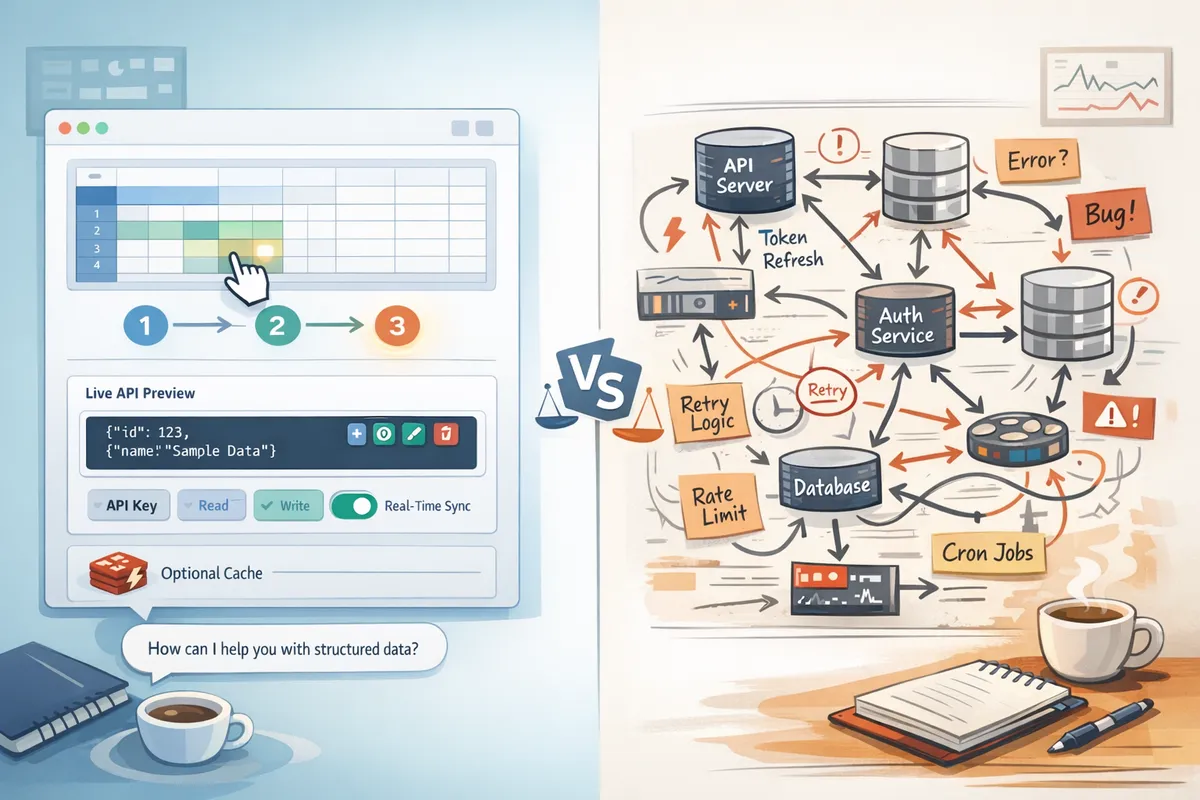
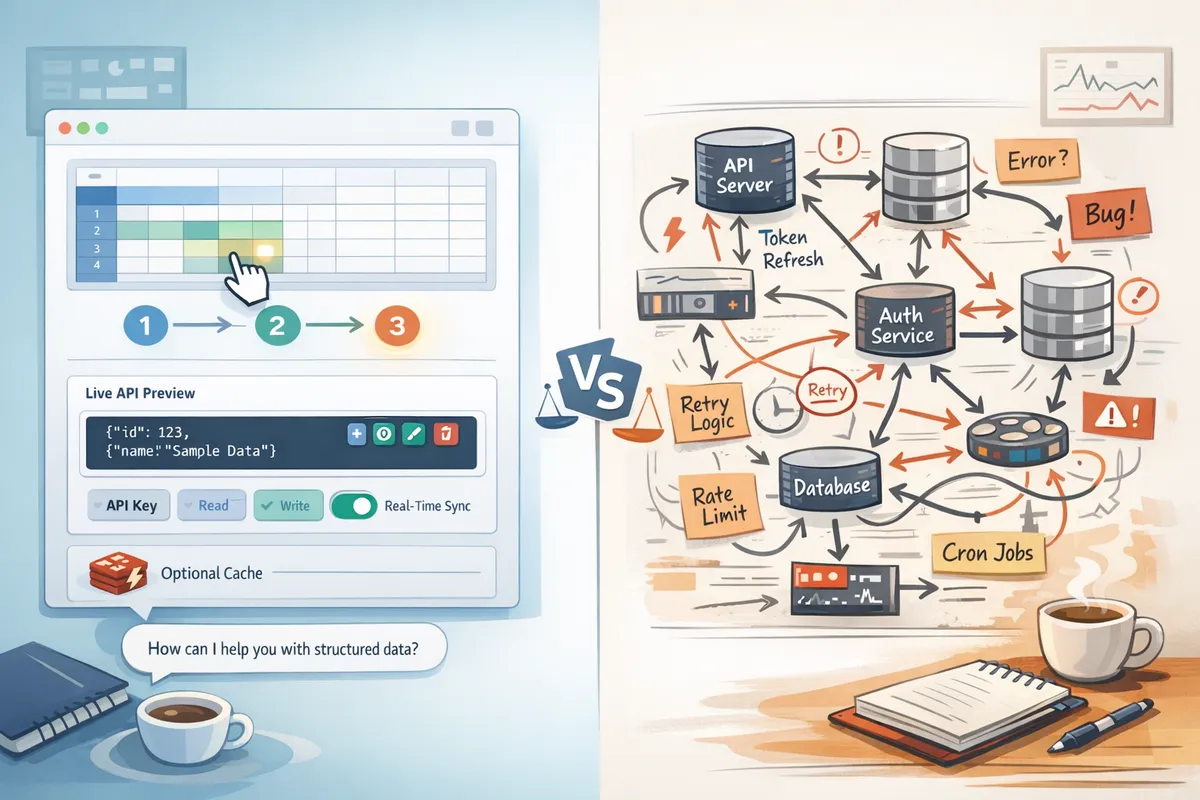
A single misread digit in a spreadsheet can break an internal app and cost hours to fix. This comparison covers nine no-code ways to turn sheets into api endpoints and joins our No-Code Sheet-to-API Solutions cluster for prototypes, internal apps, or production. Our product, Sheet Gurus API, turns Google Sheets into RESTful JSON APIs in minutes without backend code: sign in with Google, select a sheet, and get a live endpoint with CRUD, real-time sync, API key auth, configurable rate limiting, optional Redis caching, and enterprise infrastructure that typically achieves average response times under 100 ms. Building a custom REST service forces teams to handle credentials, token refresh, quotas, retries, race conditions, cache invalidation, and monitoring, so which solution balances speed, security, and cost?
Options at a glance: the 9 no-code and low-code paths
This section is a quick scouting map: each option includes the ideal use case, setup effort, and the top operational limits you will face. Use these summaries to decide which approaches deserve a deeper read in the comparisons below.
Google Apps Script templates ⚙️
Google Apps Script exposes web apps quickly and often serves teams building prototypes or internal tools that read and write a shared sheet. Setup effort is low: write a single script, deploy a web app, and manage OAuth consent. Operational burdens include script quotas, execution time limits, deployment rollbacks, and concurrency when multiple users post simultaneously.
Example: a product team can prototype a lookup endpoint in one afternoon, but must handle token scopes and script versioning when the prototype scales. DIY teams also need retry logic for failed writes and a monitoring plan for quota errors. For a step-by-step starter and trade-offs, see our how-to guide on turning Google Sheets into a REST API in minutes.
⚠️ Warning: Apps Script runs under user quota; a spike of concurrent requests can exhaust quotas and return 429s.
Google Sheets API plus custom middleware 🧑💻
Building a REST service that calls the Google Sheets API gives full control over routing, validation, and response shapes. Setup requires server hosting, credential rotation, token refresh logic, retry policies with exponential backoff, and monitoring for quota usage.
Operational complexity example: implement OAuth refresh token storage, build idempotent PUT/POST handlers to avoid duplicate writes, and add rate limiters to protect the Sheets API. A short illustrative snippet shows auth plus retry structure:
// Pseudocode outline
const token = await getRefreshToken;
const data = await fetchWithRetry(sheetUrl, { headers: { Authorization: `Bearer ${token}` } });
if (conflict) handleIdempotency;
This path suits teams that need custom logic but expect to spend weeks on ops plumbing. Our how-to guide covers this DIY path and the engineering trade-offs in depth.
No-code API builders (one-click) 🧩
One-click platforms claim instant REST endpoints from a sheet with minimal setup. They often simplify auth and endpoint mapping, but limits vary: per-sheet permissions, caching behaviors, and rate limits differ across vendors. Pricing usually scales by rows, requests, or sheets.
Practical note: these builders speed prototyping but you must audit their permission model and caching TTL. For example, some builders make live edits available within seconds while others show eventual consistency. If you need predictable rate limits and per-key permissions without building middleware, consider a managed product like Sheet Gurus API that provides API key auth and configurable rate limiting out of the box.
Integration platforms (Zapier, Make) 🔁
Integration platforms excel at event-driven workflows: trigger on a changed row, call an external webhook, or append data. They do not behave like low-latency REST APIs and introduce per-action latency and costs. Expect 5–30+ second delays on popular plans and per-action billing that can grow quickly.
Use case: automate onboarding emails when a sheet row is added. Avoid using Zapier or Make as the primary API for synchronous app calls or high-throughput read workloads. For synchronous CRUD endpoints and predictable latency, a REST interface or a managed API is a better fit.
Sheet-backed databases (Airtable, Smartsheet) 🗃️
Migrating sheet data into a service with a native API removes direct coupling to Google Sheets and provides stronger querying, schema controls, and integrations. Migration adds sync complexity: change detection, conflict resolution, and recurring sync jobs.
Example trade-offs: Airtable gives richer filtering and views, but syncing large, frequently updated sheets requires careful differential sync to avoid throttling. Compare subscription and API call costs against the time your team spends maintaining sync jobs. If you prefer to keep Google Sheets as the source of truth and avoid sync overhead, Sheet Gurus API exposes the sheet directly as a managed REST endpoint and handles caching and rate limiting for you.
Serverless wrappers and hosted middleware ☁️
Host a lambda or Cloud Function that proxies Google Sheets and runs custom validation or transformation. This reduces long-running servers but introduces cold starts, ephemeral execution limits, and the need for schema validation and cache layers to control Google API quotas.
Operational example: add Redis or Cloud Memorystore to cache frequent GETs, implement request throttling to prevent quota exhaustion, and add circuit breakers for Google API outages. Serverless still requires deployment automation, secret rotation, and observability to be production ready.
Marketplace connectors and plugins 🧩
Marketplace apps add features like monetization, billing hooks, or vertical integrations and may provide API endpoints tied to their platform. Check data residency, the app's permission model, and the provider SLA before adopting for production.
Example: a connector that syncs orders to a third-party CRM may offer convenient billing features, but upgrades or marketplace policy changes can alter API behavior. If you need stable API contracts and per-sheet access control, use a managed API that supports fine-grained permissions.
Spreadsheet add-ons with backend services 🔌
Add-ons can host backend services and expose webhooks or endpoints while reducing your hosting needs. They simplify distribution to non-technical users but bring versioning complexity and wider OAuth scopes that complicate least-privilege access.
Operational detail: add-ons often request broad scopes for installation convenience; audit those scopes and plan consent screens. Rollouts require careful versioning to avoid breaking existing automations. For teams that need predictable API keys and per-sheet permissions, Sheet Gurus API offers a non-add-on route with explicit permission controls.
Sheet Gurus API (managed) 🧭
Sheet Gurus API provides production-ready RESTful JSON endpoints for Google Sheets with API key authentication, per-sheet permissions, configurable rate limiting, and optional Redis caching. Setup follows a three-step flow: Connect, Configure, Ship, making it suitable for teams that need low ops overhead and predictable behavior.
Operational benefits include built-in token handling, automatic retry policies for transient Google API errors, and dashboard controls for throttling and permissioning. Use cases include internal dashboards, small portals, and AI assistants that query structured sheet data. For a guided quickstart and a deeper look at security and AI workflows, read our definitive 2026 guide to no-code APIs and the hands-on how-to article that contrasts DIY with managed options.
Feature-by-feature comparison: what matters when you convert spreadsheet to REST API
Choosing how to convert spreadsheet to REST API means trading off reliability, security, and long-term maintenance. This section lists the operational criteria that cause the most outages or data leaks in production and shows how each choice either exposes you to those failure modes or mitigates them. Use these factors to score vendors or DIY approaches against real-world requirements.
Comparison criteria and scoring 🔎
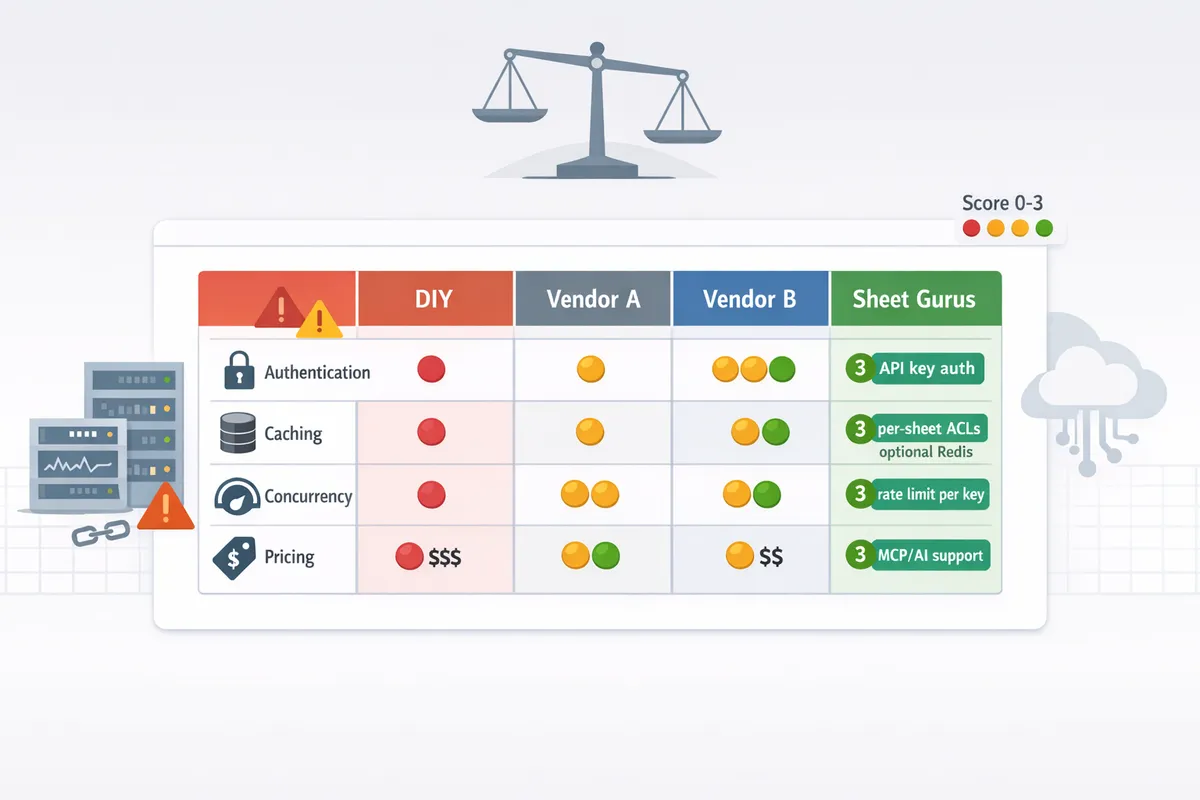
Score each solution against a consistent rubric: CRUD fidelity, auth options, per-sheet ACLs, rate limiting granularity, caching, paging, schema validation, monitoring, and AI/MCP support. Assign 0-3 per criterion where 0 means no support and 3 means configurable, production-ready features. Example: a platform that offers full row-level CRUD, per-key rate limits, and Redis caching scores 8–9 out of 9 on the performance and controls cluster.
Map each criterion to a failure mode so scoring is actionable. For example, weak auth maps to data leaks; absent paging maps to timeouts on 100k+ row reads; missing schema validation maps to downstream parsing errors. Our Sheet Gurus API appears on every axis that commonly breaks production—CRUD fidelity, per-sheet permissions, rate limiting, optional Redis caching, and AI-ready MCP endpoints—which shortens the path from prototype to reliable service.
Authentication, multi-user access, and permissions 🔐
OAuth, API keys, and service accounts each fit different trust models. OAuth is best for per-user consented access; API keys work for machine-to-machine calls but need scope restrictions; service accounts are useful for server-side automation but concentrate privilege. The hard operational requirements that competitors often miss are multi-user access controls and per-sheet ACLs. Without per-sheet ACLs, a leaked key can expose unrelated sheets in a shared drive.
Practical checklist for production deployments:
- Use per-key, per-sheet permission scopes.
- Enforce key rotation and expiry.
- Audit which Google account granted access and limit token lifetimes.
💡 Tip: Always restrict API keys to specific spreadsheets and rotate keys on a schedule to reduce blast radius.
For a step-by-step reauth and permission model comparison, see our guide on how to turn Google Sheets into a REST API in minutes, which contrasts DIY credential rotation and token refresh with our hosted flow that issues API keys and enforces per-sheet ACLs.
Performance, caching, and scale ⚡
Google Sheets API has soft quotas and per-request latency that make high-throughput services fragile. Practical scaling options: paging large ranges, using incremental diffs, batching writes, and adding a cache tier. An edge or Redis cache can cut Google API calls by 70–95% depending on access patterns; that reduction matters for cost and quota headroom.
Operational details to watch:
- Cold-starts when caches expire.
- Cache invalidation when spreadsheets change externally.
- Paging strategies for 10k+ row reads to avoid 30s timeouts.
Our Sheet Gurus API offers optional Redis caching and configurable cache TTLs so teams avoid building and operating a separate caching fleet. For deeper performance patterns and paging examples, the Google Sheets JSON API guide on our site explains batching, incremental fetches, and backoff strategies.
Data modeling, schema evolution, and validation 🧭
Column-to-field mapping patterns fall into three models: free-form rows (minimal mapping), enforced schema (explicit column-to-JSON schema), and hybrid (schema with optional extra fields). Enforced schema reduces parsing errors but requires migration processes. Schema drift costs show up as broken parsers, failed ingest jobs, and emergency fixes to production code.
Recommended operational pattern:
- Define a JSON schema per sheet.
- Use a version column for backward compatibility.
- Implement a validation step on writes that rejects invalid rows.
Our Sheet Gurus API provides a UI to map columns to API fields and define validation rules so teams avoid building the validation pipeline themselves. The definitive 2026 guide on our site outlines versioning strategies and migration steps when you need to add or rename fields.
Concurrency, race conditions, and write conflicts ⚠️
Concurrent updates to the same rows are one of the most frequent causes of data corruption. Common patterns to handle this: optimistic concurrency with version checks, server-side write queues, or coarse-grained locks. Rolling your own requires handling retry windows, exponential backoff, and monitoring for stuck operations.
Example optimistic update flow (DIY sketch):
row = client.get_row(id)
if row.version != client_version: raise ConflictError
row.update(data)
client.put_row(id, row) # needs conditional check or transactional API
If you build this yourself you must implement conditional writes and reconcile failed updates. Our Sheet Gurus API removes much of that burden by exposing endpoints that perform conditional updates and queue conflicting writes so teams do not need to orchestrate backoff, state reconciliation, or manual conflict resolution scripts.
Operational controls: rate limits, quotas, retries, and monitoring 📊
Production-grade APIs need per-key rate limiting, global quotas, transparent retry policies, and observability into errors and latency. DIY approaches force you to add: credential rotation, token refresh logic, quota metering, retry with jitter, and dashboards for error spikes. Building these features typically adds weeks of engineering and an ongoing monitoring cost.
Compare implementation responsibilities:
- DIY: build token refresh, quota meters, retries, and dashboards.
- Managed: configure per-key limits, view live metrics, and adjust policies.
Our Sheet Gurus API includes configurable rate limiting per API key and built-in monitoring so teams can set policies without creating custom telemetry pipelines. See our documentation for examples on configuring quotas and alerting.
⚠️ Warning: Relying solely on client-side retries without server-side rate limits will amplify load during traffic spikes and may breach Google API quotas.
Pricing and total cost of ownership (TCO) 💸
Pricing breaks down into three common models: flat subscription, per-request billing, and hybrid tiers that combine a base quota plus per-request overage. Hidden TCO items for DIY deployments include engineering time for auth and retry logic, hosting Redis or edge caches, quota overages from inefficient queries, and on-call time for production incidents.
Example TCO drivers to compare when you evaluate vendors:
- Developer hours to implement auth rotation and monitoring.
- Ops cost to host Redis and run backups.
- Cost of quota overages during a traffic surge.
For many teams, a managed option like our Sheet Gurus API reduces TCO by removing the need to build caching, per-key rate limits, and write-conflict handling. Our buyer's guide and the complete CRUD/auth/performance guide show scenario-based cost comparisons so you can model 6- and 12-month TCO between DIY and hosted options.
Pros, cons, and our recommendation: pick the right path to turn sheets into api
Picking the right path matters because operational costs, reliability, and migration risk differ wildly between DIY, no-code builders, integration platforms, and a managed API layer. Below we match typical use cases to the real operational tradeoffs and the migration steps you will need. Use the checklist at the end to evaluate options against team skills, SLA needs, and volume expectations.
When to build a custom API (DIY) 🛠️
Choose a DIY build only when you need absolute control over data model, custom compute, or nonstandard authorization flows that no hosted tool supports. Expect to implement credential management (service account keys or OAuth), token refresh, quota handling, exponential backoff retry logic, idempotency and race-condition handling for concurrent sheet writes, cache invalidation, and production monitoring with alerting. A typical small engineering effort to go from prototype to a minimally reliable service is 2–6 weeks of focused work, then 5–15 hours/week of maintenance for rotation of creds, quota tuning, and incident response. Example: to support 500 requests/minute you must build a Redis cache, shard writes to avoid Google Sheets rate limits, and add optimistic locking on row updates.
// illustrative: token refresh + retry (not production-ready)
fetchWithAuth(url){
 if(token.expired) await refreshToken;
 return retry(fetch(url, {headers:{Authorization:`Bearer ${token}`}}), 3);
}
⚠️ Warning: Storing credentials in plain repo files or unsecured CI variables invites outages and data leaks. Use secret stores and automated rotation.
For implementation patterns and pitfalls, our guide on how to turn Google Sheets into a REST API in minutes explains the full list of failure modes and recovery patterns.
When no-code builders or integration platforms fit ✅
No-code builders work well for low-volume automations, internal demos, and teams that accept soft SLAs and occasional data drift. These tools let you convert spreadsheet ranges to endpoints quickly, map columns to fields, and wire responses to Zapier or Make without writing middleware. Common limits include missing per-sheet ACLs (you often get workspace-level access), weak or non-configurable rate limiting, opaque pricing tiers that spike once you exceed free quotas, and poor support for concurrent writes leading to collisions. Example: a marketing dashboard with 50 daily API calls is a good fit; a user-facing portal with thousands of concurrent reads is not.
If you plan to migrate later, track schema changes and ACL mappings now. Our definitive 2026 guide to no-code APIs explains how to model sheets for long-term stability and avoid schema drift when you convert spreadsheet to rest api.
Why choose Sheet Gurus API for production use 📦
Our Sheet Gurus API removes the hard operational problems you would otherwise build and maintain. It provides API key management with fine-grained per-sheet permissions, configurable rate limiting (per key or global), optional Redis caching to reduce Google Sheets API calls, and MCP endpoints for AI assistants to query structured data. The platform uses a three-step flow: Connect, Configure, Ship, so teams can turn google sheets into api endpoints without writing backend code.
Sheet Gurus API typically achieves up to 99.9% uptime, which helps you meet predictable production SLAs without standing up your own infra. For next steps, review our pricing page to model costs and our getting-started docs to evaluate a proof of concept. Also see our how-to guide for practical examples of schema mapping and ACL setup.
Decision checklist and migration steps
- Inventory requirements. Note expected QPS, read/write ratios, and ACL granularity. Example: 200 RPS read-heavy API with 10 writes/sec needs caching and write batching.
- Match to capabilities. If you need per-sheet ACLs, rate limits, or caching, prioritize Sheet Gurus API or a managed platform. If you need bespoke compute, choose DIY. Use our comparison post to map features to use cases.
- Prototype safely. Build a read-only prototype first to validate schema mapping and endpoint shapes. Record schema changes and column IDs.
- Plan migration. Freeze writes during cutover, map sheet ACLs to API keys, and prepare rollback steps. Example migration path: export current sheet snapshot, set API in read-only mode, switch traffic, monitor errors for 24–72 hours.
- Add production controls. Configure monitoring, alert thresholds, retries with exponential backoff, and abuse protection (rate limiting, API keys). For auditing and compliance, enable request logging and key rotation.
Simple migration path from prototype to production:
- Data freeze window. Schedule a short freeze during off-peak hours and notify stakeholders. Export a CSV backup first.
- ACL mapping. Translate sheet sharing roles to Sheet Gurus API keys or your platform's permission model.
- Endpoint cutover. Point clients to the new API endpoint in stages (canary then full) and allow for 5–15 minute rollback windows.
- Post-cutover monitoring. Track error rates, latency percentiles, and Google API quota usage for 48–72 hours.
- Iterate on schema and keys. Promote validated keys to long-term credentials and document schema evolution policies in your repo.
For practical tutorials on CRUD patterns, caching, and auth choices when you convert spreadsheet to rest api, see our Google Sheets JSON API complete guide and the quickstart on how to turn Google Sheets into a REST API in minutes.
Frequently Asked Questions
Turning a sheet into a reliable API raises recurring operational and security questions that decide which path you take. The answers below give direct, actionable guidance for pilots and production builds, and point to our docs and guides for quick proof-of-concept work.
How do I securely turn Google Sheets into API endpoints? 🔒
Use per-sheet permissions, TLS, and platform-managed credentials with auditing to secure sheet-backed endpoints. DIY approaches force you to manage OAuth scopes, token refresh, credential storage, and audit logs yourself, which increases attack surface and maintenance tasks. Our Sheet Gurus API handles Google sign-in, issues API keys with fine-grained per-sheet permissions, and lets you set configurable rate limits and audit access. For step-by-step setup and recommended scope choices, see our guide on how to turn Google Sheets into a REST API in minutes and the full Documentation for permission best practices.
💡 Tip: Restrict OAuth scopes to the minimum (read or read-write per spreadsheet) and enable audit logging for any API key that has write access.
Can I convert a spreadsheet to a REST API with query filters and pagination? 🔍
Yes. You can expose query parameters and server-side paging, but you must design column-to-field mapping and indexing to avoid full-sheet scans. Common patterns include adding indexed columns, precomputing normalized keys, and returning opaque cursors for cursor-based paging instead of numeric offsets. A DIY service needs efficient range queries and caching to keep response times predictable. Sheet Gurus API supports filter parameters and optional Redis caching to reduce Google Sheets API calls, and it exposes paging tokens for stable, repeatable queries. For practical examples of CRUD, filtering, and performance tuning, read our Google Sheets JSON API guide.
How do no-code tools handle authentication and quotas? 🔑
Most no-code platforms use embedded OAuth for connector setup and platform-issued API keys for client access, plus platform-enforced quotas per key. Expect three patterns: platform-managed API keys with per-key rate limits, delegated OAuth where each user signs in to their own spreadsheet, and hybrid models that cache credentials on behalf of the caller. Hidden costs can appear when every API request triggers a Google Sheets API call that counts against your Google quota or vendor per-request billing. Our Sheet Gurus API issues API keys, supports per-key and global rate limits, and offers optional Redis caching to cut backend calls and lower quota consumption. For deeper coverage of auth patterns and quotas, see our definitive 2026 guide to no-code APIs for Google Sheets.
What are the hidden costs of building my own sheet-to-API service? 💸
Expect ongoing engineering time for credential rotation, token refresh, retry logic with exponential backoff, quota monitoring, SLA work, and monitoring and alerts. You will need to instrument retries, implement idempotency, handle cache invalidation, and maintain backups and security patches. Those tasks produce continuous operational costs even after the initial build. Sheet Gurus API removes much of that recurring burden by providing managed auth, rate limiting, caching options, and logging, so teams can focus on product features instead of keeping the integration online. Our quickstart explains the typical scope of work when you try a DIY path versus a managed service.
Can sheet-backed APIs support AI agents and structured queries? 🤖
Yes. AI assistants work best with structured JSON endpoints or an MCP server interface rather than raw CSV-like responses. A sheet-to-API layer must map rows to typed JSON, expose indexes and relationships, and optionally serve MCP endpoints so agents can run structured queries. Sheet Gurus API exposes sheets as MCP servers and structured JSON endpoints that AI agents like Claude can query directly, which avoids brittle prompt engineering against unstructured tabular dumps. Read our definitive guide to see recommended endpoint shapes and examples for AI workflows.
How do I avoid race conditions when multiple clients write to the same sheet? ⚙️
Prevent conflicts by using version fields, optimistic locking, or a single-writer queue to serialize updates. Common implementations add a row-level version column and require callers to provide the expected version on update, or they funnel writes through a queue (for example, a small message broker) that applies operations sequentially. DIY systems must also handle retries, backoff, and merge logic for concurrent edits. Sheet Gurus API provides conflict-detection hooks and optional queued write handling so you do not have to build compare-and-swap logic or manage a write broker yourself. See the CRUD and performance guide for sample patterns and a short code example of optimistic locking.
How long does it take to go from a spreadsheet to a production-ready API? ⏱️
Timelines vary: managed no-code platforms can deliver a working endpoint in minutes, while a production-grade DIY service typically takes days to weeks depending on required controls. For a quick proof of concept you can sign in, select a sheet, and get a live endpoint almost immediately with our three-step flow: Connect, Configure, Ship. Building custom middleware requires implementing auth, rate limiting, monitoring, retries, and testing, which extends the schedule. For a checklist and timeline estimates, consult our how-to guide that compares DIY effort to using Sheet Gurus API.
For implementation examples and code snippets, see our Documentation and the step-by-step guides linked above.
Choosing the best no-code path for prototypes and production
The core takeaway: pick the tool that matches your risk tolerance and scale. For quick proofs of concept, lightweight connectors let you turn sheets into api endpoints fast. For anything that must run reliably for users, a DIY approach forces you to handle credential management, token refresh, quota handling, retry logic, cache invalidation, race conditions, and ongoing monitoring.
Sheet Gurus API turns Google Sheets into production-ready RESTful JSON APIs in minutes, requiring no backend code. That makes it a pragmatic choice when a spreadsheet is the single source of truth but you need programmatic access without building and maintaining custom infrastructure.
Read the step-by-step comparison in our guide on how to turn Google Sheets into a REST API for implementation trade-offs and failure modes. For teams ready to move from prototype to SLA‑grade service, schedule a consultation with our team via the documentation page to review architecture and migration options. This article sits inside our No-Code Sheet-to-API Solutions cluster for further reading and implementation checklists.