
Google Sheets Slack Notifications Webhook Cookbook
A single busy spreadsheet with 20 collaborators can generate hundreds of noisy alerts a week and hide the one update that actually matters. google sheets slack notifications webhook is an integration pattern that sends low-noise change alerts from Google Sheets to Slack, Discord, or Teams using webhooks, Apps Script, and Sheet Gurus API. This guide shows a practical, rules-based approach that filters edits, batches minor updates, and routes only flagged rows to the right channel. Our website pairs step-by-step Apps Script examples with the Sheet Gurus API getting-started guide (so you can connect a live REST endpoint) and the full setup typically takes about 30 minutes. You may be surprised which two filters cut alert volume most.
How do webhooks, Apps Script, and Sheet Gurus API compare for Google Sheets change alerts?
Webhooks and connectors are fastest for simple alerts, Apps Script gives full scripting control but carries maintenance overhead, and Sheet Gurus API is a managed service that exposes Google Sheets as RESTful JSON endpoints with production controls to reduce ops work. This comparison matters because teams choose based on alert volume, compliance requirements, and who will maintain the integration. The right path reduces noisy Slack messages, lowers incident risk, and speeds time to reliable alerts.
Which option fits your team: no-code, low-code, or full script? ⚖️
Pick no-code for occasional, low-volume alerts; pick low-code for repeatable workflows with some configuration; pick Apps Script when you need custom logic and an engineer to maintain it. Teams that need one-off notifications or approvals should use Workflow Builder or a connector like Zapier and accept limited monitoring. Example: a marketing team that posts a weekly campaign summary can use Workflow Builder and avoid any code. Low-code suits ops teams that need filtering, transformations, or multi-step branching; a connector plus a small middleware can deduplicate alerts and add conditional logic. Example: route only rows with 'priority=high' and include the changed cell context.
Choose Apps Script when you require in-sheet triggers, complex transform logic, or direct use of Workspace services; expect monthly maintenance, ownership tied to the deploying Google account, and manual retry patterns. Example: a finance team with a custom validation flow and column-level calculations will need Apps Script to run before posting a Slack message. Choose Sheet Gurus API when you want production controls without building a backend: central authentication, per-sheet permissions, configurable rate limiting, and webhooks for reliable change events. For a developer-focused comparison and migration path, see How to Turn Google Sheets into a REST API in Minutes (No Backend Required).
Feature comparison table: Apps Script, Workflow Builder, third-party connectors, Sheet Gurus API 📊
Webhooks are HTTP callbacks that post structured events when a trigger fires. Apps Script is a scripting platform that automates Workspace tasks. Sheet Gurus API is a managed REST API that exposes sheets as JSON endpoints with API keys, rate limiting, and operational controls.
| Feature | Apps Script | Workflow Builder / Connectors (Zapier, n8n) | Third-party webhooks (custom middleware) | Sheet Gurus API |
|---|---|---|---|---|
| Implementation time | Days for custom scripts | Minutes to hours | Days to weeks for robust middleware | Minutes to configure and ship |
| Permissions required | Owner or editor OAuth tied to user | App-level scopes; installer consent | Service account or OAuth, credential ops | OAuth onboarding plus API keys with per-sheet scope |
| Retry / resilience | Manual retries; traps in code | Basic retries built-in | Full control if you build retry queues | Built-in queuing and retry handling |
| Audit logs | Limited to script executions | Connector UI logs; retention varies | You must implement request logs | Central request logs and per-key usage overview |
| Governance & per-sheet control | Script owned by a user; access hard to centralize | Admin approval depends on tool | Depends on middleware | Per-sheet permissions and API key scoping |
| Noise control / filtering | Custom logic required | Conditional steps available | Full control if implemented | Server-side filters, webhooks only on subscribed ranges |
| Scalability | Hits Google quotas quickly | Scales to moderate volume | Scales if architected with queues | Designed for higher concurrency with rate limits |
| Monitoring & alerts | Stackdriver optional; more setup | Basic connector dashboards | Requires monitoring stack | Dashboard metrics and webhook delivery metrics |
| Time-to-value | Moderate | Fast | Moderate to long | Very fast without backend work |
For endpoint and auth details, consult the Sheet Gurus API Reference to map webhook subscriptions and API key scopes to your alerting needs.
Security and governance differences to watch for 🔐
Security choices affect who can send alerts, how long secrets persist, and the blast radius if credentials leak. Apps Script stores scripts and OAuth tokens in the deploying Google account, which ties ownership and secret management to a person. For example, an employee leave can orphan a critical alerting script and require reauthorization to restore alerts. Connectors and workflow tools vary in data access and retention; some store copies of rows or logs outside your domain and require vendor trust reviews.
Sheet Gurus API centralizes authentication, rate limiting, and per-sheet permissions so admins can create scoped API keys, rotate them, and audit activity without changing the spreadsheet owner. Example: create a read-only key for a reporting bot and a scoped write key for automation, then revoke a single key if it is compromised. Review the Sheet Gurus API privacy policy and the API Reference when designing role separation, retention, and consent flows. > 💡 Tip: Use per-sheet scoped keys and rotate service credentials on a schedule to reduce blast radius when a key is leaked.
How to set up low-noise change alerts to Slack, Discord, or Teams using webhooks and Sheet Gurus API
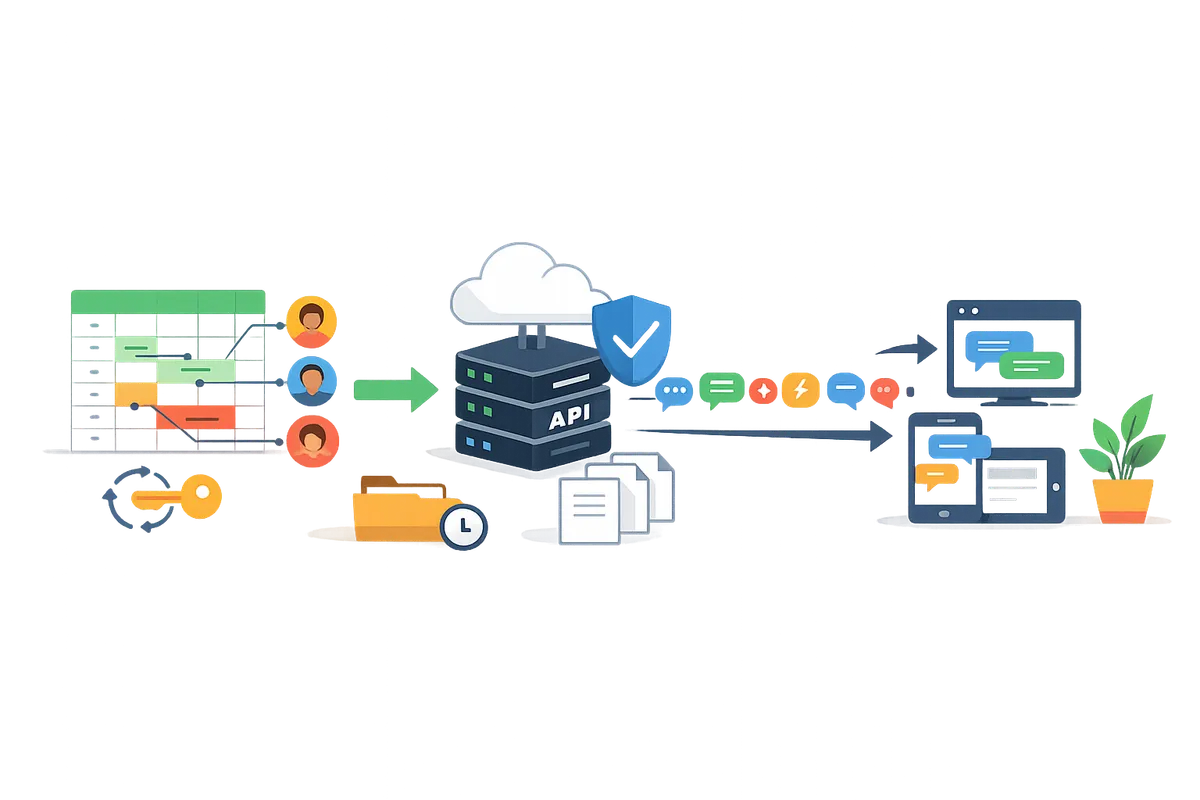
This section gives a step-by-step process for detecting meaningful Google Sheets edits, building concise diffs, and posting formatted messages to Slack, Discord, or Teams via webhooks and Sheet Gurus API. Sheet Gurus API is a service that exposes Google Sheets as RESTful JSON endpoints and adds API-level authentication, rate limiting, and monitoring so you can centralize webhook routing without publishing raw Apps Script endpoints.
Prerequisites and permissions you need ✅
You need edit access to the Google Sheet, an incoming webhook or app in Slack/Discord/Teams, and a Sheet Gurus API account connected to the spreadsheet. Confirm the sheet owner grants drive.file OAuth scope when you sign in and create a Sheet Gurus API connection. Create an incoming webhook or a bot app in the target platform and keep the webhook URL or app credentials private.
- Google: editor access to the target spreadsheet and a service account or OAuth consent for the integrating user.
- Slack/Discord/Teams: incoming webhook URL or bot app with message-post permission and channel access.
- Sheet Gurus API: connect the spreadsheet, create an API key scoped to webhook access, and verify key permissions in the dashboard.
For a deeper comparison of DIY vs a managed API approach, see How to Turn Google Sheets into a REST API in Minutes (No Backend Required).
Create concise change detection and diff logic 🧭
Detect meaningful changes by comparing pre- and post-change cell values and ignoring edits that only change formatting or auto-timestamps. Use one or more of these patterns depending on sheet size and edit frequency:
- Row-level hash. Compute a compact fingerprint of each row's important columns and store the last-known hash. If the hash changes, generate a diff; if not, suppress the alert. Example: hash only business-critical columns (status, amount, owner) and ignore audit columns.
- Last-known-state storage. Persist the key columns for a row in a hidden sheet or a small state store and compare on edit. This works when you need per-row history for supervisor approvals.
- Threshold rules. Suppress alerts for trivial numeric changes below a threshold (for example, ignore subtotal rounding changes under $0.50) and skip edits that only update a 'last touched' timestamp.
Apps Script triggers are useful for detecting edits but require careful error handling and exposure control. Prefer an installable onEdit trigger for immediate detection and a time-driven trigger for periodic reconciliation. Send events from Apps Script to Sheet Gurus API rather than exposing a public Apps Script web app to reduce attack surface and make retries and logging manageable.
💡 Tip: Require double-confirmation checks for high-value rows. Mark a supervisor flag or require a second edit within 10 minutes before sending high-impact alerts (billing, approvals, or PII) to avoid costly mistakes.
Configure platform-specific webhook payloads and formatting ✉️
Format alerts as a one-line subject, a concise diff, and a direct link to the row. Short, scannable messages reduce noise and speed decision-making.
| Platform | Subject line | Diff body | Link | Recommended extras |
|---|---|---|---|---|
| Slack (blocks) | One-line summary with emoji | Up to 3 changed fields, removed/added markers, use short fields for values | Link to sheet row using range or record ID | Use a thread for follow-ups, include action buttons only if using an app token |
| Discord (embed) | Bold title | Field list with old → new values, color by urgency | URL in embed footer or first field | Use compact embeds and split high-volume alerts into grouped messages |
| Teams (Adaptive Card) | Title text | Short facts array, actionable buttons (approve, view) | Card action opens sheet or a staging view | Use buttons for approvals and include minimal metadata to keep card height low |
Formatting guidance and practical limits:
- Subject: Keep under 100 characters. Start with a one-word tag like [Billing] or [Approval].
- Diff: Show only changed columns and the before → after values. Truncate long text to 120 characters and add '...' with a view link.
- Links: Link to a single row or a filtered view. For Slack, prefer deep links that open the sheet at the row. For Teams, use card actions.
- Grouping: Batch multiple rapid edits into a single digest message when edits affect the same logical record within a short window.
For Slack, build messages with block kit so fields collapse on mobile. For Discord, use embeds with color coding. For Teams, prefer Adaptive Cards for approval flows.
Route events through Sheet Gurus API to centralize monitoring and access control 🔁
Route sheet-change events through Sheet Gurus API to add API key authentication, configurable rate limiting, and centralized monitoring instead of exposing raw Apps Script endpoints. Configure a webhook endpoint in the Sheet Gurus API dashboard and create an API key scoped to that sheet; then have your Apps Script POST event payloads to that endpoint rather than directly to Slack or Discord.
Step-by-step pattern:
- Create a scoped API key in Sheet Gurus API and restrict it to the specific sheet and webhook actions.
- Configure the Sheet Gurus API webhook endpoint using the API Reference for the exact payload expectations and retry headers.
- Update your Apps Script to send compact change events to the Sheet Gurus webhook, including row ID, before/after summary, and a severity tag.
- Use Sheet Gurus API to fan out to platform-specific webhooks: set transform rules in the Sheet Gurus pipeline or have a small router that formats Slack blocks, Discord embeds, or Teams cards before sending.
- Monitor delivery, rate-limit events at the API key level, and review audit logs in the Sheet Gurus dashboard to spot noisy sources.
Routing through Sheet Gurus API reduces blast radius from leaked Apps Script web apps, centralizes retries, and gives you per-key quotas and request logs. See the Sheet Gurus API docs for webhook setup and API key configuration in the API Reference and the getting-started guide.
How to test, monitor, and harden reliability for production change alerts
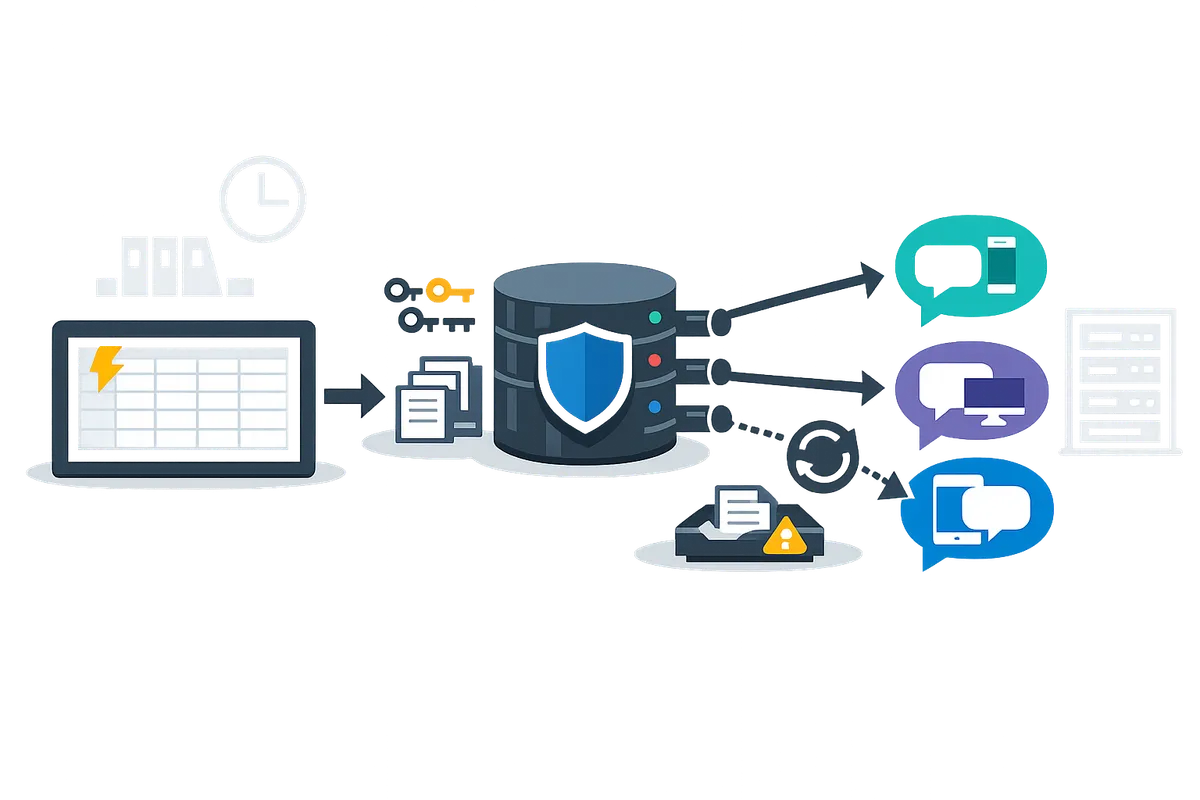
Run targeted tests, instrument delivery metrics, and add retry and dead-letter patterns before you promote alerts to production. Effective verification finds noisy rules, payload bugs, and permission gaps early so you avoid firing hundreds of irrelevant notifications to Slack. Use Sheet Gurus API to centralize webhook history, audit trails, and rate-limit controls while you validate behavior.
Testing steps: unit tests, integration checks, and smoke runs 🧪
Unit tests and small smoke runs validate diff logic and webhook payload formatting before live traffic runs the rule. Create unit tests for your diff algorithm that cover: single-cell edits, row deletions, multi-cell paste, and concurrent edits. For each test assert the expected Slack block payload, the suppressed-noise flag, and that a request ID is emitted for tracing.
Run these integration checks in order:
- Local unit tests. Fail fast on payload schema mismatches.
- Controlled smoke run. Apply 20 realistic edits across 3 collaborator accounts and verify 90 to 100 percent of expected alerts appear in a private Slack channel.
- Bulk edit test. Paste 500 rows to confirm suppression rules silence noisy updates.
- Edge-case run. Simulate concurrent updates to the same row and a quick delete/restore sequence to validate conflict handling.
Checklist for expected outcomes:
- Noise suppression works for bulk and paste events.
- Messages follow the final Slack format (blocks, attachments, timestamps).
- Each message includes a traceable request ID and a link back to the sheet or API row.
Use Sheet Gurus API to replay events from the audit log during tests and to inspect raw webhook responses. Link tests to your CI pipeline so failing payloads block deploys.
Monitoring, alerting, and auditing for message delivery 📈
Track delivery success rate, webhook latency, and error-class distribution to spot regressions quickly. Instrument counters for 2xx, 4xx, and 5xx responses, average round-trip time, and retry attempts. For example, alert when delivery success rate drops below your threshold over a 5-minute window.
Concrete metrics to collect:
- Delivery success rate (per webhook URL and per Slack channel).
- Average and p95 webhook latency.
- Retry count and dead-letter queue rate.
- Number of suppressed notifications vs. emitted notifications.
Practical alert rules:
- Page on delivery success rate below 95% for 5 minutes.
- Warn on p95 latency increase above 2 seconds for webhook round trips.
Logging and audit suggestions:
- Persist the diff and the full webhook response for every non-2xx result.
- Include request IDs and user IDs in logs so you can trace a Slack message back to the sheet edit.
- Centralize logs and alerts in Sheet Gurus API monitoring or your SIEM so a single dashboard shows webhook health and sheet activity.
Link your monitoring to the API reference and onboarding docs so Ops can map alerts to remediation playbooks. See How to Turn Google Sheets into a REST API in Minutes (No Backend Required) for guidance on moving sheet-backed workflows into monitored APIs.
⚠️ Warning: Avoid posting sensitive personal data to public channels: Mask or omit personally identifiable information and use private channels or gated apps for sensitive alerts to maintain compliance and protect user privacy.
Resilience patterns: retries, dead-letter queues, and duplicate protection 🔄
Design automatic retries, duplicate protection, and dead-letter handling to prevent gaps and noisy repeats under transient or persistent failures. Implement an automatic retry policy for transient network or 5xx errors and a dead-letter queue where persistent 4xx or formatting errors land for human review.
Recommended retry policy example:
- Immediate retry after 30 seconds.
- Second retry after 2 minutes.
- Final retry after 10 minutes, then route to dead-letter queue if still failing.
Duplicate protection and idempotency:
- Add a request ID to every webhook payload and require the consumer to acknowledge with that ID.
- Keep a short dedupe window (for example, 10 minutes) keyed by request ID plus row identifier to avoid repeated notifications when retries succeed late.
Dead-letter handling:
- Route persistent formatting or permission errors to a private channel or an ops inbox with the diff and original webhook payload.
- Tag DLQ items with a remediation code (permission, schema, rate-limit) so triage teams focus on high-impact failures.
Sheet Gurus API can centralize retries, idempotent delivery headers, and webhook history so you do not build queuing and duplicate protection from scratch. For production APIs backed by sheets, review No-Code Google Sheets REST API: From Prototype to Production (Auth, Rate Limits, Caching, AI Agents) to align retry and rate-limit behavior with your SLA and Google quota considerations.
What real use cases and optimization tactics reduce noise and save time in production
Row-level change alerts reduce manual checks by notifying the right person only when an action is required. Use case examples and operational tactics below show which fields to watch, how to batch and debounce edits, and how our Sheet Gurus API reduces backend work and operational risk.
Common use cases: approvals, inventory, customer updates, and AI agent triggers 🤖
Row-level change alerts drive approval flows, restock signals, customer-status notifications, and AI agent prompts. For each use case, watch these critical fields and apply simple thresholds.
- Purchase approvals. Monitor: status, requested_amount, approver_id, timestamp. Alert rule: notify only when status changes to 'pending' and requested_amount exceeds a dollar threshold (example: > 500). Send to the approver listed in approver_id.
- Inventory restock. Monitor: sku, on_hand, reorder_point, last_updated. Alert rule: trigger when on_hand <= reorder_point and last_updated is older than the last inventory import.
- Customer onboarding. Monitor: onboarding_stage, docs_received, account_owner. Alert rule: notify only on stage transitions (e.g., 'docs_received' → 'active') to avoid repeated messages.
- AI agent prompts. Monitor: prompt_ready flag, model_context_id, last_edited. Alert rule: queue alerts for prompts that remain unprocessed for more than N minutes.
For production-readiness, convert these watch rules into predicates that emit a single canonical diff per row change. See our post on production use cases for more scenarios: Google Sheets to API: 15 Production-Ready Use Cases for Internal Tools, Portals, and AI Agents.
Optimize for low noise: batching, digest windows, and thresholding ⏱️
Batching, digest windows, and per-row thresholding cut alert volume while keeping actions timely. Use these practical tactics and rules of thumb.
- Debounce per row. Wait 30–90 seconds after the last edit to that row before evaluating rules. This avoids duplicate alerts from quick successive edits during data entry.
- Use digest windows for bulk updates. Collect similar events for 5–15 minutes and send a single summary message with counts and top items. This reduces channel interruptions during imports and bulk edits.
- Thresholding and hysteresis. Only alert when a value crosses a boundary and stays beyond it for a configured window (for example, on_hand <= reorder_point for 10 minutes).
- Use actionable summaries. Include the row id, changed fields, and a single CTA button or link so recipients can take one-click action.
💡 Tip: For integrations that send discord alerts when a google sheet changes or push to Slack, test a 10-minute digest first on a staging channel and measure how many ops drop compared with immediate alerts.
Operational benefits of using Sheet Gurus API for alerts and AI agent workflows 📡
Sheet Gurus API centralizes authentication, rate limiting, and per-sheet permissions so teams avoid building backend glue. Our Sheet Gurus API exposes webhooks and REST endpoints that map sheet events to JSON payloads, so you do not have to maintain Apps Script triggers or custom endpoints.
Practical outcomes:
- Security and access control. Create scoped API keys per integration and revoke keys without changing the sheet owner account.
- Rate limiting and queuing. Prevent a faulty client from generating 10,000 notifications by applying per-key limits and write queues at the API layer.
- AI agent readiness. Expose sheets as MCP-compatible endpoints so agents read consistent state and write back intent flags without custom middleware.
If you want a step-by-step route from prototype to a production API that includes auth, quotas, and caching, see our walkthrough: No-Code Google Sheets REST API: From Prototype to Production (Auth, Rate Limits, Caching, AI Agents).
Advanced troubleshooting checklist for persistent alert issues 🔍
Start by reproducing the issue in a small, controlled test sheet and channel. Then run this prioritized checklist to find the root cause quickly.
- Reproduce. Make a minimal edit that should trigger an alert and confirm the expected behavior in a staging Slack or Discord channel.
- Check permissions. Confirm the API key or OAuth token has drive.file scope and the sheet is shared correctly with the connected account.
- Inspect webhook responses. Confirm transport returned 2xx. If you see 4xx, fix auth or payload schema; if 429, apply rate-limit backoff or move to digest mode.
- Validate diff logic. Ensure the trigger evaluates a stable predicate (use timestamps or version columns to avoid flapping alerts).
- Review audit logs and delivery metrics. Our Sheet Gurus API dashboard shows webhook delivery attempts, response codes, and recent payloads so you can correlate rows to deliveries.
- Test retry and dead-letter behavior. Simulate downstream failures and confirm alerts retry or move to a dead-letter queue rather than retrying forever.
- Escalate with context. If the problem persists, collect a sample payload, timestamps, and dashboard logs before contacting Sheet Gurus API support.
⚠️ Warning: Do not include sensitive personal data in Slack or Discord messages. Mask or hash identifiers and send links to secure internal tools instead of full PII.
Frequently Asked Questions
This section answers common operational questions about sending Google Sheets change alerts to Slack, Discord, and Teams using webhooks, Apps Script, and our Sheet Gurus API. Use these Q&A items to pick a practical approach, avoid the usual pitfalls, and harden a production alerting flow.
How do I send Google Sheets push notifications to Slack with minimal noise? 🔕
Use row-level diffing, debounce windows, and threshold filters so Slack receives only business-relevant alerts. Implement a diff that compares previous and current row values (not formatting), then suppress notifications for formatting-only edits. For example, only send a message when the Status column changes to 'Approved' or when an Amount cell increases by more than $500.
Batch small updates into a digest window (for example, a 10-minute digest per channel) to reduce message volume and keep action items visible. Our Sheet Gurus API can emit row-change webhooks that include field-level diffs and support server-side debouncing and batching so you do not build and maintain a custom queue.
💡 Tip: Debounce identical edits for 5–10 minutes and send a single summary instead of one message per keystroke.
Can I send Discord alerts when a Google Sheet changes? 💬
Yes. Configure a Discord webhook or bot and format messages as embeds while applying the same diffing and batching rules you use for Slack. Use embed fields for key columns (title, changed fields, link to row) and avoid dumping entire rows into a single paragraph.
Watch platform rate limits and group related changes into a single embed when multiple rows change in a short window. Our Sheet Gurus API can post to arbitrary webhook endpoints and map sheet diffs into Discord embed fields so you get consistent, readable alerts without building custom formatting logic.
Do I need to write Apps Script, or can I use Sheet Gurus API to handle webhooks? 🧩
You can use Apps Script for custom logic, but our Sheet Gurus API removes backend work by providing authenticated endpoints, rate limiting, and built-in monitoring. Apps Script gives fine-grained control and is free to start, but it carries ongoing maintenance: token renewal, quota handling, retry policies, and debugging production failures.
Choose Apps Script when you require bespoke, in-sheet transformations and you have engineering time for ops. Choose our Sheet Gurus API when you want a production-ready webhook surface quickly: sign in with Google, select a spreadsheet, and start receiving reliable change events with API keys and dashboards. See our guide on turning sheets into REST APIs for a direct comparison of DIY versus a managed no-code API.
How do I avoid duplicate alerts after retries or concurrent edits? 🔁
Prevent duplicates by using unique event IDs or content hashes and by designing idempotent webhook handling on the receiver. Include an event_id and a content_hash (for example, a hash of sheetId+rowId+changedCells) with every webhook and store the last-processed event_id per row or per integration.
If a delivery fails and the sender retries, a receiver that checks event_id or content_hash can skip repeated messages. Our Sheet Gurus API attaches stable event metadata to change events and exposes delivery logs so you can audit retries and confirm deduplication behavior without adding hidden columns to your sheet.
What privacy considerations apply when sending sheet data to messaging platforms? 🔒
Avoid sending personally identifiable information to public channels, redact or mask sensitive fields, and prefer private channels or app-scoped bots for internal alerts. For example, display only the last four digits of an account number, replace full emails with user initials, or send a link that opens a permissioned dashboard instead of embedding raw PII.
Review our Sheet Gurus API privacy policy for how OAuth scopes and sheet data are handled, and configure the minimum required scopes (for example, drive.file) when you authorize access. Use sanitized views or a separate sheet that contains only alert-safe columns when possible.
⚠️ Warning: Never post Social Security numbers, full payment card data, or health records to open Slack channels.
How do I monitor delivery success for webhooks and alert if failures rise? 📈
Track webhook response codes, delivery latency, and success rate and set alerts for sustained error spikes using centralized logs or our Sheet Gurus API monitoring. Instrument metrics such as 4xx/5xx rates, 95th-percentile latency, and retry counts; create alerts when error rate exceeds a business threshold (for example, sustained >5% errors over 15 minutes).
Implement a dead-letter queue for persistent failures and surface failure summaries in a separate operations channel. Our Sheet Gurus API exposes webhook delivery logs, retry behavior, and dashboard metrics so you can trace failures back to payload issues, permission errors, or downstream rate limits. For operational patterns and production controls, consult our guide on no-code Google Sheets REST APIs and the API reference for delivery metadata.
Practical next steps to run low-noise change alerts.
Apply the cookbook patterns to filter edits, debounce rapid updates, and route only meaningful changes to your channels so alerts stay low-noise and actionable. The scripts and webhook examples in this guide show concrete ways to post concise messages, batch related edits, and avoid duplicate notifications.
If you need a google sheets slack notifications webhook, focus on column-level filters, short debounce windows, and clear payloads so Slack threads remain readable and useful. For AI-focused workflows, consider how these same webhooks feed assistants; see Sheets for AI Agents for patterns that keep agent context consistent.
Create your first endpoint with the getting-started guide on How to Turn Google Sheets into a REST API in Minutes (No Backend Required) and subscribe to webhook events from Sheet Gurus API to test alerts against a staging sheet.
💡 Tip: Test on a sheet copy and set a conservative rate limit during initial trials to avoid alert storms.
Start a free trial of Sheet Gurus API to validate webhooks on live data and iterate on your filters quickly. Subscribe to our newsletter for implementation tips and updates.