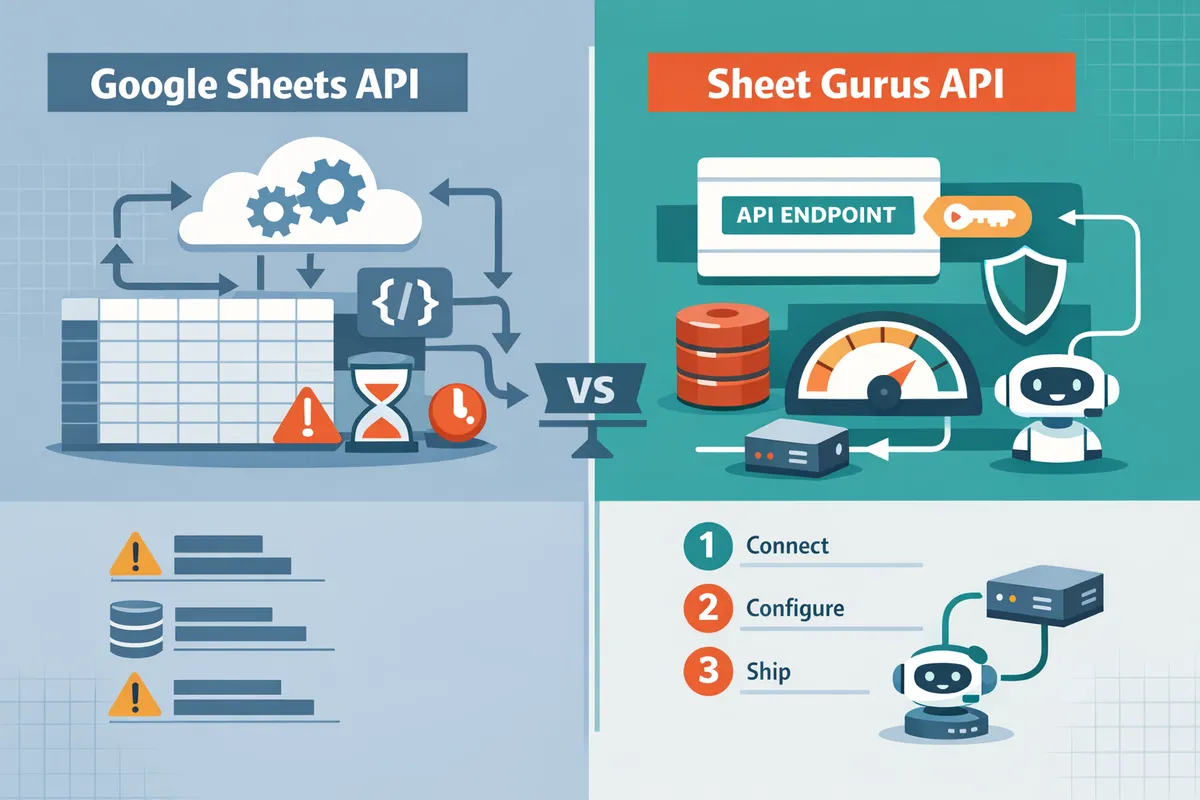
Google Sheets REST API vs Google Sheets API: Differences, Pros/Cons, and the Fastest Path to CRUD
Two weeks of engineering time is common when teams build a REST API for spreadsheets. google sheets rest api is a method that exposes spreadsheet data as RESTful JSON endpoints for full CRUD. This comparison-post in our General API Concepts cluster evaluates tradeoffs between Google Sheets API, no-code wrappers, and managed platforms, recommending the fastest production-ready path to CRUD. Our Sheet Gurus API turns Google Sheets into production-ready RESTful JSON APIs in minutes with no backend code, Google sign-in, instant live endpoints, and real-time sync to the original sheet. It adds API key authentication, per-sheet permissions, configurable rate limiting, optional Redis caching, MCP server support for AI agents, and up to 99.9% uptime. Which option delivers reliable CRUD fastest with minimal ops and AI tooling?
How do the main approaches expose Google Sheets as APIs?
The main options are the official Google Sheets API, Google Apps Script wrappers, and third-party REST wrappers like Sheet Gurus API. The three main approaches present a tradeoff between control, speed to market, and operational risk. Choose the official API for low-level control, Apps Script for quick custom endpoints inside Workspace, or a third-party REST wrapper to get production controls without building a backend. This section defines each approach and the business consequences of choosing it.
What is the Google Sheets API?
Google Sheets API is the official REST service that provides programmatic read/write access to spreadsheets using Google-managed authentication and quotas. It exposes spreadsheet resources (spreadsheets, sheets, ranges, values, and batch updates) through REST endpoints and official client libraries. Major languages such as Java, Python, and Node.js have libraries that reduce boilerplate for pagination, batching, and retries.
Core characteristics:
- Managed service with Google handling hosting, security patches, and auth flows.
- OAuth 2.0 and service account based access for server-to-server or delegated user access.
- Batch operations and value ranges to reduce API call counts for bulk syncs.
Typical use cases and business tradeoffs:
- Good when teams need precise control over reads, writes, and atomic updates for complex integrations.
- Higher initial development time and longer maintenance cycles because you must build and operate the orchestration layer that keeps tokens, retries, and quotas in check. That increases ops cost and the risk of outages if a credential or quota breaks.
For a practical overview of what a Google Sheet REST API looks like and how teams handle CRUD and quotas, see our Google Sheet REST API: What It Is, How It Works, Limits, and the Fastest Way to Get One.
What is a Google Apps Script wrapper?
Google Apps Script wrapper is a scripting layer that converts spreadsheet logic into custom web endpoints and lightweight server logic hosted inside your Workspace project. You write scripts that read and write sheets, then deploy them as web apps or REST-like endpoints that other services can call.
How teams typically use it:
- Write handler functions in Apps Script that parse HTTP payloads and map them to sheet rows.
- Deploy the script as a web app or publish an API-style endpoint with permission scopes.
- Maintain the script inside the same Workspace project as the spreadsheet.
Business consequences of the DIY script approach:
- Fast to prototype: a small team can get endpoints up in hours. Example: publishing a simple CRUD endpoint for a form intake often takes a single afternoon.
- Harder to scale and audit: access control, rate limiting, monitoring, and compliance controls require additional engineering time and process changes. That increases the chance of accidental data exposure or longer resolution time when a script breaks.
⚠️ Warning: Publishing a script endpoint with weak access controls can accidentally expose sensitive rows. Treat any sheet-backed endpoint as a production asset and apply the same audit controls you would to a database.
Compare DIY Apps Script tradeoffs to hosted options in our how-to guide How to Turn Google Sheets into a REST API in Minutes (No Backend Required).
What is Sheet Gurus API?
Sheet Gurus API is a third-party REST wrapper that turns Google Sheets into production-ready JSON APIs with built-in auth, permissions, rate limiting, and optional caching. The platform provides an out-of-the-box workflow: connect a Google account, select a spreadsheet, configure permissions and caching, and get a live CRUD endpoint.
Key product capabilities:
- API key authentication with per-sheet permissions and configurable rate limits.
- Optional Redis caching to reduce calls to the Google Sheets API and improve response times.
- Tools for AI workflows by exposing sheets as MCP servers so assistants can query structured data.
Business outcomes and when to pick Sheet Gurus API:
- Pick this when speed to market, minimal ops, and predictable service controls matter. For example, a small product team needing an internal CRM API can move from prototype to a secure endpoint in hours instead of weeks of backend work.
- Choosing Sheet Gurus API reduces the manual effort for credential management, monitoring, and operational controls compared with building a custom service.
For setup steps and example Postman/OpenAPI artifacts you can drop into CI, see our Google Sheets RESTful JSON API with CRUD: Free Postman & OpenAPI and the Sheet Gurus API setup guide.
How do the options compare on setup, security, cost, quotas, and performance?
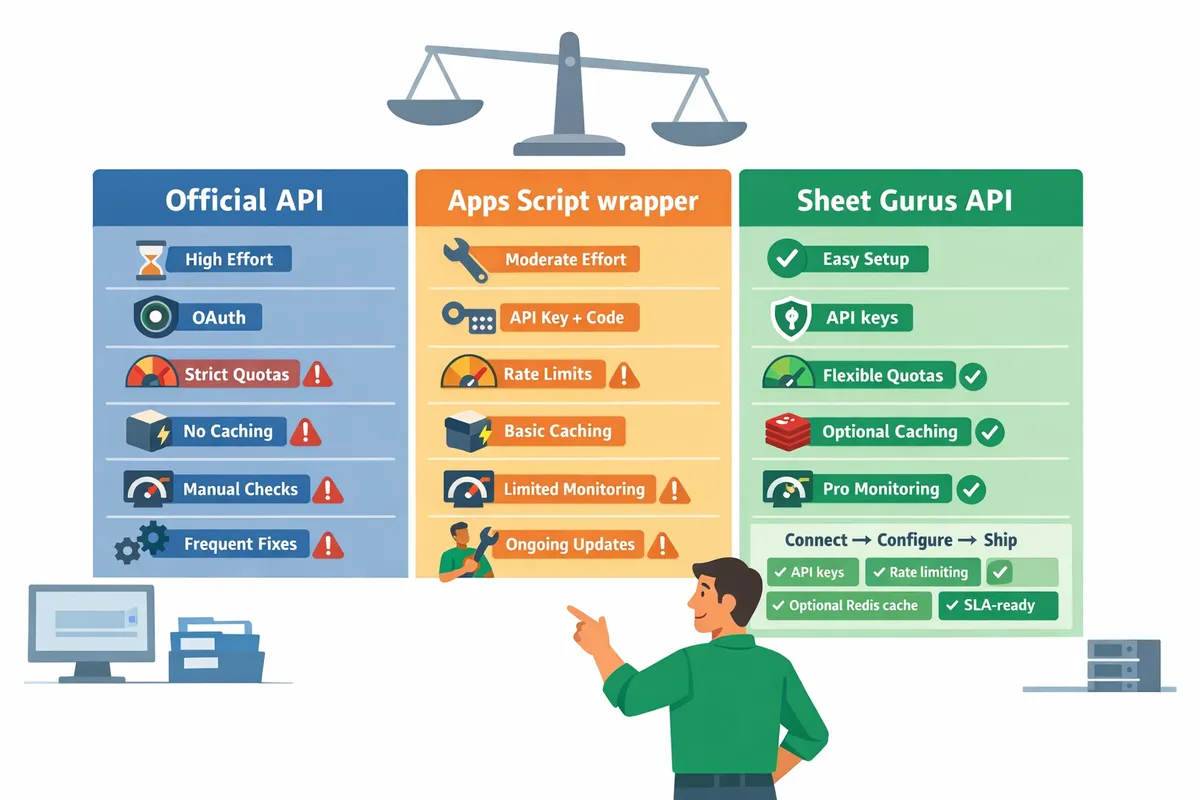
The comparison below evaluates setup effort, auth model, quotas and rate limits, caching, monitoring, and maintenance.
The three approaches trade control for speed and operational risk. This comparison helps product managers and engineering leads pick the path that matches time-to-market, compliance needs, and ongoing ops capacity.
| Criteria | Official Sheets API | Google Apps Script (as API) | Sheet Gurus API |
|---|---|---|---|
| Setup time | Medium to high. Requires backend wiring, OAuth/service-account setup, and schema mapping. | Low to medium. Build a web app or REST wrapper inside Apps Script; can be done quickly for prototypes. | Very low. Sign in with Google, select a sheet, and get a live REST endpoint in minutes. |
| Recurring cost | Low API costs but high developer and hosting costs for the backend. | Minimal platform cost but hidden ops costs if usage grows. | Predictable subscription cost; no backend hosting required. |
| Auth model | OAuth 2.0 or service accounts. Full control but you handle token rotation and scopes. | Script executes under owner or user credentials; managing delegated access gets tricky at scale. | Google sign-in plus API key management and per-sheet permissions managed by the platform. |
| Production readiness | Production-ready if you add monitoring, rate limiting, and retry logic yourself. | Suits internal tools and prototypes; fragile for public-facing APIs without extra controls. | Built for production with API key auth, per-sheet permissions, and configurable rate limiting. |
| Caching options | You control caching (Redis, CDN, in-process) but must implement invalidation. | Limited built-in cache (CacheService) and triggers; less flexible for high-throughput apps. | Optional Redis caching out of the box to cut Google API calls and speed responses. |
| Quota handling | You must handle Google quotas, retries, and exponential backoff in your code. | Shares Apps Script quotas; sudden traffic can hit platform limits quickly. | Configurable rate limiting per key or global to protect sheets and downstream quotas. |
| Maintenance burden | High. You maintain auth, retries, monitoring, and incident response. | Medium. Easier to iterate but fragile as complexity grows. | Low. Platform handles ops, monitoring, and key lifecycle so your team focuses on product. |
| Best for | Complex integrations that need full control and custom business logic. | Internal automations, simple prototypes, and quick proofs of concept. | Customer portals, internal apps, AI agents, and production APIs where speed to market and low ops matter. |
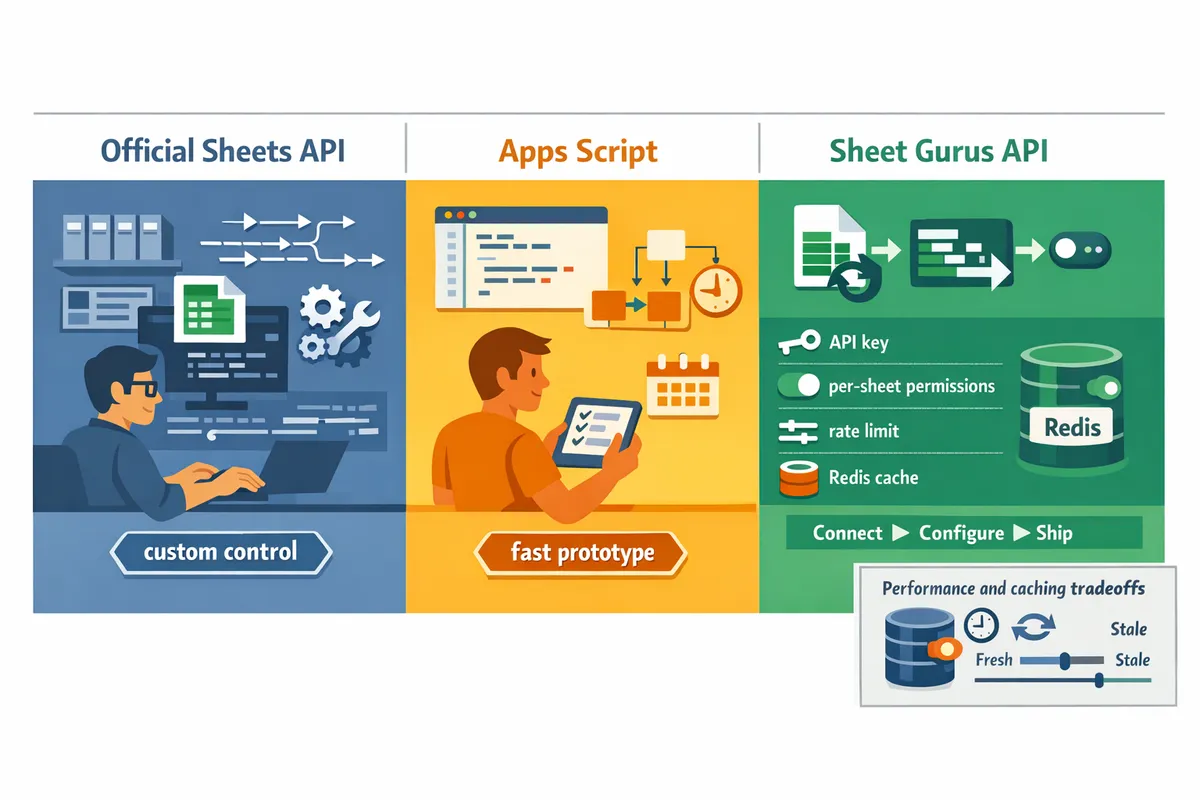
Performance and caching tradeoffs ⚡
Caching reduces Google API calls and improves response times but introduces the risk of stale reads unless you add invalidation. Use short TTLs for frequently updated rows and longer TTLs for archival data. Official Sheets API implementations let you pair a Redis or CDN cache with strong invalidation strategies, but you must build background sync jobs and handle cache misses. Apps Script can use CacheService for light caching, yet execution time limits and concurrent write semantics often cause inconsistent latency under load. Sheet Gurus API provides optional Redis caching and configurable TTLs so teams avoid building cache infra; the platform also offers background refresh patterns for common read-heavy endpoints. For customer-facing workflows, prefer conservative TTLs or event-driven invalidation. For hourly reporting, a cache with a 5–15 minute TTL often reduces calls without harming accuracy.
Security, governance, and compliance checklist 🔒
Proper access controls, key rotation, rate limiting, and audit logs determine whether a spreadsheet-backed service is safe for production. Follow this checklist before exposing sheet data as an API:
- Per-sheet permissions. Restrict which spreadsheets each API key or user can access to limit blast radius. Business risk: wide permissions can leak sensitive customer data.
- API key rotation and revocation. Rotate keys regularly and immediately revoke keys tied to compromised accounts. Business risk: stale keys lead to uncontrolled access.
- Rate limiting. Apply per-key and global limits to prevent abuse and protect Google quotas. Business risk: spikes can exhaust quotas and disrupt service for paying customers.
- Audit logging. Capture who accessed what row and when to support investigations and compliance requests. Business risk: lack of logs impedes breach response and regulatory reporting.
- Least privilege OAuth scopes. Request only the scopes needed for CRUD operations. Business risk: broad scopes expand attack surface.
💡 Tip: Rotate API keys regularly and revoke unused keys; tie rotations to an automated schedule in your secrets manager.
Our website covers governance patterns in more detail in How to Turn Google Sheets into a REST API in Minutes (No Backend Required) and the security sections of the Google Sheets JSON API guide.
Cost, quotas, and maintenance tradeoffs 💰
Total cost equals subscription fees, developer hours, and incident-response time; DIY routes shift that burden onto your team. Teams building a custom backend for the Official Sheets API typically spend several days to weeks integrating auth, quotas, retry logic, and monitoring. Those upfront hours become recurring costs because credential expirations, broken sheet schemas, and quota changes trigger emergency fixes. Apps Script reduces initial dev time but shares platform quotas and can cause hard-to-diagnose outages when a shared limit is hit.
Sheet Gurus API reduces ops time by providing API key management, per-sheet permissions, rate limiting, and optional caching so teams avoid building those systems. If your roadmap prioritizes launching CRUD endpoints quickly and minimizing ongoing maintenance, using a hosted solution often reduces total cost of ownership despite subscription fees. For teams that require bespoke business logic or extremely tight cost control, the Official Sheets API gives maximal flexibility but expects you to maintain the full stack.
For implementation templates and CI-ready OpenAPI/Postman assets, see our Postman and OpenAPI resources for Google Sheets RESTful JSON APIs.
Which option is the fastest production-ready path to CRUD: hosted REST APIs minimize ops and accelerate launches.
For teams that need reliable, maintainable CRUD endpoints, building and operating a custom service usually costs days or weeks and adds operational risk. A google sheets rest api hosted solution removes most of that work and gets endpoints into production faster. This comparison shows that hosted APIs reduce downtime risk and free engineering time for product work.
Sheet Gurus API turns Google Sheets into production-ready RESTful JSON APIs in minutes, requiring no backend code. Users sign in with Google, select a spreadsheet, and immediately receive a live API endpoint that supports full CRUD (create, read, update, delete) operations with changes syncing back to the original sheet in real time.
Schedule a consultation with Sheet Gurus API to map your spreadsheet to secure CRUD endpoints and create a rollout plan tailored to your app and compliance needs. This approach aligns with broader General API Concepts and the practical steps in our guide on how to turn Google Sheets into a REST API in minutes.
💡 Tip: Bring a sample spreadsheet and the top three API routes you need to your consultation to get an actionable plan fast.