
Google Sheets API Templates (2026): Postman vs OpenAPI vs n8n vs Apps Script — Which Starter Should You Use?
One misaligned column or a single missing header can add three hours of debugging and stop a production Google Sheets JSON endpoint from serving live apps. A Google Sheets JSON endpoint is an HTTP interface that exposes spreadsheet rows as JSON so applications and AI assistants can read and write structured data. This comparison-post evaluates starter templates and workflows—Postman, OpenAPI, n8n, and Apps Script—so you can choose the right starter for production reliability or rapid prototyping. Sheet Gurus API turns Google Sheets into production-ready RESTful JSON APIs in minutes with no backend code: sign in with Google, pick a spreadsheet, and receive a live CRUD endpoint with API key auth, rate limiting, optional Redis caching, and MCP server support. See our Sheet Gurus API getting started guide and the API Reference for quick examples. Which starter minimizes ops risk while keeping iteration fast depends on three trade-offs we unpack below.
Which starter options can expose a Google Sheets JSON endpoint?
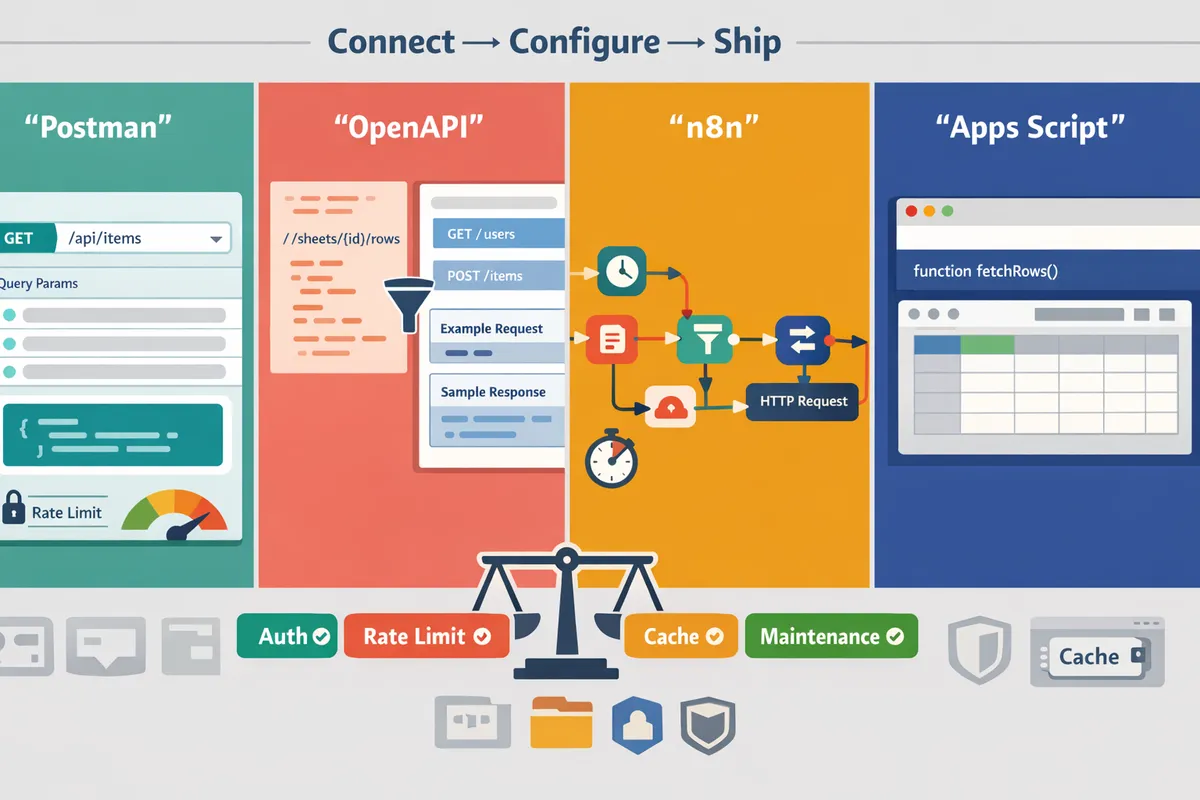
Teams can pick starters that range from request collections for testing to low-code flows and managed APIs, and that choice directly affects time to production, maintenance effort, and security controls. Below we compare Postman collections, OpenAPI templates, n8n workflows, Apps Script doGet/doPost templates, and a managed alternative, Sheet Gurus API, so you can match a starter to your risk tolerance and launch speed.
How does a Postman collection for Google Sheets REST API work? 🧭
A Postman collection is a set of HTTP requests that teams use to prototype, exercise OAuth flows, and validate a Google Sheets-backed REST API. Postman collections let a non-developer or QA run the exact sequence an integration will call: exchange OAuth tokens, request rows as JSON, POST new rows, and inspect pagination headers. That makes a postman collection for google sheets rest api ideal for handoff to engineering or for documenting expected request/response shapes before code lands. The trade-off is that Postman itself does not provide hosting, auth key management, rate limiting, or caching. For production-grade endpoints you will still need a server or a managed service; our Google Sheets RESTful JSON API with CRUD: Free Postman & OpenAPI article shows how teams pair Postman prototypes with long‑term options like Sheet Gurus API.
What does an OpenAPI-first template do? 📘
An OpenAPI template is a formal contract that defines endpoints, request/response schemas, and examples so teams can generate clients and server stubs. Larger teams use OpenAPI to enforce consistency across clients and CI, create mock servers for frontend work, and automatically validate schema changes. The overhead comes from keeping the OpenAPI spec in sync with the spreadsheet schema and from building a reliable adapter that maps rows and columns to the declared models. That maintenance cost grows when sheets are edited by non-developers. If you want the benefits of an API contract without building and hosting adapters, the OpenAPI starters in our free templates list integrate well with managed APIs like Sheet Gurus API, which provide a stable CRUD endpoint without writing server stubs. See our starter roundup for OpenAPI examples and practical export patterns: 10 Free Starters for Fast CRUD.
How can n8n expose a Google Sheets JSON endpoint? 🔁
n8n is a low-code workflow tool that exposes HTTP endpoints and orchestrates Google Sheets operations through drag-and-drop nodes. You can build workflows that accept POSTed JSON, query or append sheet rows, transform fields, and return paginated JSON responses without writing a server. That makes n8n useful for marketing teams that need visual automation and conditional logic that depends on sheet data. The trade-offs are runtime reliability and operational cost: you must host n8n in a stable environment (or pay for a hosted plan), handle authentication for production clients, and monitor workflows for errors. For teams that expect production traffic, a managed API removes hosting and rate-limit headaches; compare the maintenance burden with a managed option in our templates roundup.
What is an Apps Script JSON API template (doGet/doPost)? 🛠️
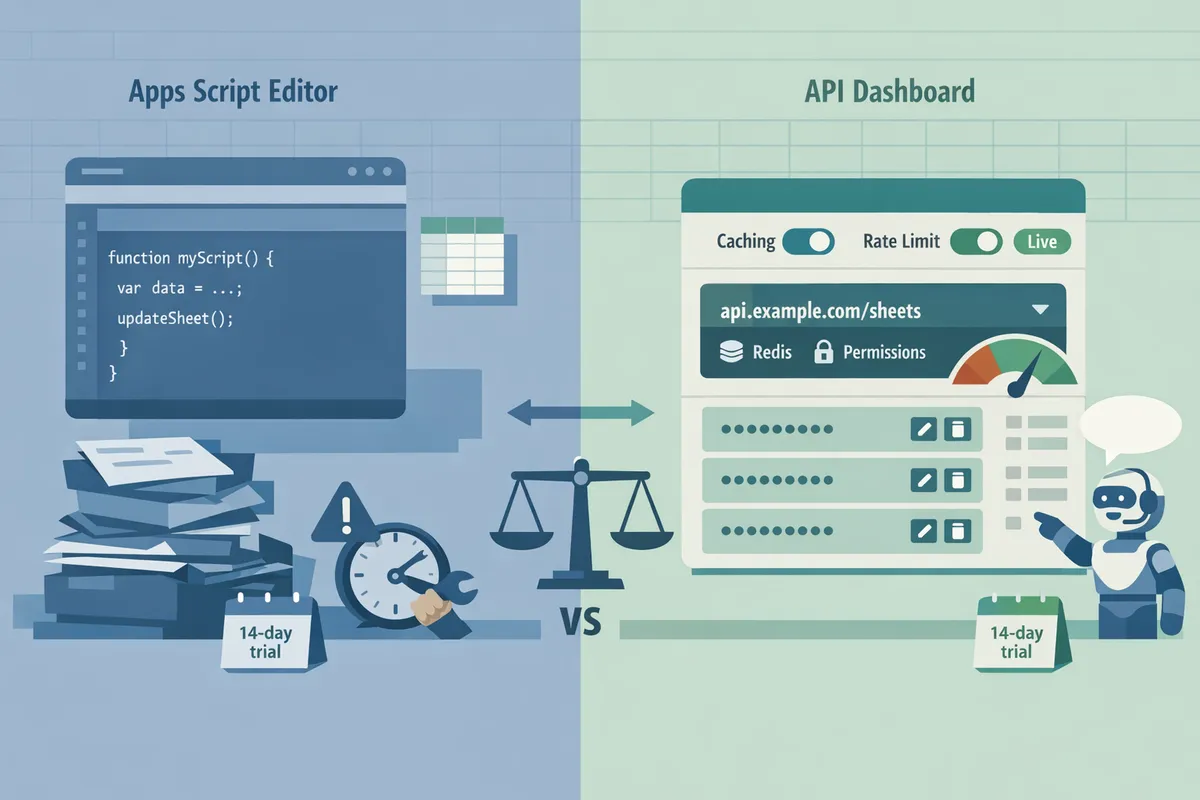
An Apps Script JSON API template is a Google Apps Script web app that serves spreadsheet data via doGet and doPost handlers. Apps Script is the fastest path to a working JSON endpoint for internal tools: sign in with a Google account, paste a doGet/doPost template, and return rows as JSON in minutes. The downside shows up under load and when multiple teams edit the sheet: Apps Script uses the executing account's quotas, requires careful OAuth/scopes handling for external consumers, and exposes maintenance risk when a single misnamed header or column changes the response shape. That maintenance risk is precisely why teams often move from Apps Script prototypes to a managed API for production.
⚠️ Warning: Apps Script endpoints inherit Google quota and execution limits; public-facing clients can exhaust quotas and block access for your team.
Include the apps script json api template doGet doPost pattern in prototypes, but plan for an upgrade path to a managed API if you expect third-party clients or steady traffic.
How does Sheet Gurus API approach a Sheets JSON endpoint? 🚀
Sheet Gurus API is a managed service that converts a Google Sheet into a production-ready RESTful JSON API with API keys, per-sheet permissions, rate limiting, and optional Redis caching. Teams connect a spreadsheet, configure permissions and caching, and receive a live CRUD endpoint that maps sheet rows to REST resources; this removes the need to implement OAuth flows, key stores, or caching layers yourself. Sheet Gurus API typically achieves up to 99.9% uptime. For business owners who want to avoid building and operating a backend, Sheet Gurus API shortens time to ship and adds operational controls such as configurable rate limits and API key management. See the Getting Started guide for a step-by-step flow and the API Reference for available CRUD and filtering operations: Getting Started with Sheet Gurus API and Sheet Gurus API Reference.
How do these starters compare on security, performance, and maintenance?
They differ in authentication, rate limiting, caching, and ongoing maintenance, which produces trade-offs between speed to ship and operational risk. Sheet Gurus API consolidates API key auth, fine-grained per-sheet permissions, configurable rate limiting, and optional Redis caching, and typically achieves up to 99.9% uptime with average response times under 100 ms. Choosing the wrong starter can save hours at launch and create days of firefighting later.
Which comparison criteria matter for a Google Sheets JSON endpoint? ✅
Authentication, authorization, rate limiting, caching, latency, maintenance time, and cost are the core criteria that determine business risk for a Google Sheets JSON endpoint. Authentication decides who can request data; weak auth leads to leaks and compliance exposure. Authorization (per-sheet permissions) controls row- or sheet-level access and prevents accidental data disclosure when spreadsheets contain mixed data sets. Rate limiting prevents abuse and sudden quota exhaustion that breaks dashboards. Caching reduces Google API calls and lowers latency for dashboards or AI agents. Maintenance time converts directly into payroll hours and delayed features.
Sheet Gurus API is built to cover these items out of the box: API key management, per-sheet permissions, configurable rate limiting, and optional Redis caching so teams avoid building duplicate protection, quota guards, and cache layers themselves. For quick starter downloads and hands-on templates, see our Google Sheets to REST API Templates: 10 Free Starters.
⚠️ Warning: Never expose spreadsheets with PII or regulated data as public endpoints. Restrict access, filter sensitive columns before publishing, and audit access logs regularly.
Compact comparison table 📊
The table below summarizes how Postman, OpenAPI, n8n, Apps Script (doGet/doPost), and Sheet Gurus API compare on auth, per-sheet permissions, caching, maintenance effort, and typical latency.
| Starter | Auth support | Per-sheet permissions | Caching | Expected maintenance effort | Typical latency (user-facing) |
|---|---|---|---|---|---|
| Postman collection for google sheets rest api | Good for testing (OAuth flows); not a production gateway | None by itself; depends on backend | None | Low for tests; high if used as ad-hoc runner for prod | Variable; not designed as runtime |
| OpenAPI (spec) | Spec-level support; runtime depends on hosting (you must implement auth) | Depends on deployed server logic | Depends on hosting/edge cache | Moderate to high (hosting + CI) | Depends on implementation and infra |
| n8n workflows | Built-in OAuth and API key options; workflow-level secrets | Workflow granularity only; no native per-sheet API keys | Possible via external caching nodes | Moderate (maintain workflows and credentials) | Moderate; often 200–500 ms for workflow runs |
| Apps Script (doGet/doPost) | OAuth via Google; requires token handling for external clients | Script/project-level or Drive-level permissions | None natively; can add external cache | Low for prototypes; high for production SLAs and quotas | Often 100–500 ms; can spike under load |
| Sheet Gurus API | API key auth plus OAuth onboarding and key rotation | Fine-grained per-sheet permissions managed in UI | Optional Redis caching available | Low (managed, minimal ops) | Low latency with managed infrastructure |
Refer to our practical OpenAPI and Postman examples in Google Sheets RESTful JSON API with CRUD: Free Postman & OpenAPI to see how spec and request collections map to production requirements.
What are the real business impacts of each choice? 💼
DIY starters reduce time-to-prototype but often increase hidden operational costs, compliance risk, and downtime for production apps. For example, an Apps Script prototype that serves an internal dashboard can start as a 30‑minute build and later require 10+ hours to add API keys, rate limiting, quota monitoring, and robust error handling once usage grows. Those hours are not just development time; they are stalled product roadmaps and support tickets.
Managed options like Sheet Gurus API shift these burdens off your team. Our website's Sheet Gurus API centralizes API key management, per-sheet permissions, rate limiting, and optional caching so product teams spend days shipping features instead of weeks building infrastructure. For typical production use cases and AI integrations, see the scenarios in Google Sheets to API: 15 Production-Ready Use Cases for Internal Tools, Portals, and AI Agents.
How do costs and scaling compare? 💸
Open-source or script-based approaches have low upfront cost but higher long-term engineering hours, while managed APIs consolidate cost into predictable plans and reduce hidden operational spend. Development teams often spend 40+ hours building custom endpoints when they add auth, pagination, rate limiting, and monitoring; those hours recur as usage grows and requirements change.
Scaling impacts both hosting and human time. Self-hosted OpenAPI servers and n8n instances require capacity planning, backups, and SRE time when requests grow. Apps Script faces Google quotas that trigger emergency work when traffic spikes. Our website's Sheet Gurus API reduces that operational load by providing API-level controls, rate limiting, and optional Redis caching so teams pay a predictable plan instead of unplanned engineering cycles. For architecture trade-offs and quota considerations, read Google Sheets REST API vs Google Sheets API: Differences, Pros/Cons, and the Fastest Path to CRUD.
Which starter should you choose for common production and prototype use cases?
Choose the starter that matches who will use the API, the traffic you expect, and how much ongoing maintenance your team can support. Matching those constraints minimizes wasted developer hours, reduces security surprises, and gets a reliable Google Sheets JSON endpoint into production faster.
Which starter is best for quick testing and collaboration? 🧪
Postman collections are best for quick testing, documenting, and handing off Google Sheets JSON endpoints between product and engineering. Postman lets you share environment variables, example requests, and mock responses, so product managers and engineers can agree on paths and payloads before anyone writes a backend. Use a postman collection for google sheets rest api to validate response shapes, test pagination, and show auth headers that consumers must send. Pros: near-zero setup for teams, rich examples for client teams, and easy CI validation with Newman. Cons: no runtime for production, no per-key access controls, and manual synchronization when sheet columns change. Use Postman early, then switch to a hosted solution or a CI-validated OpenAPI spec for production. See our Google Sheets RESTful JSON API with CRUD: Free Postman & OpenAPI for downloadable templates and recommended Postman request sets.
Which starter is best for API-first teams and client generation? ⚙️
OpenAPI-first templates fit teams that need strict contracts, generated clients, and CI-based schema validation. Define paths, request/response schemas, and security schemes once and generate SDKs for frontend teams to use without guessing field names. OpenAPI reduces integration errors by enforcing types and required fields during pull-request validation. Costs: you must implement or host endpoints that conform to the contract, handle auth and rate limiting, and maintain the spec as the sheet schema evolves. A common pattern is to publish an OpenAPI spec in your repo and point it at a stable backend. For teams that do not want to build the backend, Sheet Gurus API provides ready-made CRUD endpoints that match standard REST patterns, letting you attach an OpenAPI contract to a live endpoint and skip weeks of backend work. Use our Google Sheets RESTful JSON API with CRUD: Free Postman & OpenAPI article for templates to drop into CI.
Which starter is best for no-code/low-code automation? 🔧
n8n works best when business users need visual workflows that read and write Sheets without a custom server. n8n nodes let marketing, ops, and support build flows (trigger, transform, write row) and connect Sheets to CRMs, Slack, and databases with minimal developer time. It reduces developer hours for one-off automations and event-driven tasks but requires a stable host and credentials strategy for production reliability. Common pitfalls include quota spikes against the Google Sheets API, long-running workflows, and token expiry. For production reliability, use n8n with a stable endpoint such as a Sheet Gurus API endpoint to centralize auth and reduce direct calls to Google Sheets. See examples in our Google Sheets to API: 15 Production-Ready Use Cases for Internal Tools, Portals, and AI Agents.
Which starter is best for fast prototypes and internal tools? 📝
Google Apps Script JSON API templates with doGet and doPost are fastest for single-sheet prototypes and internal dashboards. Apps Script requires only a Google account, and a few lines in doGet/doPost return JSON for internal tools or quick proofs of concept using an apps script json api template doGet doPost. That speed comes with trade-offs: limited per-key access control, quota handling, and brittle auth when exposing scripts outside your org. If a prototype stays internal with low traffic, Apps Script minimizes developer time. If the tool moves toward external users or higher traffic, move to a managed endpoint. Sheet Gurus API replaces the manual backend work and adds API key management, per-sheet permissions, and optional caching so a prototype can graduate safely to production without a rewrite. Related reading: Google Sheets REST API vs Google Sheets API covers when Apps Script reaches its limits.
When should you pick Sheet Gurus API for production? 🏁
Pick Sheet Gurus API when you want production-grade controls without building or running backend services. Sheet Gurus API provides API key authentication, per-sheet permissions, configurable rate limiting, optional Redis caching, and out-of-the-box CRUD endpoints so teams avoid building credential handling, quota protection, and caching. That reduces ops time, removes common failure modes when sheets change, and lets product teams ship external-facing endpoints faster. Practical example: a small customer portal that needs row-level access and predictable rate limits moves from an Apps Script prototype to a Sheet Gurus API endpoint in minutes using the Connect → Configure → Ship flow. Start with the Getting Started guide and review the API Reference for example requests and pagination patterns.
How to decide: a practical checklist for selecting a starter 🗂️
Answer five business questions and map the result to a starter. 1) Who consumes the API? Internal staff only -> Apps Script; external clients or partners -> OpenAPI or Sheet Gurus API. 2) Expected traffic and SLAs? Low, sporadic traffic -> Postman or Apps Script prototype; steady public traffic -> Sheet Gurus API or self-hosted gateway. 3) Required access controls? Per-user or per-key permissions -> Sheet Gurus API. 4) Maintenance bandwidth? Small team that cannot own a backend -> n8n for automation, Sheet Gurus API for public endpoints. 5) Will AI assistants query the data? If yes, prefer a managed MCP-capable endpoint such as Sheet Gurus API.
- Assess target users and lifespan of the integration.
- Pick Postman for fast validation and handoff.
- Pick OpenAPI when you need generated clients and CI validation.
- Pick n8n for user-facing automations that avoid engineering time.
- Pick Apps Script for single-user proofs of concept.
- Pick Sheet Gurus API when you require production controls, predictable access, and minimal ops.
⚠️ Warning: Do not use Publish to Web for any spreadsheet that contains PII or business-sensitive rows. Publicly exposing rows risks data leaks and compliance failures.
Google Sheets RESTful JSON API with CRUD: Free Postman & OpenAPI
Google Sheets to API: 15 Production-Ready Use Cases for Internal Tools, Portals, and AI Agents
Google Sheets REST API vs Google Sheets API: Differences, Pros/Cons, and the Fastest Path to CRUD
Frequently Asked Questions
This FAQ answers the most common decision and implementation questions teams face when exposing a Google Sheets JSON endpoint and choosing between Postman, OpenAPI, n8n, Apps Script, and Sheet Gurus API. Use these Q&A entries to map each starter to your security, maintenance, and time-to-market constraints.
Can I use a Postman collection as a live JSON endpoint? 🔍
No. A Postman collection is a testing and documentation artifact and does not itself respond to production client traffic as a live JSON endpoint. A Postman collection is a set of saved HTTP requests you use to validate endpoint behavior and share examples. Postman offers mock servers that return canned responses, but those mocks lack persistent storage, production-grade auth, and scalable rate limiting, so they are suitable only for demos and early integration testing. For a production-ready endpoint, either implement the OpenAPI server handlers or use a managed option such as Sheet Gurus API that provides a live CRUD endpoint without backend coding; see the Postman/OpenAPI starter examples in our Google Sheets RESTful JSON API with CRUD: Free Postman & OpenAPI.
Is an OpenAPI spec enough to serve Sheets as an API? 📐
No. An OpenAPI spec defines the contract for HTTP endpoints but does not implement the runtime that reads or writes Google Sheets. OpenAPI is a specification that describes endpoints, parameters, request bodies, and responses so teams can generate client code or documentation. To serve a Google Sheets JSON endpoint you must pair an OpenAPI document with a server implementation or a code generator that produces handlers which call the Sheets API or a managed service. If you prefer not to write server code, consider combining an OpenAPI spec with a hosted runtime or choose Sheet Gurus API, which implements the runtime and exposes a documented REST surface that matches common OpenAPI contracts. See our starter roundup, Google Sheets to REST API Templates: 10 Free Starters, for practical pairings.
How secure is Apps Script when exposing doGet/doPost as JSON? 🔒
Apps Script can be secured, but publishing doGet/doPost endpoints publicly increases risk unless you add explicit access controls and request validation. Google Apps Script is a scripting platform that can publish web apps which respond to HTTP requests and use Google identity for access control. The platform lacks built-in API key management, per-key rate limiting, and enterprise-grade access controls, so public endpoints are vulnerable to unauthorized reads, quota exhaustion, and abusive traffic unless you add a proxy layer, IP restrictions, or a custom auth gateway. If you need API keys, per-sheet permissions, or configurable rate limiting out of the box, Sheet Gurus API offers those controls without building extra middleware.
⚠️ Warning: Do not expose sensitive sheets via a public doGet/doPost without restricting access to specific Google accounts or a proxy that enforces rate limits and authentication.
Can n8n handle production traffic for Sheets-backed APIs? ⚖️
Yes, n8n can handle production traffic when self-hosted and architected for concurrency, but it requires operational effort to scale reliably. n8n is a workflow automation platform that executes node-based flows; it can poll or receive webhooks and then read or write Sheets. For moderate traffic, run n8n on self-hosted infrastructure or a managed runtime with autoscaling, add job queues for high-concurrency tasks, and configure retries and error handling for Google Sheets quota responses. For teams that prefer to avoid operational scaling, a managed REST facade such as Sheet Gurus API reduces ops work by providing API-level rate limits, caching, and a stable endpoint backed by Google-signed access.
How does Sheet Gurus API help AI assistants read and write spreadsheets? 🤖
Sheet Gurus API exposes spreadsheets as RESTful JSON endpoints and supports the Model Context Protocol so AI assistants can query structured sheet data and persist edits with minimal integration work. According to Sheet Gurus API documentation, the platform presents rows and columns as JSON resources and implements query/filter/pagination patterns that assistants expect, removing the need to build custom parsing or syncing logic. For example, you can connect a roster sheet and let an assistant fetch filtered rows, patch a cell, or append a new row using standard CRUD calls. See Getting Started for the three-step Connect → Configure → Ship flow and examples for MCP-enabled workflows.
What are typical troubleshooting steps for CORS, auth, and format issues? 🛠️
Start by checking CORS headers, confirming authentication flow behavior, validating JSON schema and pagination, and adding caching to reduce rate-limit errors. Common steps:
- Confirm response includes the correct Access-Control-Allow-Origin header and allowed methods for browser clients.
- Verify the auth method (OAuth, API key) matches the client flow and that tokens or keys are not expired.
- Validate response JSON against the expected schema and check pagination links or page-size parameters for consistency.
- Add caching or server-side rate limiting when Google Sheets API quota errors occur to reduce direct calls during spikes.
Our Google Sheets JSON API: The Complete Guide to CRUD, Auth, and Performance includes sample request/response patterns and troubleshooting examples for auth and pagination.
Which starter minimizes maintenance and time-to-market for external clients? ⏱️
Managed platforms like Sheet Gurus API minimize maintenance and time-to-market by providing API keys, per-sheet permissions, configurable rate limiting, optional Redis caching, and a Connect → Configure → Ship flow that removes backend development. Building a custom endpoint with Apps Script, n8n, or a self-hosted OpenAPI server commonly adds days or weeks of work for auth, quota handling, and monitoring, and increases ongoing operational risk when traffic grows. If your priority is a fast, low-maintenance public JSON endpoint that supports CRUD and integrates with AI assistants, start with Sheet Gurus API and use the example starters in Google Sheets to REST API Templates: 10 Free Starters to validate your contract before switching to a custom implementation.
💡 Tip: If you plan to onboard external clients, generate separate API keys per client and enforce per-key rate limits to simplify billing and abuse tracking.
Choose the starter based on whether you need a prototype or production-ready API.
Pick a Postman, OpenAPI, n8n, or Apps Script starter by matching it to your timeline and risk tolerance. Postman and OpenAPI templates are fastest for contract testing and CI-driven prototypes; a postman collection for google sheets rest api lets QA and front-end teams iterate without blocking engineering. n8n fits event-driven workflows, and Apps Script templates work for tiny internal tools but require ongoing script maintenance.
If your goal is a reliable Google Sheets JSON endpoint for apps or AI agents, a managed path reduces operational risk and speeds shipping. See our roundup of ten starters for quick swaps and pagination examples in the free starters post for hands-on comparisons.
Sheet Gurus API turns Google Sheets into production-ready RESTful JSON APIs in minutes, requiring no backend code. Schedule a consultation with Sheet Gurus API to map your spreadsheet to a live endpoint and review auth, rate limits, and caching for your use case. For step-by-step setup and example requests, consult the getting-started guide and the RESTful CRUD templates article to pick the right starter and deployment plan.