
Google Sheets API Quotas and 429s: How to Increase Limits and Prevent Errors (2026 Guide + Calculator)
Many teams hit 429 quota errors after as few as 1,000 daily Google Sheets API requests, costing hours in retries and lost pipelines. To increase Google Sheets API quota is a procedural playbook that requests higher limits, cuts unnecessary calls, and forecasts usage to prevent 429s. This best-practices guide gives developers and data engineers a step-by-step playbook to request higher quotas, implement caching and configurable rate limiting, and apply forecasting templates with a quota calculator. Sheet Gurus API is a platform that turns Google Sheets into production-ready RESTful JSON APIs in minutes without backend code and adds API key controls, per-sheet permissions, and optional Redis caching. Which API calls should you prune first to stop 429s?
What quota rules govern the Google Sheets API and why do they cause 429 errors?
Google Sheets API enforces separate per-minute read quotas, per-minute write quotas, and per-project caps; exceeding those limits returns 429 or quota-related errors. These caps are measured as API calls, not rows, so batching, concurrency, and request patterns determine how fast you consume quota. Understanding how Google counts requests and how your clients burst traffic is the only reliable way to prevent repeated 429 responses and downstream failures.
What are the main Sheets API quota types and how are they measured? 🧮
Sheets API uses per-minute read quotas, per-minute write quotas, and per-project caps that Google counts per API call. The Google Cloud Console lists your project quotas and shows usage by method; consult the official Google Sheets API documentation and quickstart for the canonical quota table. A single batch read that returns 100 rows typically consumes one read operation, while 100 single-row GETs consume 100 read operations. Example: one spreadsheets.values.batchGet for range A1:E100 = 1 read call; ten spreadsheets.values.get calls for ten separate rows = 10 read calls. Writes follow the same logic: spreadsheets.values.batchUpdate reduces the number of write calls versus issuing many single-cell updates. Sheet Gurus API reduces call volume by exposing aggregated CRUD endpoints, optional Redis caching, and server-side batching so your app issues fewer upstream Google calls.
How does concurrency and client count drive quota consumption? ⚖️
Concurrent clients multiply your requests per minute and create short bursts that hit per-minute caps even when average daily usage looks safe. Use this formula to estimate peak requests per minute: concurrent clients × actions per client per minute × requests per action. For example, 50 concurrent users performing 2 actions per minute that each require 3 Google calls produces 300 requests per minute. That burst can produce immediate 429s even if your hourly average is 100 requests per minute. Practical mitigations include per-key rate limits, short request queues, and caching; Sheet Gurus API provides per-key throttles and optional Redis caching so you can smooth bursts without rewriting client code.
💡 Tip: Instrument timestamped request logs and alert on 1-minute error rate spikes; a sudden rise in 429s usually indicates burst behavior, not sustained demand.
Which error codes correspond to quota problems and what do they mean? 🚨
A 429 status typically means you exceeded a per-minute quota or hit a temporary rate throttle, while 403 often indicates a broader project-level restriction or billing problem. Diagnose by checking three things: timestamped 429 counts, aggregate request volumes by endpoint, and Cloud Console quota usage graphs. If you see many 429s concentrated in a single minute, reduce concurrency or add batching. If 403 appears with quota-related messages, verify billing is active and per-project caps are not reached. Sheet Gurus API surfaces per-endpoint metrics and Retry-After guidance, and can queue writes to prevent immediate 429 failures so your integrations degrade gracefully instead of failing outright.
Read vs write quotas and concurrency comparison (table) 📊
Read and write quotas are tracked separately and batching reduces counted operations for both reads and writes. Use the table below to decide which side of your traffic drives quota risk and what mitigation pattern to apply.
| Quota type | How Google counts it | Batched request effect | Concurrency impact | Practical mitigation (how Sheet Gurus API helps) |
|---|---|---|---|---|
| Reads (per-minute) | Each API call that reads values or ranges counts as a read | Batch range requests count as fewer calls than many single-row reads | High concurrent readers create spikes that hit the per-minute window | Server-side aggregation, Redis caching, pagination endpoints to reduce calls |
| Writes (per-minute) | Each API call that updates or appends cells counts as a write | Batch updates combine many cell changes into fewer write calls | Concurrent writers cause conflicting bursts and consume writes rapidly | Write queuing, idempotent endpoints, update coalescing reduce write volume |
| Per-project caps (daily or global) | Cumulative project usage and special limits enforced across the project | Batching helps but total daily consumption still counts toward caps | Multiple apps or services in one project share the same cap, increasing risk | Split heavy workloads into separate projects or use per-key throttles and dashboards to allocate usage |
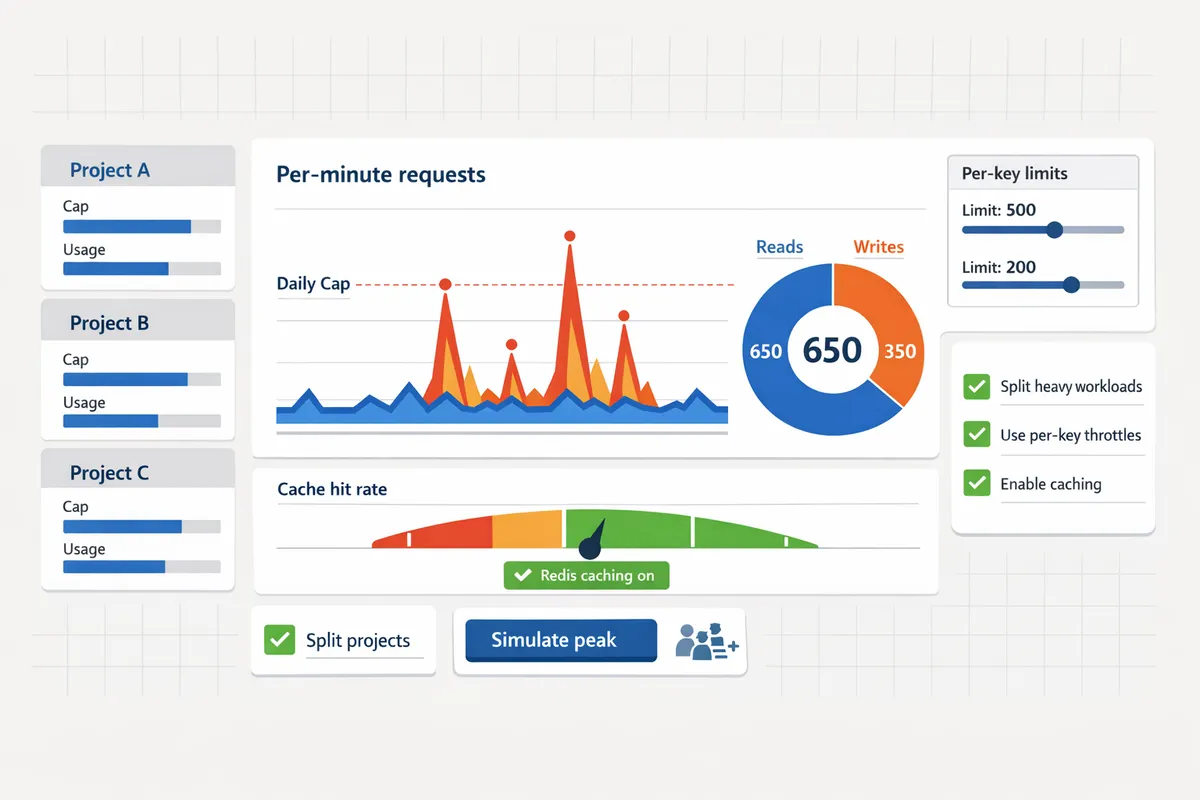
For practical next steps, profile your current workload into reads-per-action and writes-per-action, then simulate peaks using the concurrency formula above. If you prefer a hosted path that handles batching, caching, and throttling for you, see our guide on how to turn Google Sheets into a REST API in minutes and the Google Sheets API documentation and quickstart for quota reference.
How can I reduce Google Sheets API calls and prevent 429s with batching, caching, and rate limits?
You can cut Sheets API calls by batching requests, filtering fields, caching responses, and applying per-key rate limits. Batching 20 individual row reads into a single request reduces call count by 19 calls per cycle, which directly lowers the chance of hitting per-minute quota limits.
Batching and request consolidation: how much can it reduce quota use? 🧩
Batching is a request pattern that consolidates multiple operations into a single API call. Batching 20 single-row reads into a single batchGet or reading contiguous ranges with one request reduces calls by 19 and saves round-trip time. For writes, grouping updates into one batchUpdate avoids repeated recalculation and reduces per-minute write counts. Practical steps:
- Inventory hot paths where your app polls or writes frequently. List endpoints that cause >50 calls/min.
- Replace repeated single-row reads with range reads or batchGet for non-contiguous ranges.
- Group writes that affect adjacent cells into a single payload and submit with batchUpdate.
Consequence of not batching: higher per-minute call counts, longer aggregate latency, and more frequent 429 errors. Sheet Gurus API can batch and queue operations on your behalf so your app issues fewer direct Sheets API calls.
Selective reads and field filtering: request only what you need 📋
Selective reads are targeted requests that fetch specific ranges or fields rather than full sheets. Requesting only the columns and ranges you use reduces data transfer and avoids extra API calls for formatting or metadata. Use valueRenderOption to get raw values instead of formatted strings and choose dateTimeRenderOption to avoid post-fetch conversion. Practical patterns:
- Map each API endpoint to explicit sheet ranges rather than GET /spreadsheet. Example: GET /sheets/{id}/range?A2:C200.
- Use pagination for large tables and request only the next page.
- Cache schema mappings in your app to translate field names to ranges and avoid lookups that trigger extra calls.
Not filtering leads to unnecessary calls and larger responses that slow clients. Our guide to turning Google Sheets into a REST API explains how mapping endpoints to precise ranges prevents accidental full-sheet reads.
Reduce calls with caching and when to use Redis ⚡
Caching stores recent results so repeated requests for unchanged data avoid calling the Sheets API. For single-instance apps use an in-process TTL cache (100ms–5s); for multi-instance or high-concurrency apps use a central cache such as Redis. Example: a dashboard polled by 200 clients per minute can cut upstream reads by 80–95% with a sub-5-second TTL and write-driven invalidation. Cache placement guidance:
- Edge (in-memory): fastest for single-server apps, minimal network hop.
- Central (Redis): required for horizontally scaled services and for coordinated invalidation.
- CDN-style caches: useful for read-heavy public endpoints with longer TTLs.
Invalidation patterns matter: purge on write, use optimistic timestamps, or publish change events.
💡 Tip: Use write-driven invalidation so any API write immediately clears cached keys for that range.
Sheet Gurus API offers optional Redis caching and built-in invalidation hooks so you avoid building complex cache coherence yourself. See our caching docs for setup details and trade-offs.
Automatic retries and incremental delays: safe defaults and when to stop ⏱️
Retries with incremental delays and jitter prevent retry storms and give the API time to recover. Use short retry windows for transient 429s and stop when an error is clearly permanent. Recommended defaults:
- Max attempts: 3 retries after the initial request.
- Base delay: 300ms.
- Backoff multiplier: 2x per attempt.
- Add randomized jitter of ±25% to spread retries.
Stop retrying and surface the error for client-visible failures, non-retryable HTTP codes (400, 401, 403), or when retries exceed a short SLA window. Log 429s with timestamps and request traces; that evidence helps when requesting quota increases. Sheet Gurus API applies queued retries and exposes retry metrics so you avoid building custom retry orchestration.
⚠️ Warning: Do not retry immediately on every 429 without jitter. Immediate retries amplify load and prolong outages.
Per-key rate limits and throttling: isolate noisy tenants 🛡️
Per-key rate limiting isolates noisy clients so one user cannot exhaust shared project quotas. Allocate per-key quotas by setting a low steady-state rate and a short burst window for legitimate spikes. Example allocation: 5 requests per second steady rate with a 20-request burst allowed for 5 seconds, then a cool-down penalty for sustained overuse. Implementation checklist:
- Assign each API key a steady QPS and per-minute cap.
- Enforce short burst windows and queue excess requests rather than failing immediately.
- Apply progressive penalties for abuse (throttle, then temporary key suspension).
Per-key limits reduce systemic 429s and make quota forecasting predictable. Sheet Gurus API supports configurable per-key rate limits and global safeguards so you can test limits without risking your Google project quota.
How Sheet Gurus API reduces direct Sheets API calls and operational risk 🔁
Sheet Gurus API reduces direct Google Sheets API calls by exposing sheet data as REST JSON endpoints with built-in batching, configurable per-key rate limits, and optional Redis caching. The platform handles OAuth onboarding, queues writes to avoid burst storms, and provides webhook-driven invalidation so clients rarely poll the sheet. Practical benefits:
- Turn a high-read dashboard into one short-lived cached endpoint with automatic invalidation on writes.
- Replace distributed retry logic with provider-side queuing and retry metrics.
- Apply per-key quotas in minutes instead of building quota accounting in-house.
For a step-by-step comparison of DIY vs hosted options and how to get a JSON API quickly, read our guide on how to turn Google Sheets into a REST API in minutes. For rate limit and caching setup, follow our Google Sheets API Documentation: Quickstart, Quotas, Examples, and a Faster JSON API Alternative and the rate limiting and caching docs linked in the Sheet Gurus dashboard.
How do I request quota increases, forecast needs, and measure whether the fix worked?
Request quota increases through the Google Cloud Console using a compact usage profile, traffic forecast, and recent error history; then validate success with KPI monitoring and alerts. Forecasting reduces rejection risk because it shows request reviewers the concrete peak-minute needs and mitigation steps. Below are step-by-step templates, a quarter-long forecasting calculator approach, monitoring KPIs, a decision checklist, troubleshooting steps for rejections, and how Sheet Gurus API can avoid many quota requests.
📝 Step-by-step quota increase workflow and request template
Use a three-part request that contains current usage, projected demand, and the exact endpoints or methods that need higher quota. Follow these steps in the Google Cloud Console: 1) Open IAM & Admin and select Quotas for the project. 2) Filter for Sheets API quotas and click "Edit quotas." 3) Paste the three-part request in the justification field and attach logs or dashboards. 4) Add a rollback and staging plan to reduce reviewer risk. 5) Submit and monitor the request ticket for follow-up questions.
Include this three-part template in the request body:
- Current usage metrics. List average and peak requests per minute, recent 429 spikes with timestamps, and a short log excerpt showing error messages. Example: "Average reads: 2,400 RPM; peak reads: 6,800 RPM at 2026-02-12 14:03 UTC with 12% 429s."
- Projected demand with calculator inputs. State expected daily users, actions per user, requests per action, expected cache hit rate, and planned concurrency. Attach the quarter-long forecast spreadsheet (see calculator below).
- Exact endpoints and methods. Name the Google APIs you call (for example, spreadsheets.values.get, spreadsheets.values.batchUpdate) and which operations will increase. Explain whether requests are batched or single-row reads.
Add a short business-impact statement: "If quota remains capped, daily reporting pipelines fail and the ops team spends 6 hours daily on retries, risking missed SLAs." Attach screenshots from your monitoring tool and link to the official google sheets api documentation for reference.
Refer to our guide on how to turn spreadsheets into managed APIs for a path that reduces direct Sheets API calls: How to Turn Google Sheets into a REST API in Minutes (No Backend Required).
🧮 Quota forecasting calculator and a sample quarter-long forecast
Forecast per-minute read and write needs using inputs for daily users, actions per user, requests per action, concurrency, and cache hit rate. Build a simple spreadsheet with these columns for each day: date, expected daily active users, actions per user (daily), requests per action, cache hit %, peak concurrency multiplier, computed peak RPM (reads) and peak RPM (writes). Use formulas so a single change updates the quarter projection.
Calculator steps (spreadsheet-friendly):
- Compute total daily requests = daily_users * actions_per_user * requests_per_action.
- Estimate peak minute share = total_daily_requests * peak_factor. Use peak_factor = 0.06 for a single-hour peak or higher if a campaign concentrates traffic.
- Apply cache hit rate: effective_peak_requests = peak_minute_requests * (1 - cache_hit_rate).
- Convert to per-minute reads/writes as required and add concurrency cushion: requested_RPM = ceil(effective_peak_requests * concurrency_margin).
Sample scenario: expected daily users = 5,000; actions/user/day = 4; requests/action = 1.5; cache hit rate = 70%; peak_factor = 0.08. Put those numbers into the sheet to produce a peak-minute read/write need and copy forward across 90 days. Stress-test by adding scheduled spikes (product launches, marketing emails) and recalculate peak_factor for those days.
Save a tab showing the single highest peak-minute value. Use that peak when you file the quota increase request. If you prefer a template, adapt the forecast layout from our post on building a Google Sheets JSON API where similar demand planning is used for production rollouts: Google Sheets JSON API: The Complete Guide to CRUD, Auth, and Performance.
📊 Monitoring, alerts, and KPIs to measure quota health
Measure 429 rate, requests per minute, cache hit ratio, and error budget to confirm whether a quota change succeeded. Build dashboards that show these KPIs side by side so reviewers and engineers can see before-and-after trends.
Key metrics and suggested thresholds:
- 429 rate. Alert when sustained 429 rate exceeds 1% for a 5-minute window.
- Requests per minute. Monitor both aggregate and per-endpoint RPM to spot hotspots.
- Cache hit ratio. Track read-through cache effectiveness; falling cache hit ratio indicates more upstream load.
- Error budget. Define acceptable 429s per day (for example, 0.1% of total requests) and alert when consumed above threshold.
Dashboards to build: a 1-hour heatmap of 429s, rolling 24-hour RPM trend, cache hit percentage, and a table of top endpoints by RPM. Use Cloud Monitoring or your observability tool and attach graph links to the quota request for reviewers.
💡 Tip: Include raw log excerpts with timestamped 429s when you submit a request. Reviewers accept requests faster when they can see the exact failure windows.
Sheet Gurus API also exposes dashboards and per-key metrics so you can measure cache hit rate and per-key RPM without digging through raw Sheets API logs.
✅ Decision path: optimize first or request increases?
Optimize first when caching, batching, or throttling reduce peak calls by a substantial percentage; request increases only after optimizations still leave peak demand above safe limits. Follow this checklist before filing a request:
- Measure current peak-minute RPM and identify top 3 endpoints by volume.
- Apply quick wins: batch reads, increase field filtering, add short TTL caching. Re-measure peak.
- If peak drops by 30 to 50 percent and meets headroom targets, do not request an increase.
- If peak remains above capacity or optimization breaks business functionality, prepare the quota request with the forecast and mitigation plan.
The business cost of requesting increases prematurely includes potential rejection and higher bills. If you need faster results without building custom middleware, see our guide that shows how to expose sheets as managed REST endpoints and reduce direct Sheets API calls: Google Sheet REST API: What It Is, How It Works, Limits, and the Fastest Way to Get One.
🛠️ Troubleshooting common quota request rejections and next steps
Most quota requests are rejected for missing billing, vague forecasts, or unchanged usage evidence in logs. When a request fails, take these corrective actions:
- Enable billing on the project and confirm billing account details in the console.
- Attach precise logs showing timestamped 429 spikes and the affected endpoints.
- Supply a phased increase plan: request a modest immediate bump plus staged increases tied to observed traffic metrics.
- Show a mitigation plan for abusive traffic: per-client rate limits, caching, or a staging plan that demonstrates you can throttle if issues occur.
- If reviewers ask for proof, run a controlled spike test on a non-production sheet and capture monitoring graphs to demonstrate behavior.
⚠️ Warning: Remove personal data from logs before attaching them to support tickets. Never submit PII or user credentials in quota request attachments.
If you cannot produce clear evidence, consider using Sheet Gurus API to stage traffic and prove reduced upstream risk with its per-key limits and optional caching. That staged performance data often convinces reviewers faster than speculative forecasts.
🔧 How Sheet Gurus API removes most quota headaches for production apps
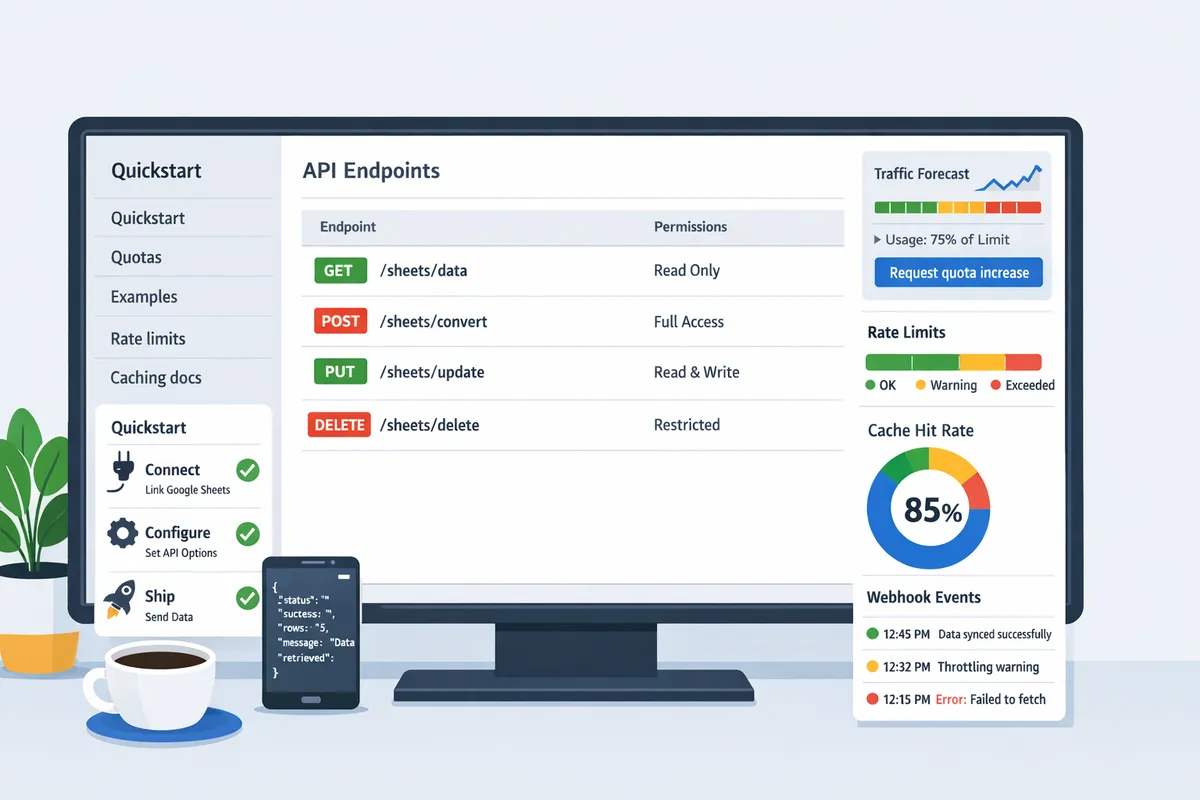
Sheet Gurus API reduces direct Google Sheets API calls by exposing managed REST endpoints with configurable rate limits and optional caching. Teams can Connect their spreadsheet, Configure endpoints and cache rules, then Ship a managed API without writing backend code. This removes common failure modes: token management, ad hoc polling, and excessive parallel reads.
Operational benefits you can expect when adopting Sheet Gurus API:
- Per-key rate limits and global throttles to prevent a single client from causing 429 cascades.
- Optional Redis caching and read-through strategies to cut upstream read volume and lower forecasted peak RPM.
- Built-in dashboards that show per-endpoint RPM and cache hit ratio so you can produce evidence for quota requests or avoid them entirely.
See our step-by-step Connect → Configure → Ship guide to move a sheet-backed workflow into a managed API quickly: How to Turn Google Sheets into a REST API in Minutes (No Backend Required).
Frequently Asked Questions
This FAQ answers the most common operational questions about Sheets API quotas, 429 errors, caching, and quota increase requests. Use these concise answers to decide whether to optimize, throttle, or request more quota and to assemble the artifacts needed for a successful request.
What does "google sheets api 429 quota exceeded" mean and how urgent is it? ⚠️
A 429 'quota exceeded' means your application hit a Sheets API quota window (usually per-minute) and Google is throttling further requests until that window resets. Treat repeated 429s as high priority when user-facing features fail during peak windows because each minute of throttling can block data syncs, cause duplicate work, or break automation pipelines. Short-term mitigations include applying per-key rate limits, queuing writes, and adding exponential backoff for retries. Sheet Gurus API provides configurable per-key rate limiting and automatic queuing so one client cannot take an entire spreadsheet offline, which reduces the immediate business impact while you pursue longer-term fixes.
How do I estimate requests per minute from my app? 📈
Estimate requests per minute by multiplying concurrent active users by actions per user per minute and by requests per action, then adjust for expected cache hit rate. For example: 50 concurrent users * 2 actions/min * 5 requests/action = 500 raw RPM; with a 70% cache hit rate that becomes roughly 150 effective RPM. Use that number to size per-minute read and write quotas in your forecast template and to decide whether batching or cache improvements are sufficient. Our forecasting template in this guide maps those inputs to a quota request payload you can attach to Google Cloud Console support. For additional context on limits and a faster JSON API alternative, see the Google Sheets API Documentation: Quickstart, Quotas, Examples, and a Faster JSON API Alternative.
Can caching really reduce Google Sheets API calls and how should I implement it? 💾
Yes. Caching unchanged responses with sensible TTLs and write-driven invalidation can cut read calls by an order of magnitude for many workloads. Implement caching at the API layer using a shared cache (Redis) for multi-instance apps and choose TTLs by use case: sub-10-second TTLs for near-real-time dashboards, 30–60 second TTLs for frequent-but-not-critical views, and longer TTLs for archival reports. Always invalidate or update cache entries on known writes (for example, purge by row ID or bump a sheet version token) to avoid stale data. Sheet Gurus API offers optional Redis caching and built-in invalidation hooks so teams avoid building cache coherence logic from scratch.
💡 Tip: Invalidate cache on every write and include a small version or timestamp column to make selective purges simple and reliable.
How long does Google take to approve a quota increase request? ⏳
Approval times vary from a few days to several weeks depending on your project's billing status, historical usage, and how clear your forecast and mitigation plan are. Requests attached to active billing projects that include timestamped 429 logs, a clear traffic forecast, and a mitigation plan (rate limits, batching, caching) typically move faster through review. Prepare a compact package: recent error samples, requests-per-minute graphs, median and p95 latency, and an explanation of why optimization alone cannot meet the peak load. If you want a quicker operational path while waiting for review, Sheet Gurus API can reduce call volume via caching and per-key rate limits so you can keep production running.
When should I use server-side rate limiting instead of asking for more quota? 🛡️
Use server-side rate limiting to protect shared quotas and control abusive or bursty clients; request additional quota only after you have optimized and can show persistent, legitimate peaks. Rate limiting prevents single clients from exhausting project-level quotas and buys time to implement batching, caching, and selective field reads. Operational pattern: enforce small per-key bursts, queue excess writes, and surface clear rate-limit headers to clients so integrations can back off gracefully. Sheet Gurus API provides per-key and global rate limits plus automatic queuing, so you can enforce limits without building a custom throttling layer.
What logs and metrics should I attach to a quota increase request? 📂
Attach timestamped 429 error logs, requests-per-minute graphs (before and after your optimizations), median and p95 latency, and a short forecast showing projected peak traffic after optimizations and cache improvements. Include a brief mitigation checklist (batching, cache TTLs, per-key limits) and sample error payloads that show exact response bodies and timestamps. These artifacts demonstrate both the need for more quota and that you will not simply exceed a larger limit without guardrails. If you need formatted exportables, Sheet Gurus API can produce request-rate graphs and error logs you can include directly in your Google Cloud Console support ticket.
Take concrete steps now to stop 429s and keep spreadsheets in production.
The fastest way to reduce outage risk is to combine quota requests with call reductions and forecasting. Start by using your quota calculator to plan expected traffic and submit a focused request to increase Google Sheets API quota while you implement rate limits, batching, and caching. See the Google Sheets API documentation for quota details and examples and our guide on how to turn sheets into a REST API for practical setup advice.
💡 Tip: Begin with short TTL caching and small per-key rate limits; these two changes usually yield the biggest drop in 429s within hours.
Sheet Gurus API turns Google Sheets into production-ready RESTful JSON APIs in minutes, requiring no backend code. Users sign in with Google, select a spreadsheet, and immediately receive a live API endpoint that supports full CRUD operations with changes syncing back to the original sheet in real time. The platform adds API-level controls—API key auth with per-sheet permissions, configurable rate limiting, optional Redis caching to reduce Sheets API calls and accelerate responses, and enterprise infrastructure with 99.9% uptime and average response times under 100 ms. Create your first endpoint with our getting-started guide at Sheet Gurus API and test the quota-flow in minutes.
Subscribe to our newsletter for templates, quota-request language, and implementation tips.